DATE
Purpose
- Provides a date (as an Excel serial number) when given a year, month and day
Example
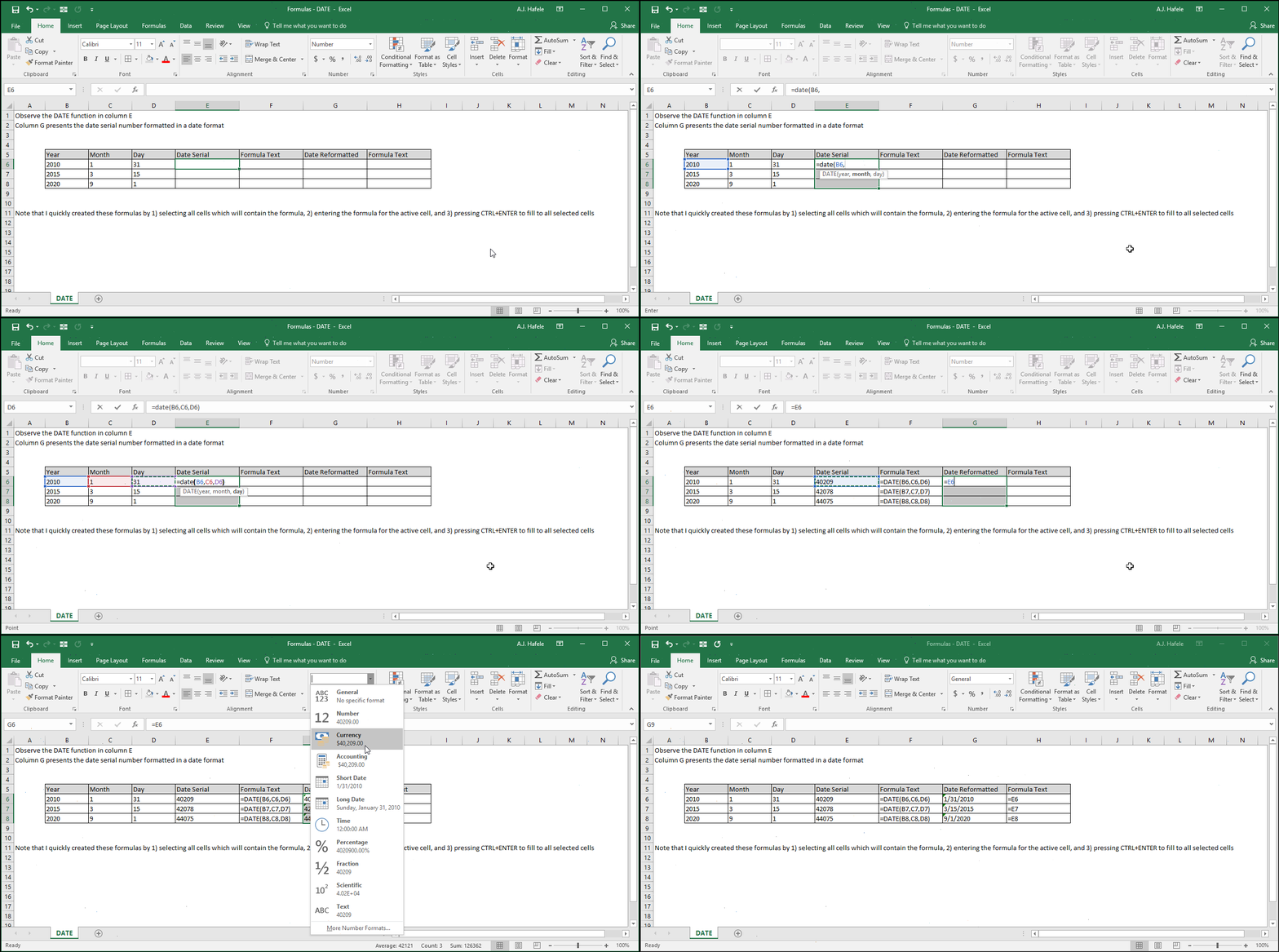
- Note that we initially formatted cells E5:E7 as numbers on purpose, to show you that a serial number is being generated from the formula
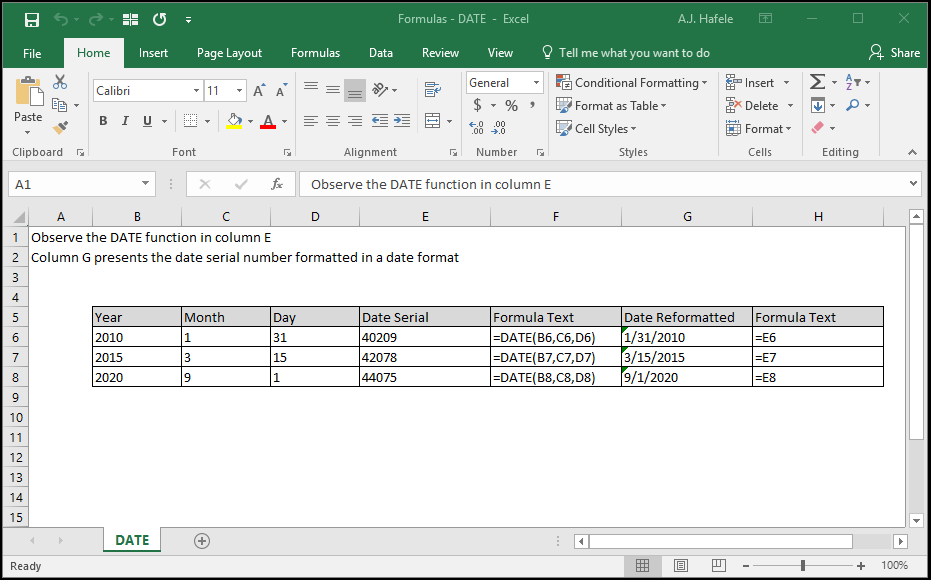
- Here is a screenshot, for reference:
Syntax
Arguments
- year
- This is the year in question (e.g. 2020)
- This can be a hard-coded number, cell reference, or calculation
- month
- This is the month in question (e.g. 5)
- This can also be thought of as the number of months to add to the year
- For example, a value of 13 will add 13 months to the year you entered
- This can be a hard-coded number, cell reference, or calculation
- day
- This is the day in question (e.g. 31)
- This can also be thought of as the number of days to add to the year and month
- For example, a value of -50 will subtract 50 days to the year and span class="arg2">month you entered
- This can be a hard-coded number, cell reference, or calculation
Tips
- Make it a practice to utilize Excel-recognized serial number dates, rather than text that looks like a date
- Why? Excel is built to handle date serial numbers in a much more dynamic fashion (e.g. PivotTables, sorting/filtering, formulas, etc.)
Practice
External Links
