Returns the last day of a month when given a reference date
The reference date is created by two inputs:
The "start date" in question (which can be any user-defined date)
The number of months before or after the "start date"
Example
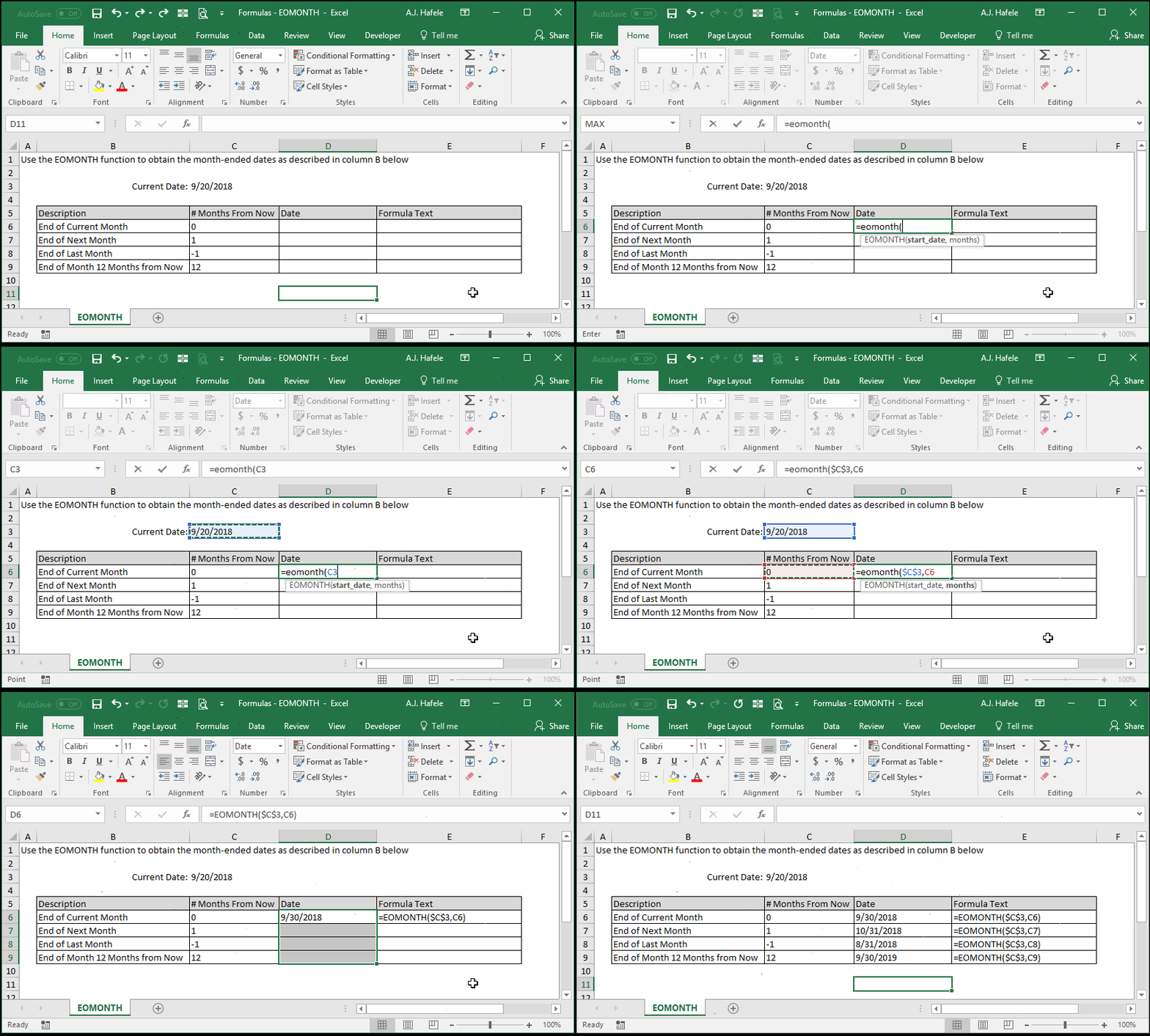
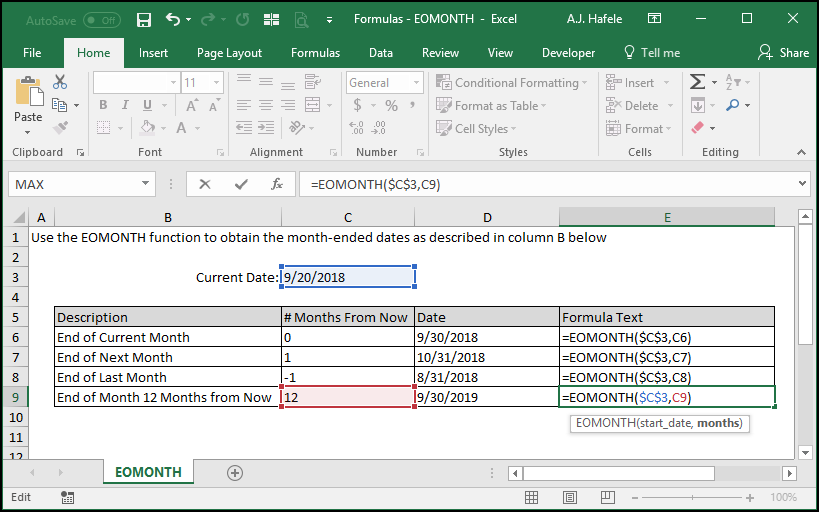
Observe as we use EOMONTH to obtain the month-ended dates relative to the date September 20, 2018:
Here is a screenshot, for reference:
Syntax
=EOMONTH(start_date, months)
Arguments
start_date
This is the base date in question from which the reference date will be created
This can be any date
It must be an Excel date serial number
This can be a hard-coded number, cell reference, or calculation
months
This will move the start_date backward or forward x number of months to give us the reference date
Negative values will go back in time relative to the start_date
For example, if the start_date is 5/15/2018, and the months is -3, EOMONTH will return the month-end date relative to reference date 2/15/2018, or 2/28/2018
Positive values will go forward in time relative to the start_date
For example, if the start_date is 5/15/2018, and the months is 3, EOMONTH will return the month-end date relative to reference date 8/15/2018, or 8/31/2018
A value of zero will return the month-end relative to the start_date
For example, if the start_date is 5/15/2018, and the months is 0, EOMONTH will return the month-end date relative to reference date 5/15/2018, or 5/31/2018
This can be a hard-coded number, cell reference, or calculation