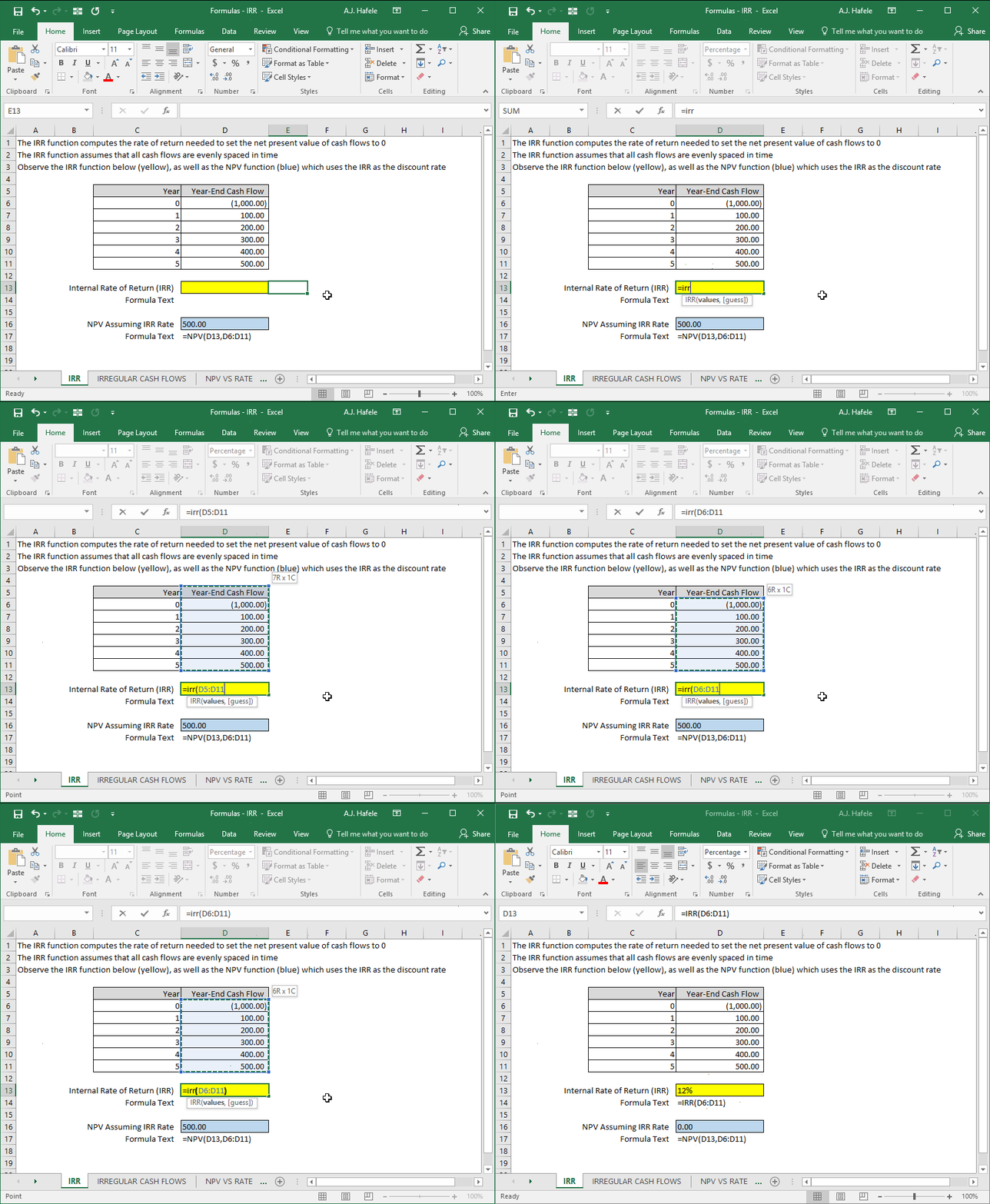
Returns the internal rate of return (IRR) for a series of evenly spaced cash flows
The IRR is the discount rate used to set the NPV of cash flows equal to zero
Example
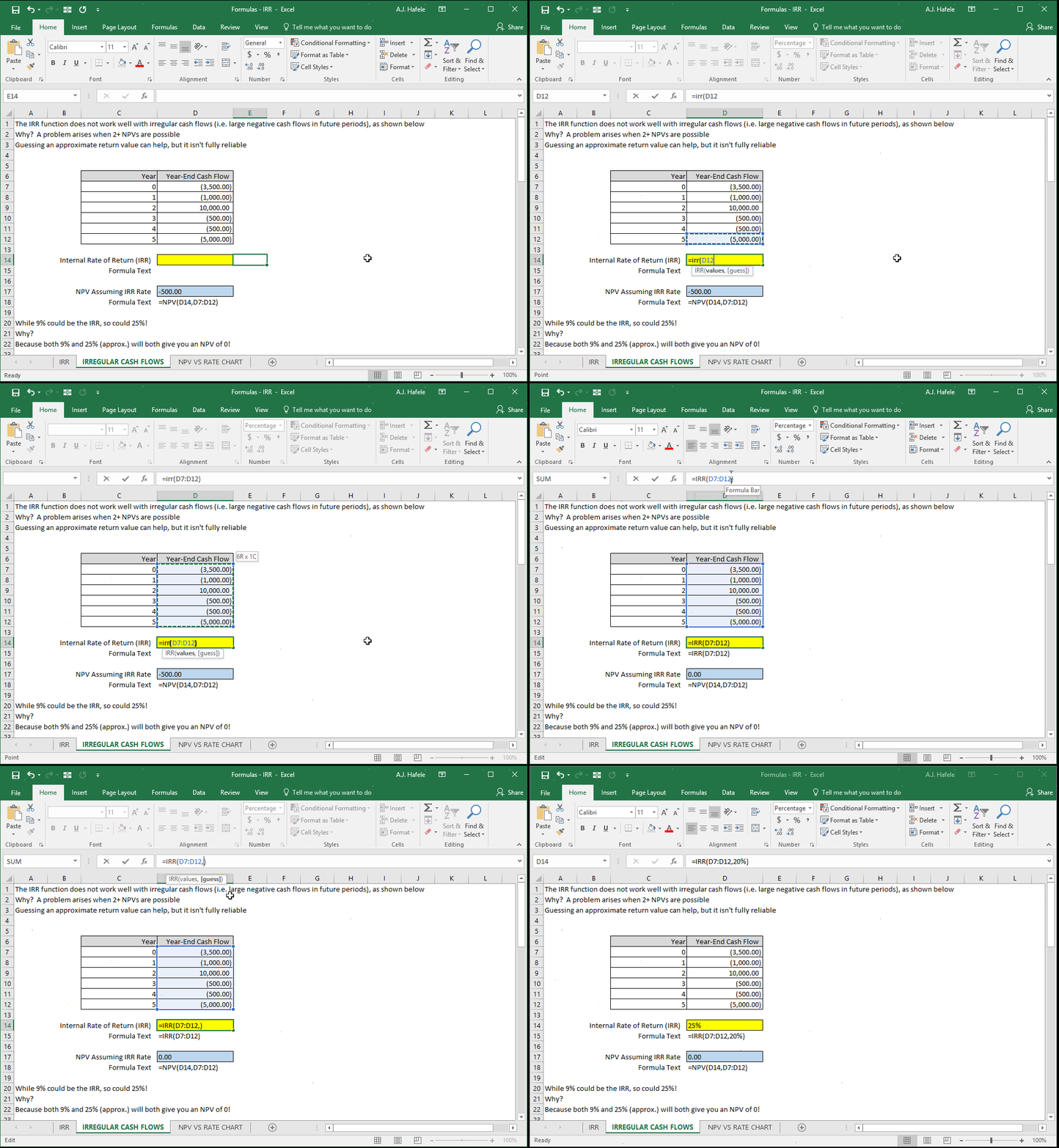
Be careful when you are using IRR with irregular cash flows (i.e. cash flows that switch between being negative and positive) - there can be multiple IRRs, as shown here:
Note that when we updated the formula to add 20% as the second argument, we were basically guessing what the IRR was. The closest IRR was actually 25%. Thus, these irregular cash flows actually produce 2 IRRs!
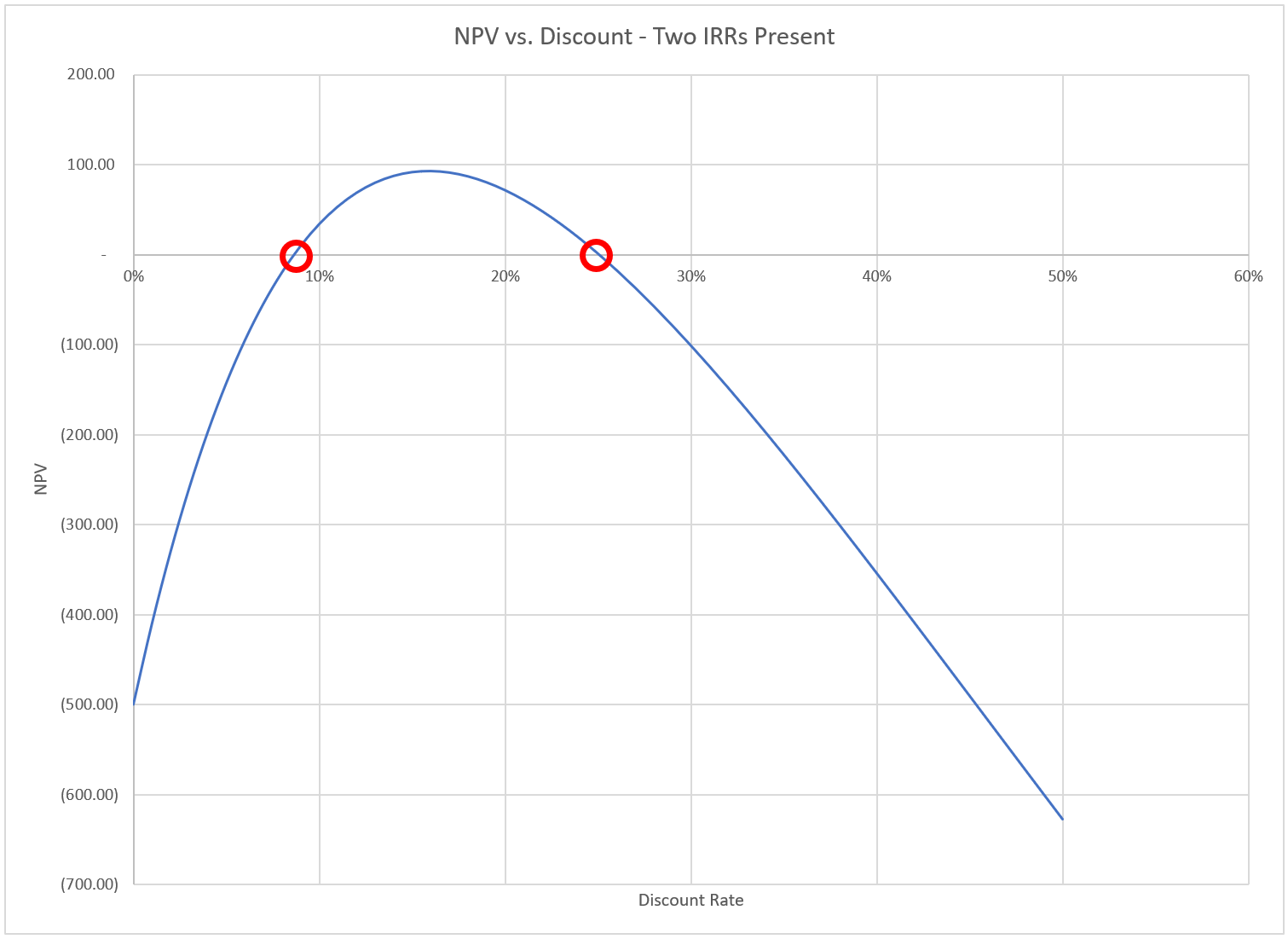
To view this from another perspective, what would happen if we graphed the NPV of these irregular cash flows at different discount rates? The result looks like this:
This graph clearly shows that there are two IRRs (where the NPV is 0) at roughly 9% and 25%
Syntax
=IRR(values, guess)
Arguments
values
This is the series of cash flows (typically a range of cells) used to calculate the IRR
guess [optional]
This is literally your approximation of what the IRR may be (as shown in the 2nd illustration above, in which we guessed 20%)
Use IRR With Caution
It is important to note that IRR assumes that all cash flows are reinvested at the IRR, which is often not realistic
MIRR (beyond the scope of this course) is another function that can be used to specify both financing and reinvestment rates
Moreover, when assessing capital budgeting projects, it is generally agreed upon that NPV-based analyses are superior to IRR-based analyses