Calculates the present value (NPV) of a series of future cash flows (evenly spaced through time), given a user-defined discount rate
Importantly, NPV excludes cash flows at T=0 (i.e. time zero, or the initial cash flow, which is not discounted)
Thus, when computing true net present values, any initial cash flows must be manually added!
Example
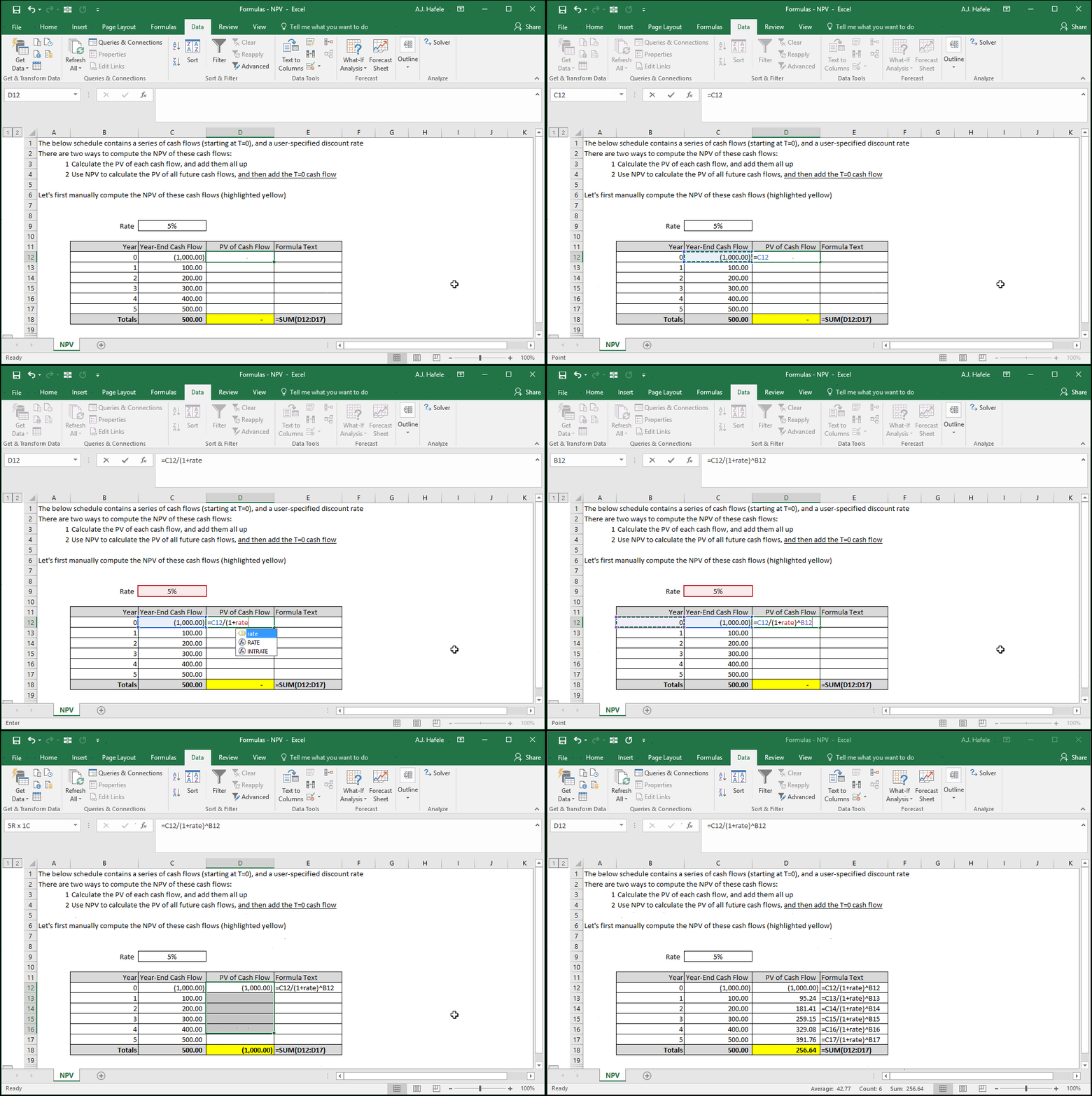
Note that in the following illustrations, we named cell C9 "rate"
Let's first compute the NPV manually by adding the present values of each individual cash flow:
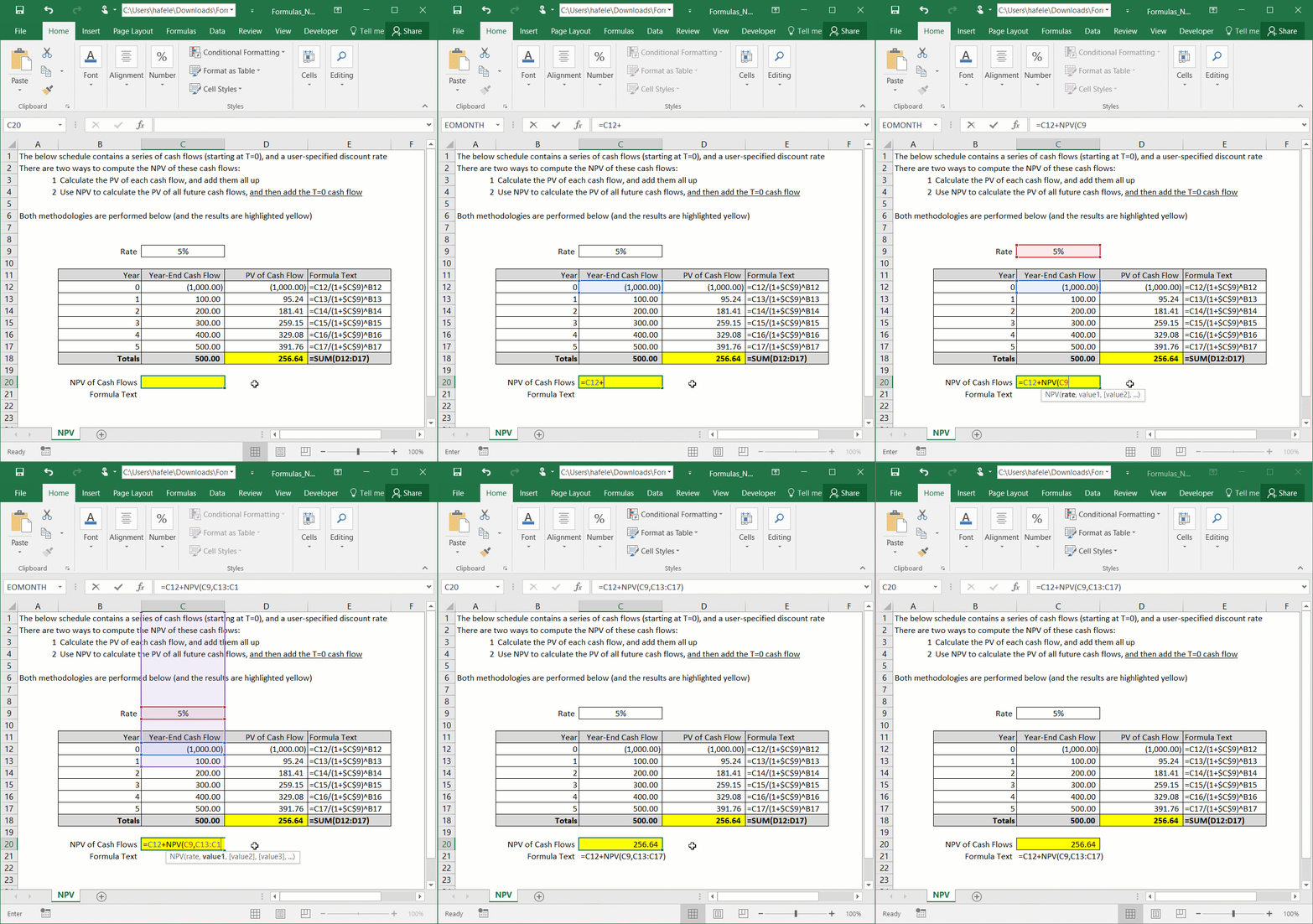
Now let's use the NPV function to do the same thing:
Remember that the T=0 cash flow must be manually added to the result of the NPV function to obtain the true NPV!
This is the reason why the NPV function above references cash flows starting with C13 (and not C12)
Syntax
=NPV(rate ,value1, value2, etc.)
Arguments
rate
This is the interest rate used to discount all future cash flows referenced (in the next arguments)
value1
This can refer to a hard-coded number, a single cell, or a range of cells
If this is a hard-coded number or single cell reference, that figure will be discounted 1 period in computing the NPV (i.e. this is the period 1 cash flow)
If this is a range of numbers, the topmost (or leftmost) cash flow will be the period 1 cash flow (discounted 1 period)
NPV works from the top-left cell in a range, first from left-to-right and then top-to-bottom
Thus, the cell to the right of the top-left cell will be the period 2 cash flow
If only a single column of data is referenced, the cell below the top cell will be the period 2 cash flow
value2 [optional]
This is the next cash flow (or series of cash flows) to be discounted
This argument has the same properties as the value1 argument
The pattern continues for up to 254 cash flow arguments