Determines whether all user-defined logical tests are TRUE
If so, the result is TRUE
If not, the result is FALSE
Example
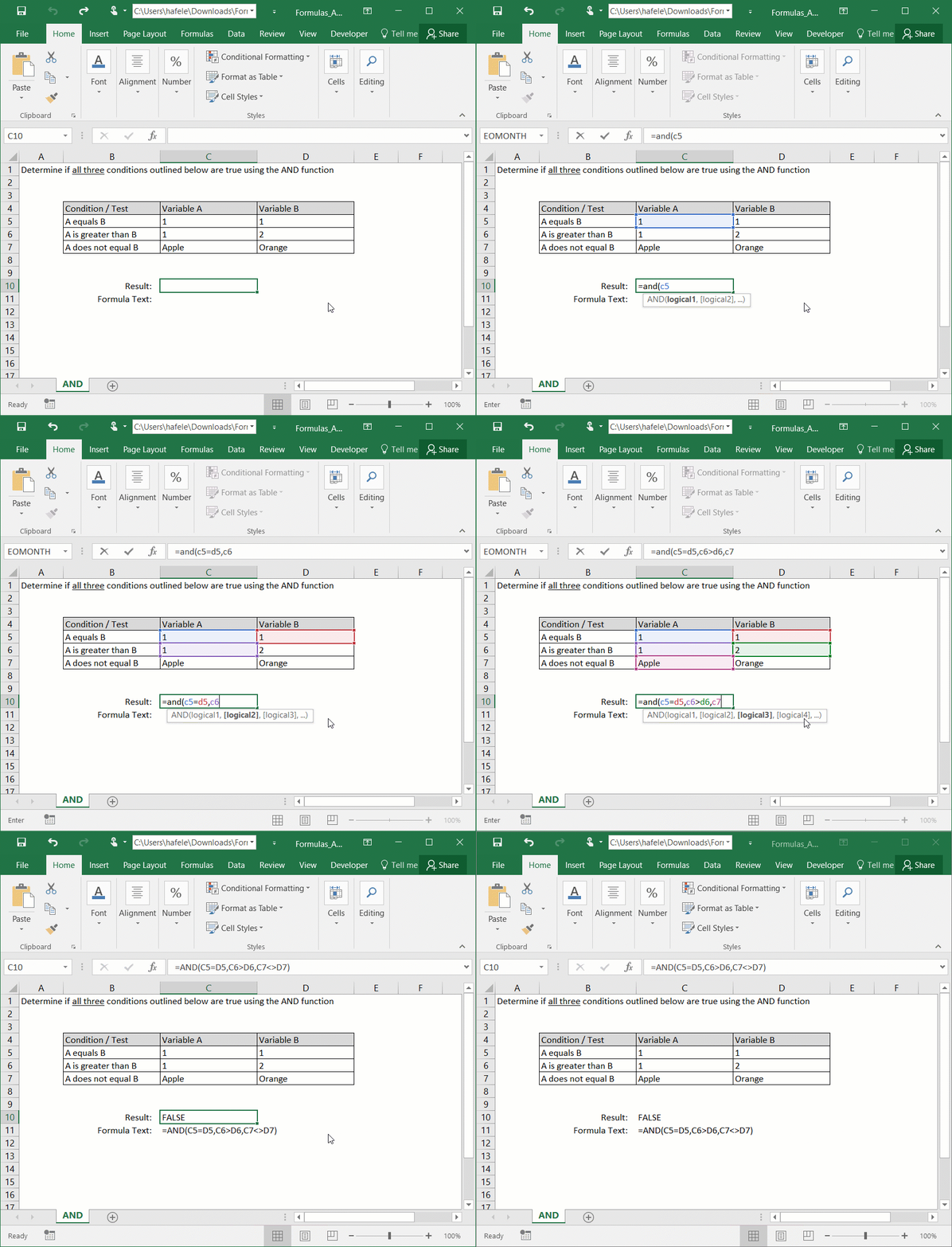
AND is a function which will return TRUE only if all embedded logical tests are true, as shown here (there are three tests in this example):
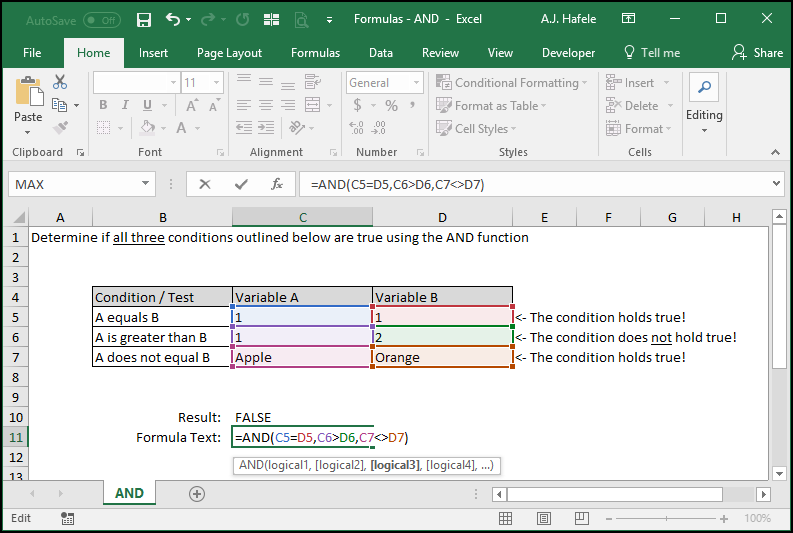
Here is a screenshot, for reference:
In this illustration, the second test ("A is greater than B") is not true, and therefore the AND function returns FALSE
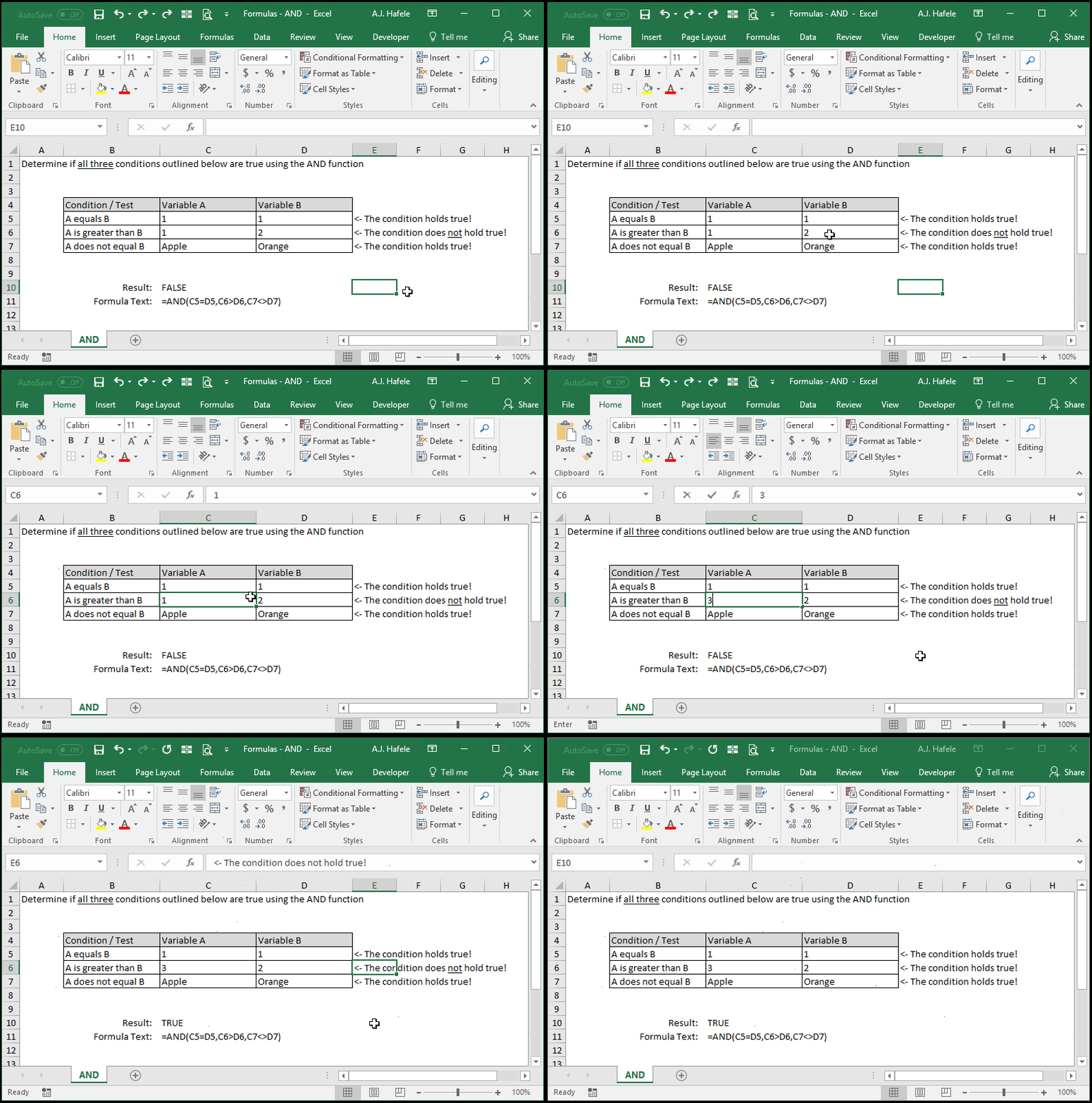
Now, observe as we change cell C6 so that it's value is greater than 2 (in cell D6):
In the last example above, since all three tests resulted in TRUE, the AND function returned TRUE
Carefully review the syntax in the above examples (so that you understand how to use the various operators within the function)
Syntax
=AND(logical1, logical2, etc.)
Arguments
logical1
This is the first logical test that is evaluated
It can test equations or inequalities
The test can be hard-coded (e.g. "Black"<>"White"), a reference to a single cell (e.g. A1>5), or a reference to multiple cells (e.g. SUM(A1:A1000) < 100)
If this test result (or any future test result) is FALSE, the AND function will return FALSE no matter what - it's all or nothing!
logical2 [optional]
This is the second logical test that is evaluated
This argument has the same properties as logical1
And the pattern continues (up to 255 tests can be assessed in later versions of Excel)
All remaining arguments have the same properties as logical1
Tips
The AND function, along with the OR function, is typically not very useful on its own, but it can be a very powerful building block when creating more sophisticated functions