OR
Purpose
- Determines whether at least one of one or more logical tests is TRUE
- If so, the result is TRUE
- If not, the result is FALSE
Example
- OR is a function which will return TRUE only if at least one embedded logical test is true, as shown here (there are three tests in this example):
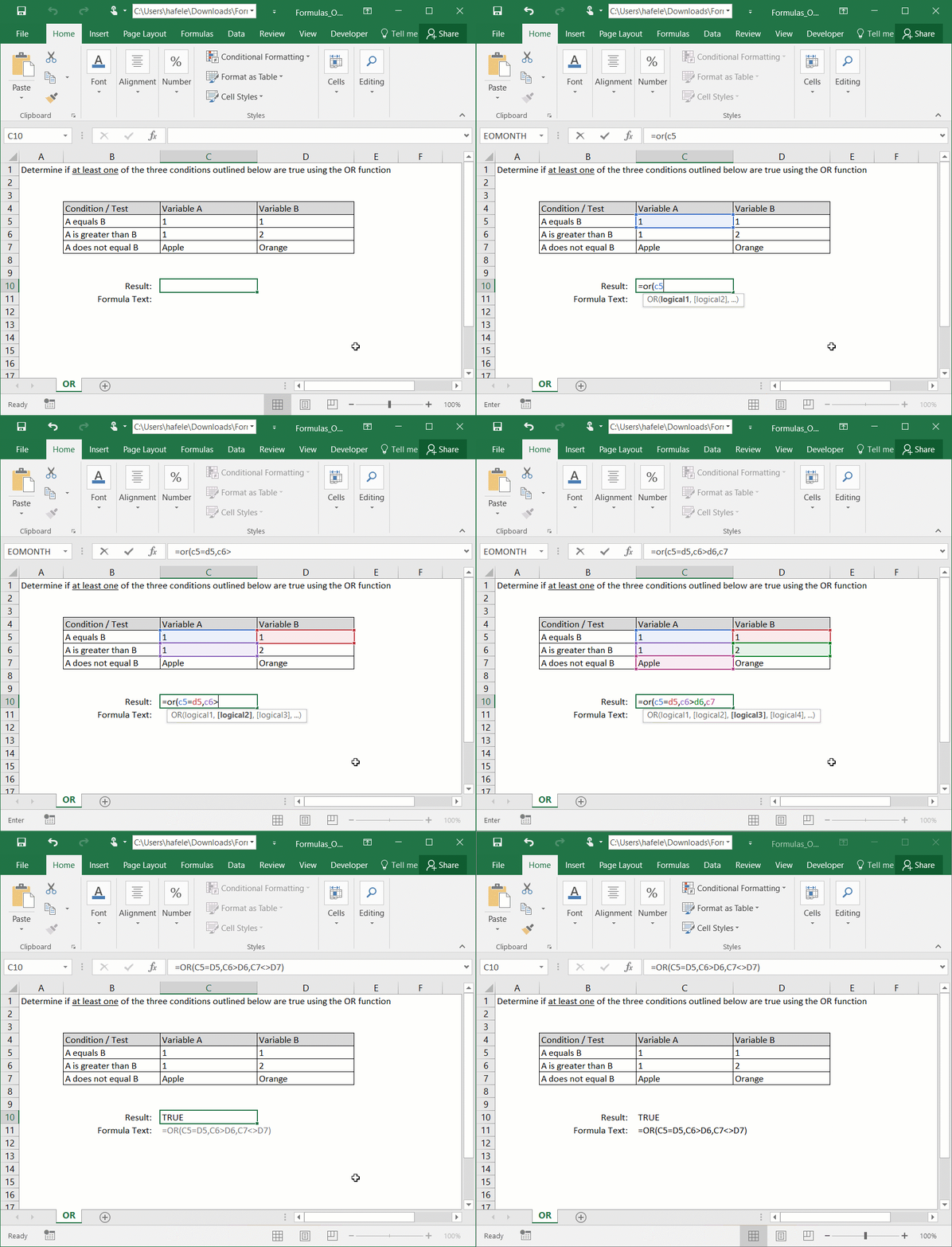
- Here is a screenshot, for reference:
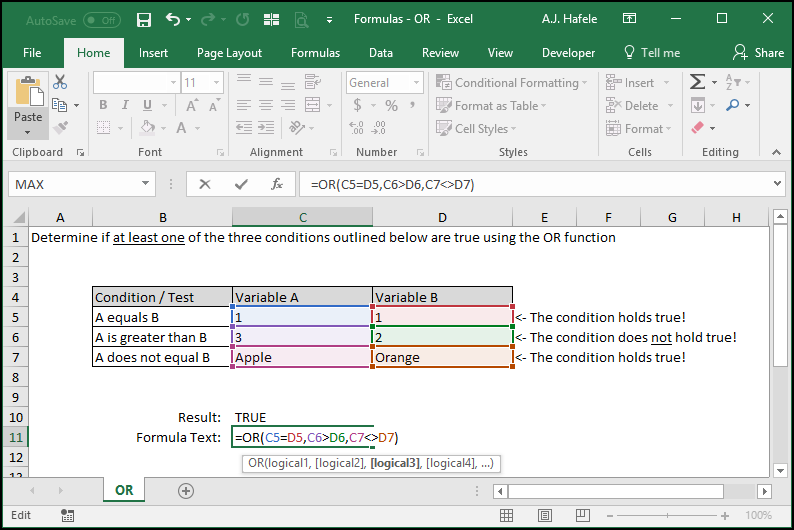
- In this illustration, the second test ("A is greater than B") is the only test that is not true, and therefore the OR function returns TRUE
- Now, observe as we change the variables such that all three logical tests are false:
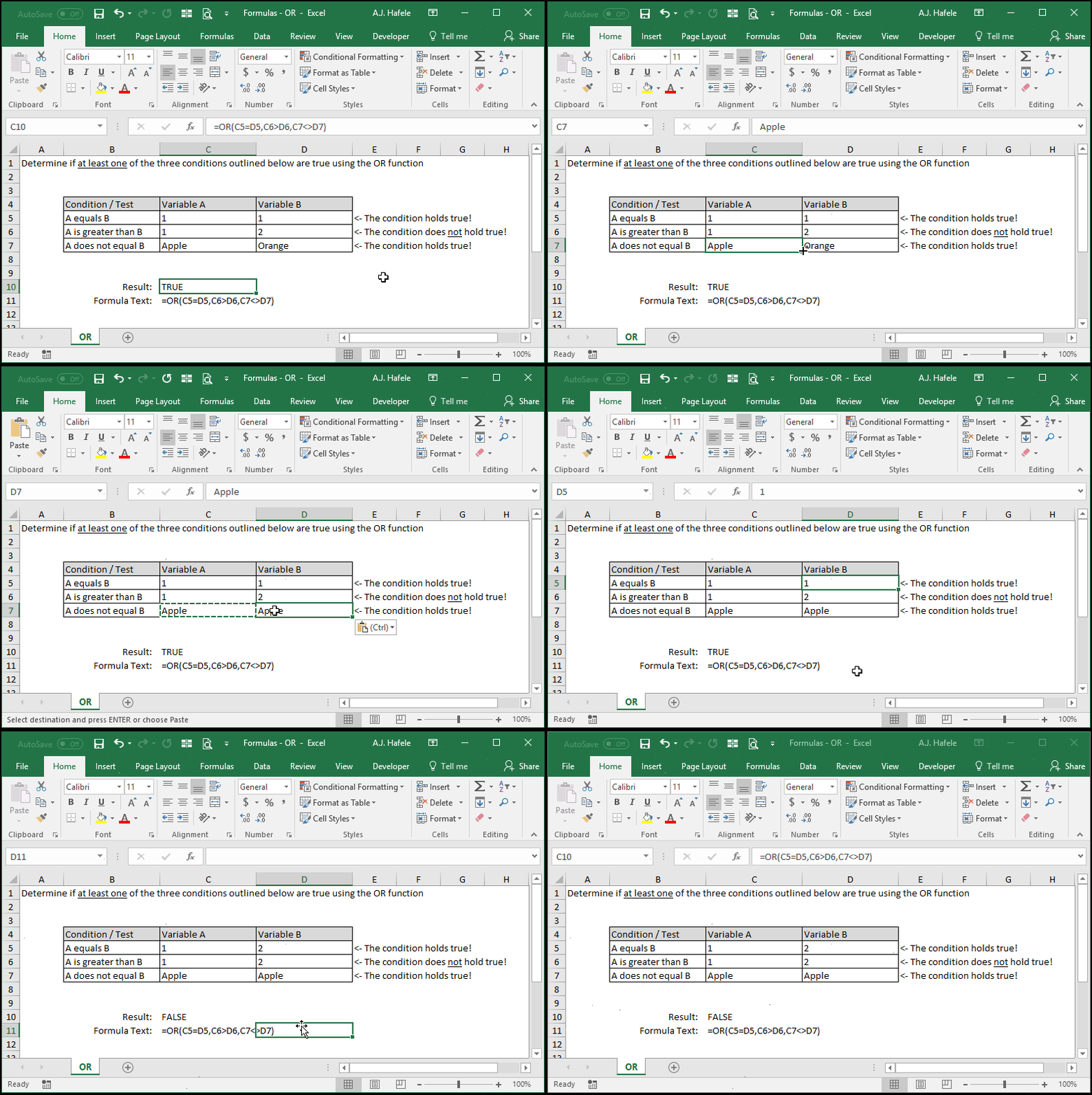
- In the last example above, since all three tests resulted in FALSE, the OR function returned FALSE
- Carefully review the syntax in the above examples (so that you understand how to use the various operators within the function)
Syntax
=OR(logical1, logical2, etc.)
Arguments
- logical1
- This is the first logical test that is evaluated
- It can test equations or inequalities
- The test can be a hard-coded one (e.g. 1+1=2) a reference to a single cell (e.g. A1>5), or a reference to multiple cells (e.g. SUM(A1:A1000)>100)
- If this test result (or any future test result) is TRUE, the OR function will return TRUE no matter what
- logical2 [optional]
- This is the second logical test that is evaluated
- This argument has the same properties as logical1
- And the pattern continues (up to 255 tests can be assessed in later versions of Excel)
- All remaining arguments have the same properties as logical1
Tips
- The OR function is typically not extremely useful on its own, but it can be a very powerful building block when creating more sophisticated functions
Practice
External Links
