ABS
Purpose
- Returns the absolute value of a number
Example
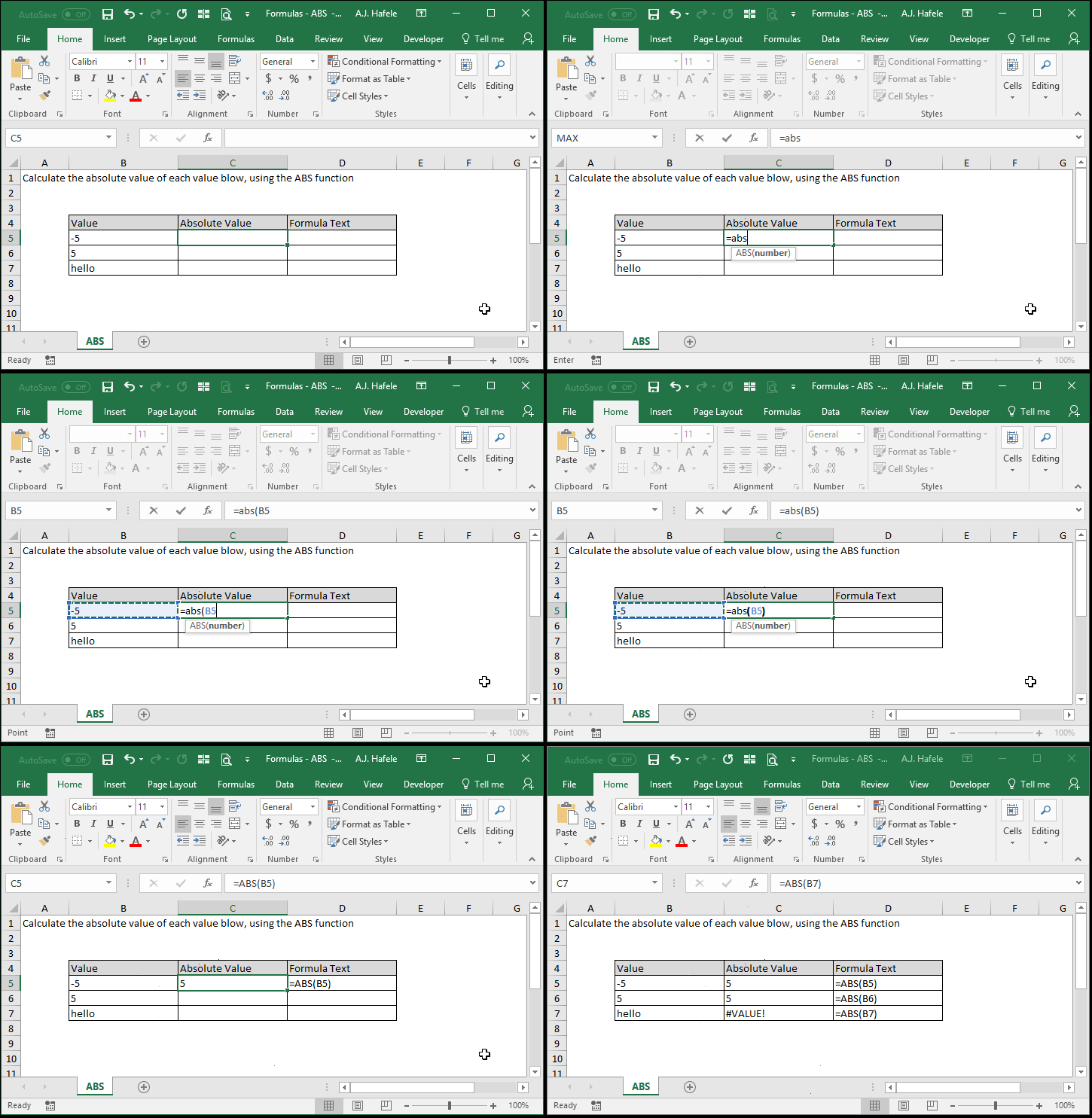
- Observe as we use ABS to calculate the absolute value of a number (and then copy and paste the formula to multiple cells):
- Here is a screenshot, for reference:
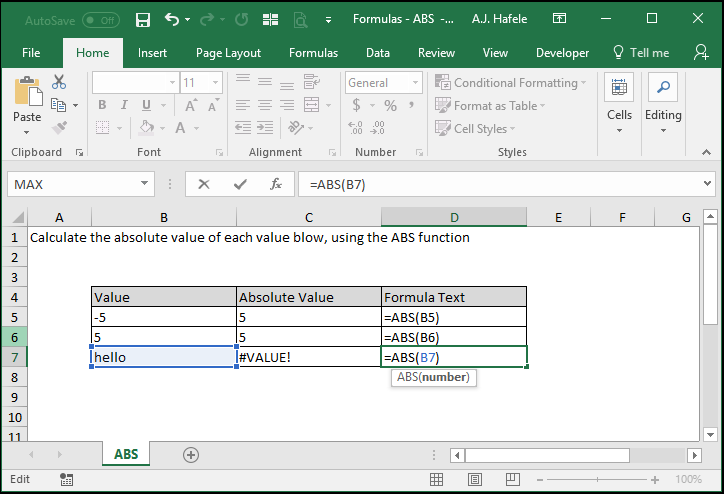
- Notice that:
- ABS only works with numbers (and though not shown, ABS will treat blank cells as 0)
- A #VALUE! error is returned when ABS function references text
Syntax
Arguments
- number
- This is the number that you need the absolute value of
- This can be a hard-coded number, cell reference, or calculation
Practice
External Links
