AVERAGE
Purpose
- Calculates the arithmetic average a series of numbers
- This function works exactly like SUM (but calculates the arithmetic average of the numbers instead)
Example
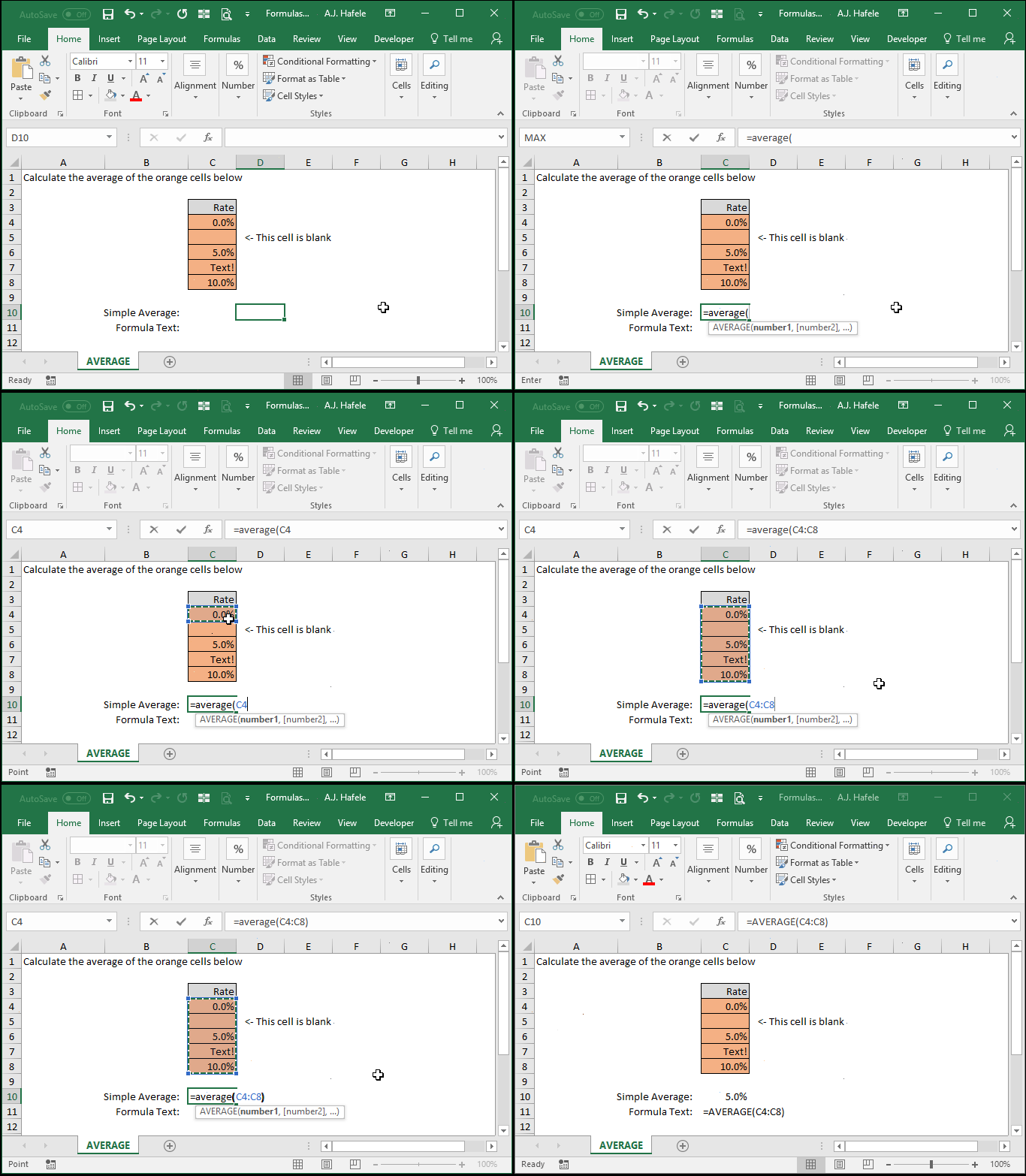
- Here is a screenshot, for reference:
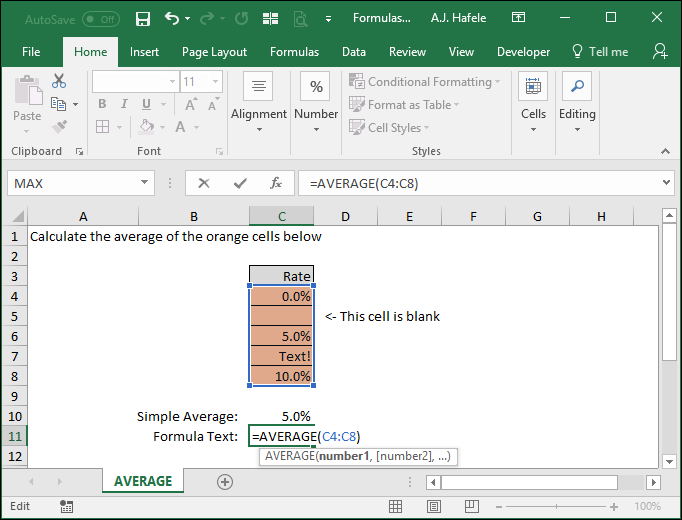
- Notice that
- The result of 5% is calculated by averaging cells C4, C6, and C8 (0%, 5%, and 10%, respectively)
- Blank cells and text are completely ignored in computing the average
Syntax
=AVERAGE(number1, number2, etc.)
Arguments
- number1
- This is the first number or set of numbers used to compute the average
- This can be a hard-coded number, (single or multiple) cell range, or calculation
- number2 [optional]
- This is the next number or range in the series
- This argument has the same properties as number1
- All numbers in this range will also be included in the arithmetic average calculation
- The pattern continues (up to 255 numbers for later versions of Excel)
- All remaining arguments have the same properties as number1
Tips
- The AVERAGE function ignores blank values completely, but will not ignore zero values
- Remember, the AVERAGE function computes arithmetic averages only. Other functions exist to compute other type of means, such as GEOMEAN and HARMEAN
Practice
External Links
