COUNT
Purpose
- Counts the number of cells containing numerical values in a series of data
Example
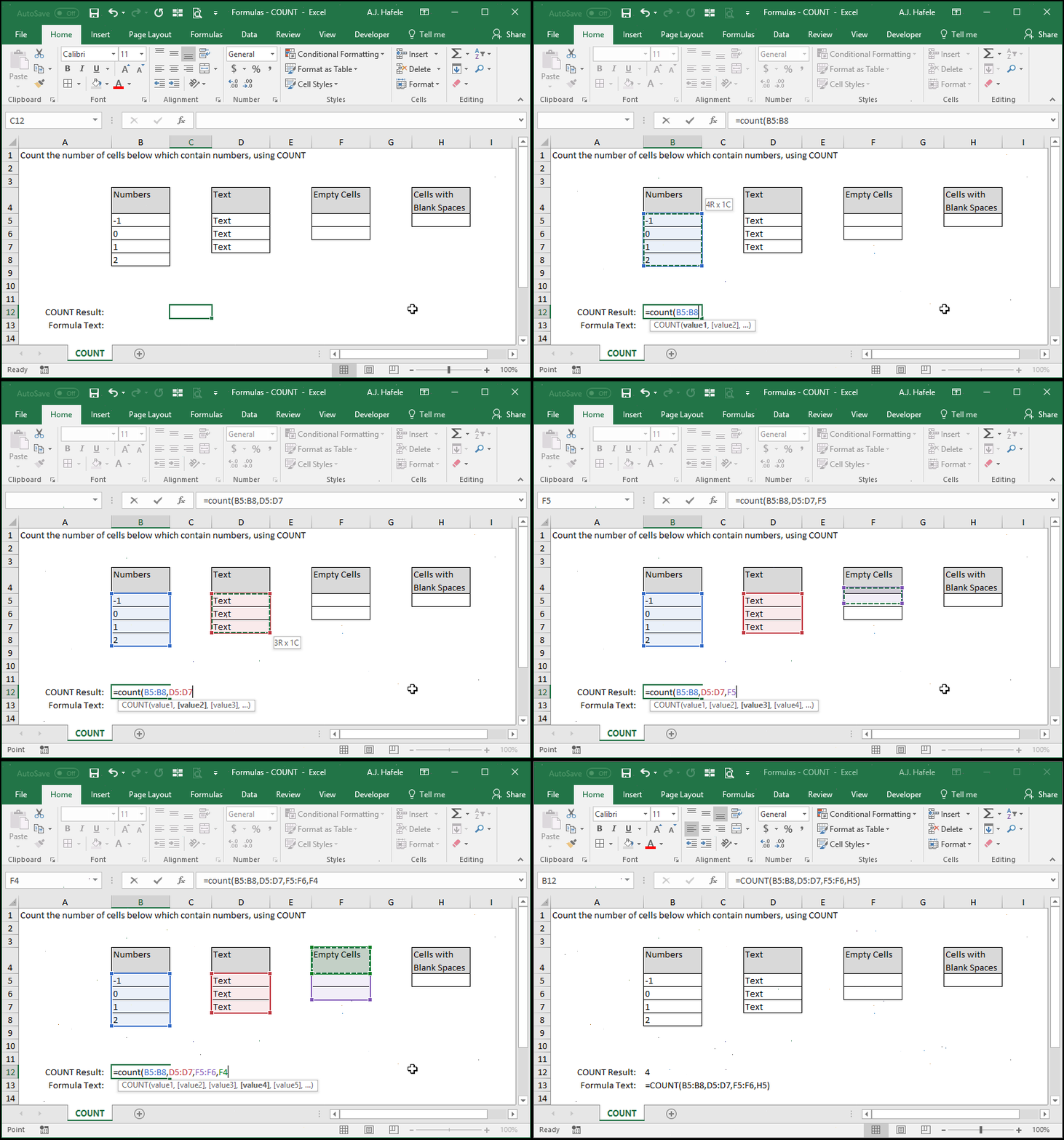
- Here is a screenshot, for reference:
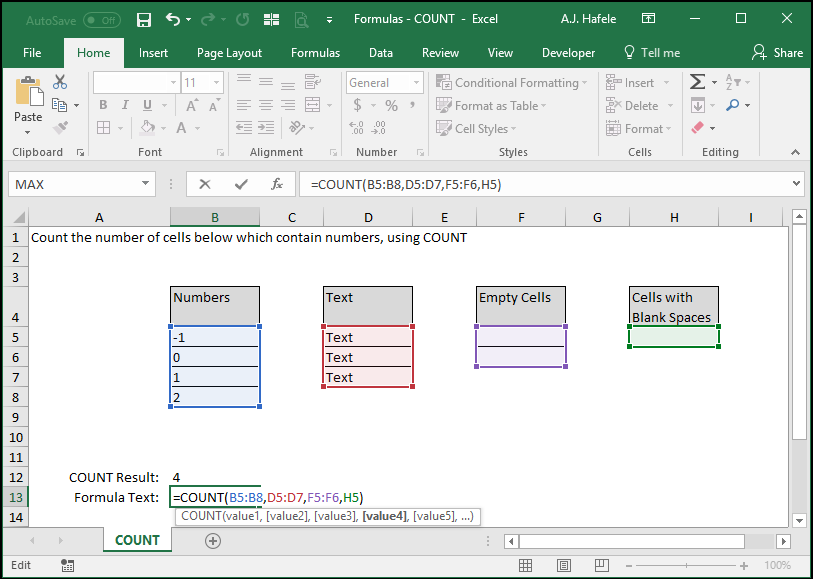
- Since the values in column B are the only ones with numbers, the COUNT output is 4
Syntax
=COUNT(value1, value2, etc.)
Arguments
- value1
- This is the 1st range of cells that you want to evaluate (and you want to know how many cells within that range are numerical)
- value2 [optional]
- This is the next number or range in the series
- This argument has the same properties as value1
- The pattern continues (for up to 255 values in later versions of Excel)
Practice
External Links
