Counts the number of non-empty cells in a specified range
Example
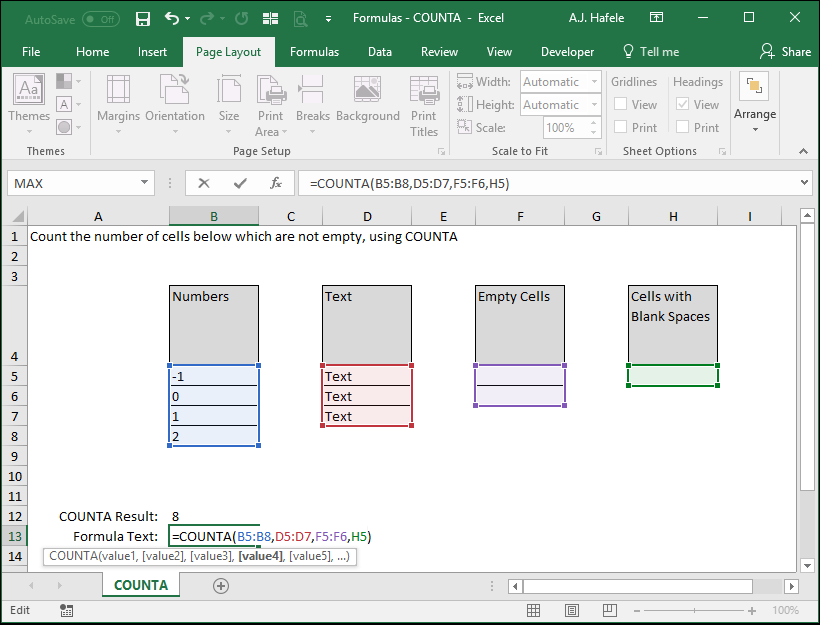
Here is a screenshot, for reference:
Notice that the result of our formula is 8, since we referenced 4 cells with numbers, 3 cells with text, and 1 cell with a blank space (which is treated like text) within the COUNTA function
Syntax
=COUNTA(value1, value2, etc.)
Arguments
value1
This is the 1st range of cells that you want to evaluate (and you want to know how many cells within that range are not empty)
value2 [optional]
This is the next range in the series
This argument has the same properties as value1
And the pattern continues (for up to 255 values in later versions of Excel)
All remaining arguments have the same properties as value1
Tips
Blank spaces (" ") and formulas resulting in "" are indeed counted using COUNTA