LARGE
Purpose
- Returns the k-largest value in a range of numbers, where k is user-defined
Example
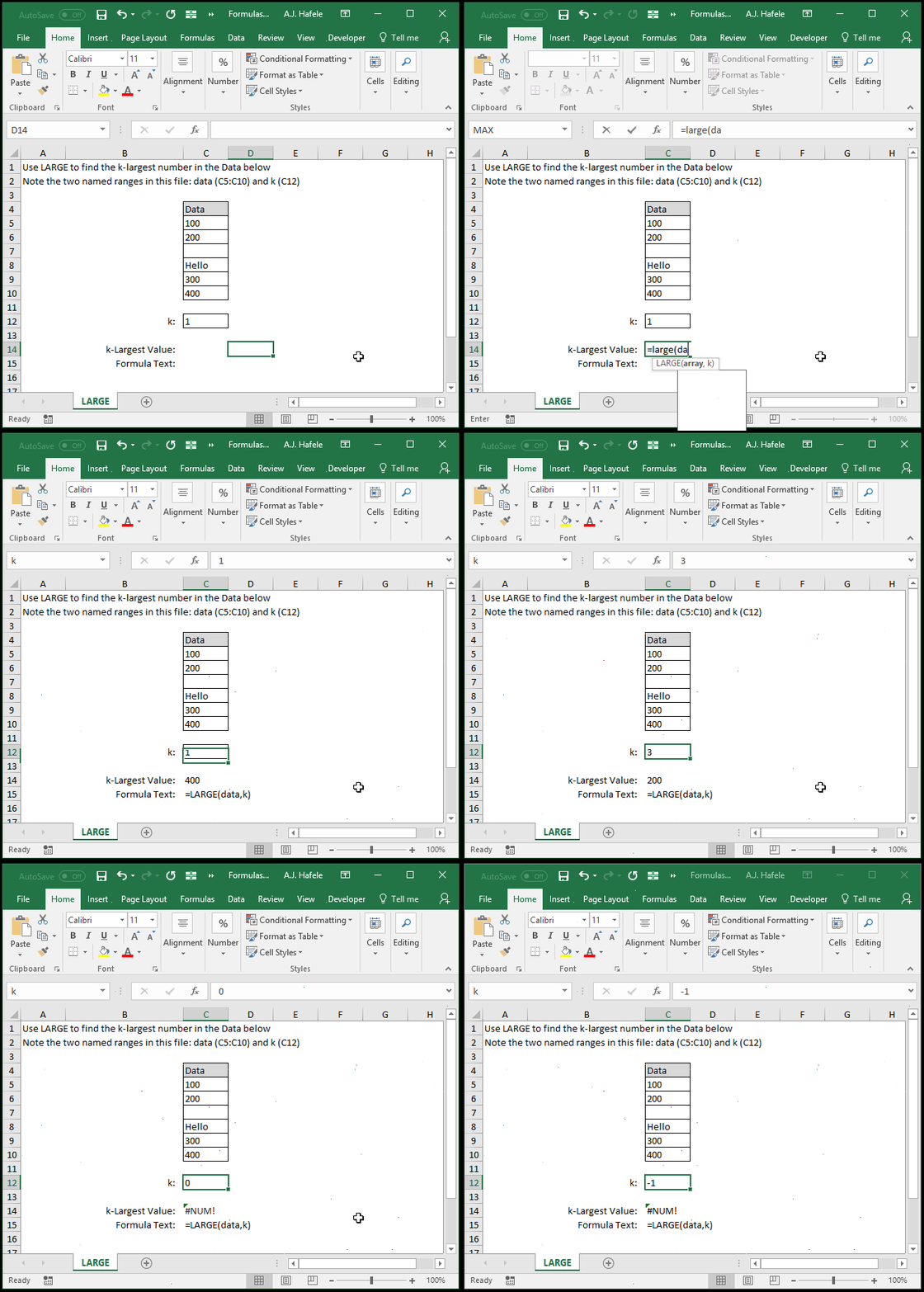
- Here is a screenshot, for reference:
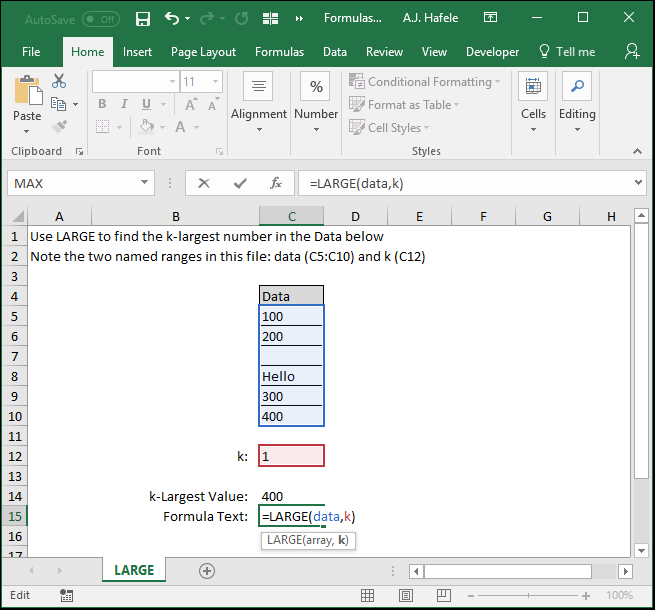
- Notice that:
- 400 is the 1st largest number, so 400 is returned when k is equal to 1
- Non-numerical values are ignored
- When we defined k as 5, 0, and -1, an error occurs. Why? There are no fifth, zero, and negative one largest numbers
Syntax
Arguments
- array
- This is the cell range in question (and you are looking for the k-largest number in this range)
- k
- A value of:
- 1 will return the largest number in the array
- 2 will return the 2nd largest number in the array
- Etc.
- This can be a hard-coded number, cell reference, or calculation
Practice
External Links
