Returns the median of a set of numbers (i.e. the middle number of an odd set of numbers, or the average of the two middle numbers of an even set of numbers)
Example
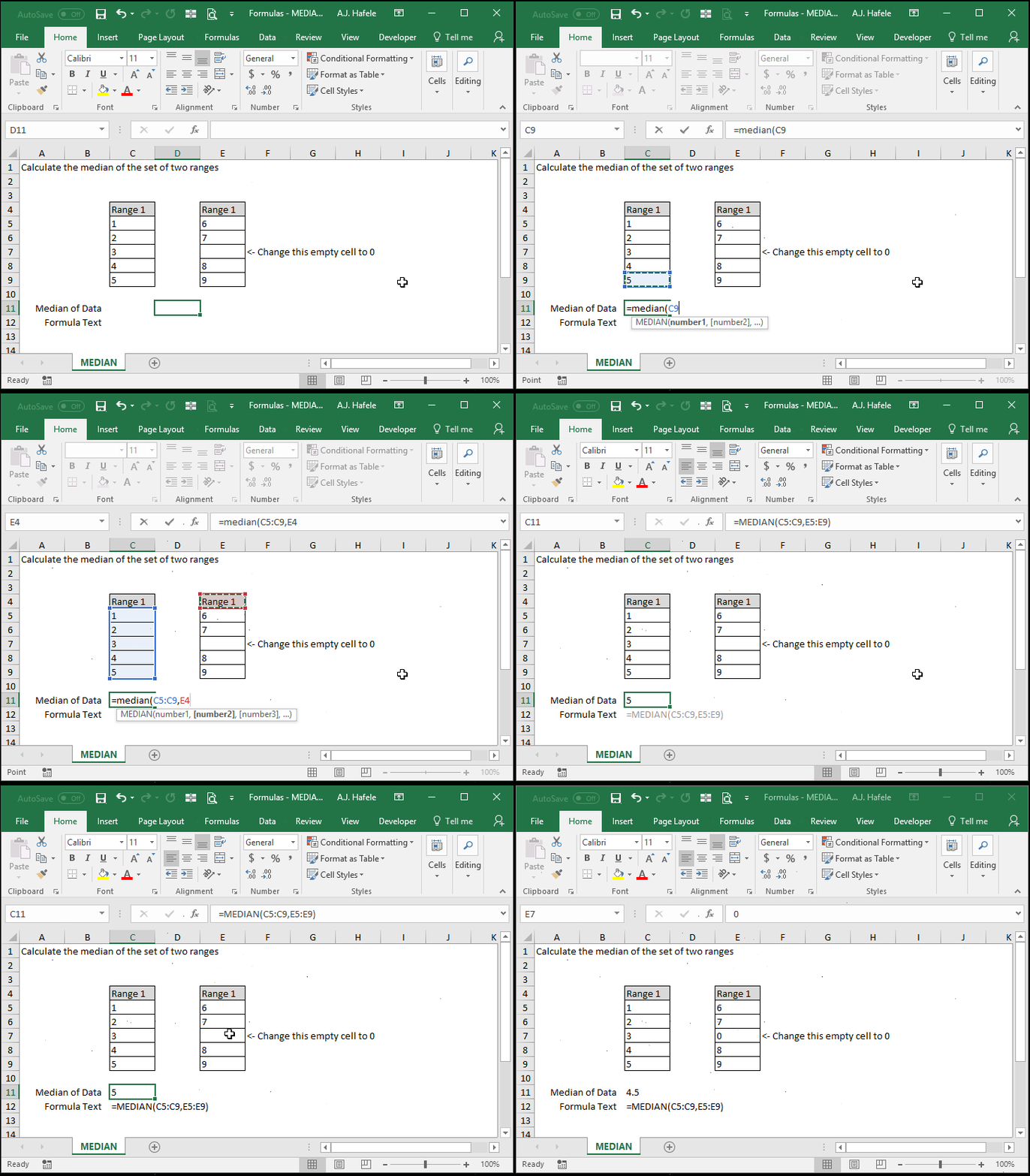
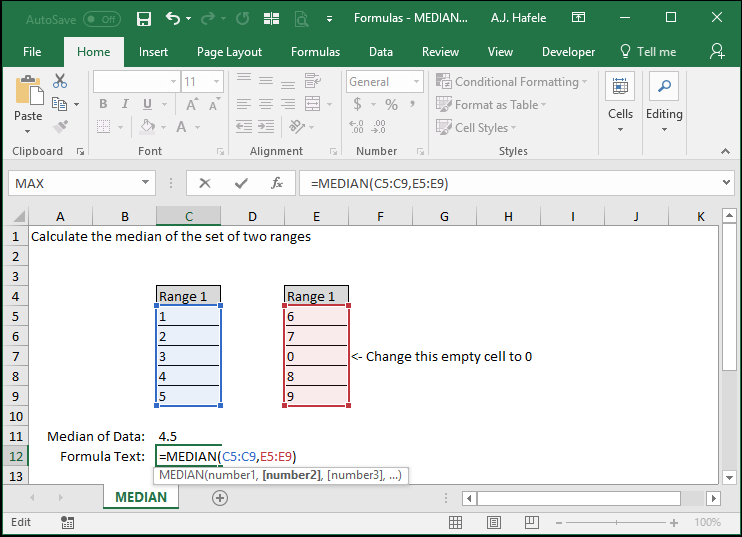
Here is a screenshot, for reference:
Notice that:
Initially, the median calculated was 5, since it is the middle number of the set {1,2,3,4,5,6,7,8,9}
Blank values (and text) are excluded from the computation of the median
After changing the blank cell to 0, the set of numbers changes to {0,1,2,3,4,5,6,7,8,9}, and thus the median becomes the average of 4 and 5
Syntax
=MEDIAN(number1, number2, etc.)
Arguments
number1
This is the first set of data from which the median will be determined
This can be a hard-coded number, (single or multiple) cell range, or calculation
number2 [optional]
This is the second set of data from which the median will be determined
This argument has the same properties as number1
The pattern continues (up to 255 numbers for later versions of Excel)
All future arguments are optional
All future arguments have the same properties as number1