MROUND
Purpose
- Rounds numbers to the nearest user-specified multiple
- Note that the sign of both MROUND arguments must match
Example
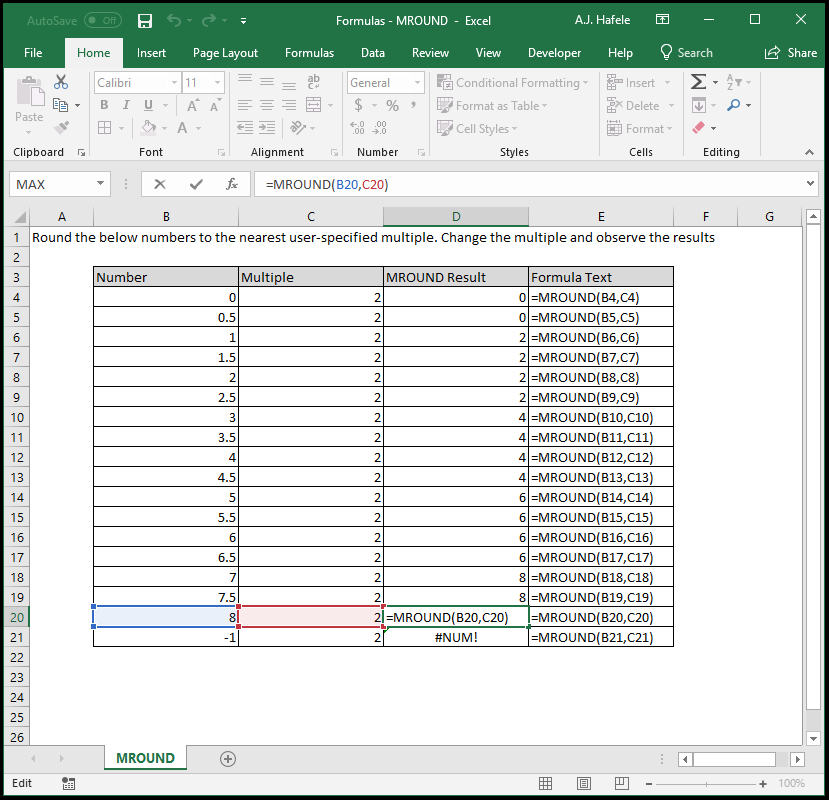
-
Notice that:
- 0.5 is rounded to 0, since it 0.5 is closer to 0 than it is to 2
- 1 is rounded to 2, as the MROUND convention is to round midpoints up (i.e. 1 is the midpoint between 0 and 2, and therefore is rounded up to 2)
- 4 is rounded to 4, since 4 is a multiple of 2
- -1 is not rounded as an error occurred; this is because the sign of both MROUND arguments must match
-
Here is a screenshot when 3 is used as the multiple, for reference:
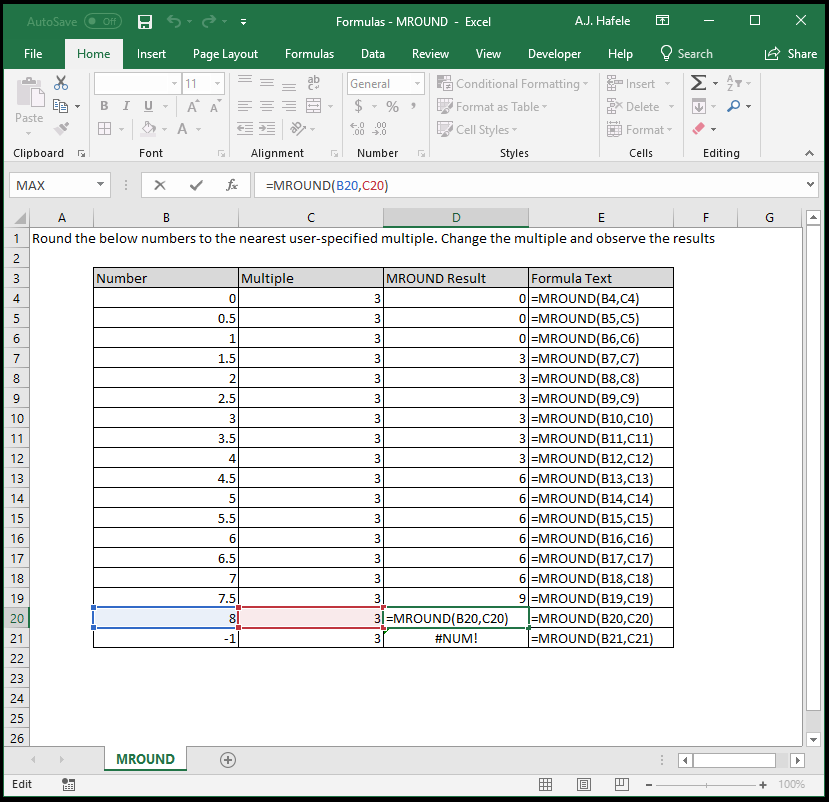
- Notice that:
- 1 is rounded to 0, since it 1 is closer to 0 than it is to 3
- 1.5 is rounded to 3, as the MROUND convention is to round midpoints up (i.e. 1.5 is the midpoint between 0 and 3, and therefore is rounded up to 3)
- 4 is rounded to 3, since 4 is closer to 3 than it is to 6 (both of which are multiples of 3)
- -1 is not rounded as an error occurred; this is because the sign of both MROUND arguments must match
Syntax
=MROUND(number, multiple)
Arguments
- number
- This is the number that you want to round
- This can be a hard-coded number, cell reference, or calculation
- If the number is positive, the multiple must also be positive, or an error is returned
- If the number is negative, the multiple must also be negative, or an error is returned
- multiple
- This is the multiple that you want to round the number to
- This can be a hard-coded number, cell reference, or calculation
- Some examples:
- If the number is 1.49 and the multiple is 3, the output will be 0, since 1.49 is closer to 0 than it is to 3
- If the number is 1.5 and the multiple is 3, the output will be 3, as midpoints are rounded up
- If the number is 1.51 and the multiple is 3, the output will be 3, since 1.51 is closer to 3 than it is to 0
- Remember, the multiple value's sign must be the same as the number value's sign
Tips
- As mentioned above, the number and multiple must both have the same sign in order for MROUND to work
- This may cause problems if your number can be negative or positive
- An easy solution is to use the following formula, which contains nested functions and uses the SIGN function:
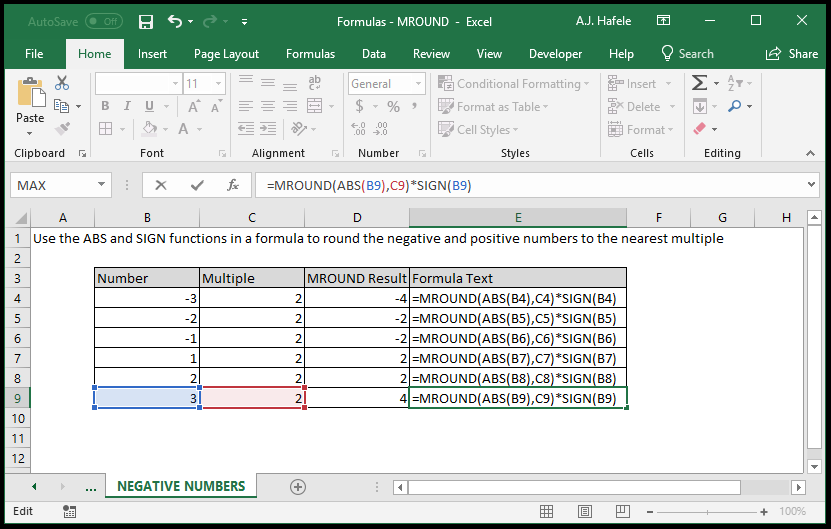
=MROUND(ABS(number),multiple)*SIGN(number)- ABS will return the absolute value of the number
- SIGN will return 1 if the number is positive, and -1 if the number is negative
- Effectively, we are rounding the absolute value of the number via the MROUND function, and then correcting the sign via the SIGN function
- Observe as we use this formula on negative and positive numbers: