PRODUCT
Purpose
- Calculates the product of a series of numbers
- This formula works exactly like SUM, except the numbers are multiplied rather than added
Example
- In the following example, we will use PRODUCT to reference a range, single cell, and hard-coded value
- We will then copy and paste the resulting formula to multiple cells:
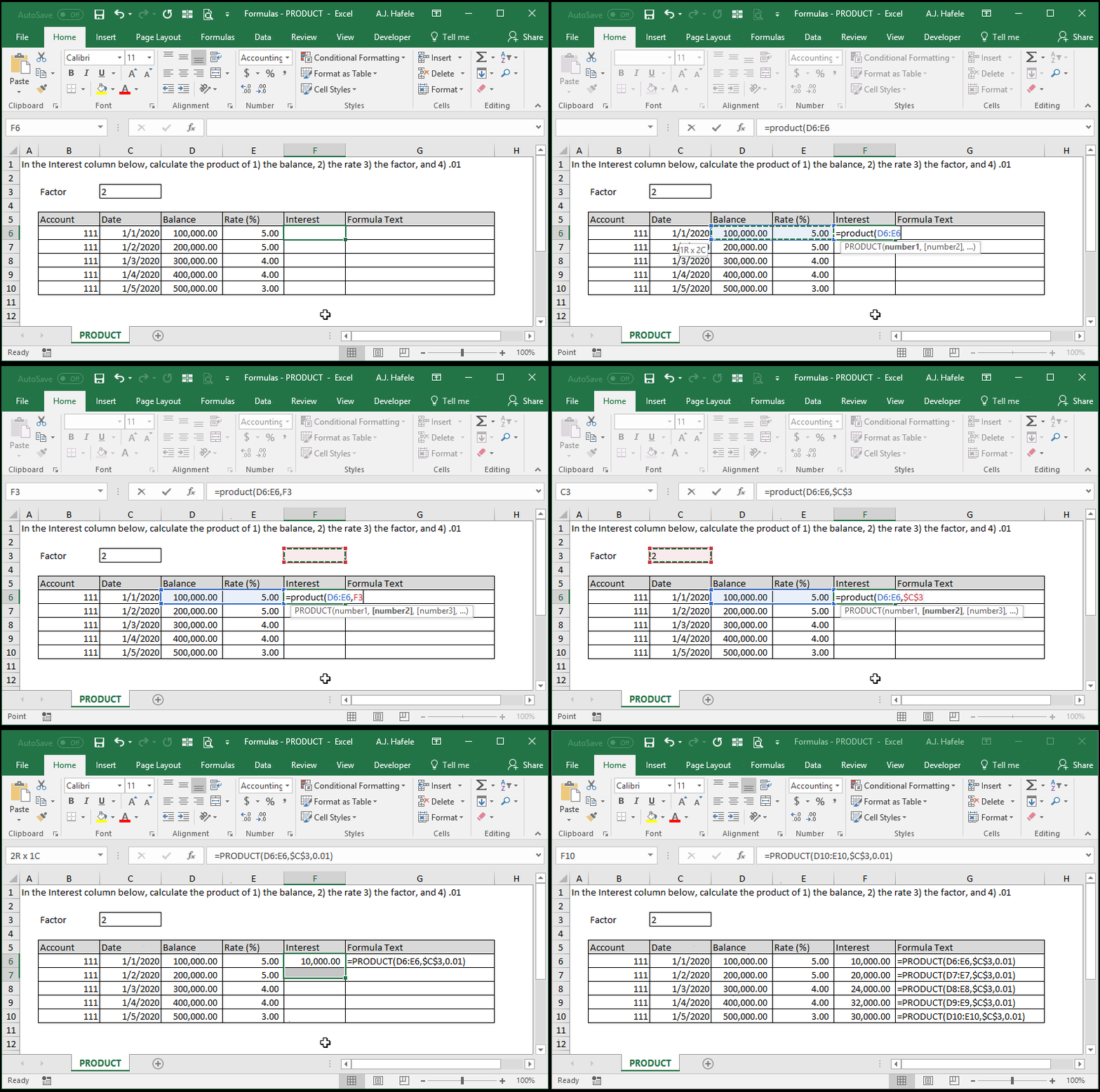
- Notice that we used an absolute cell reference for cell C3, so that we would always reference the Factor (in cell C2) upon copying and pasting
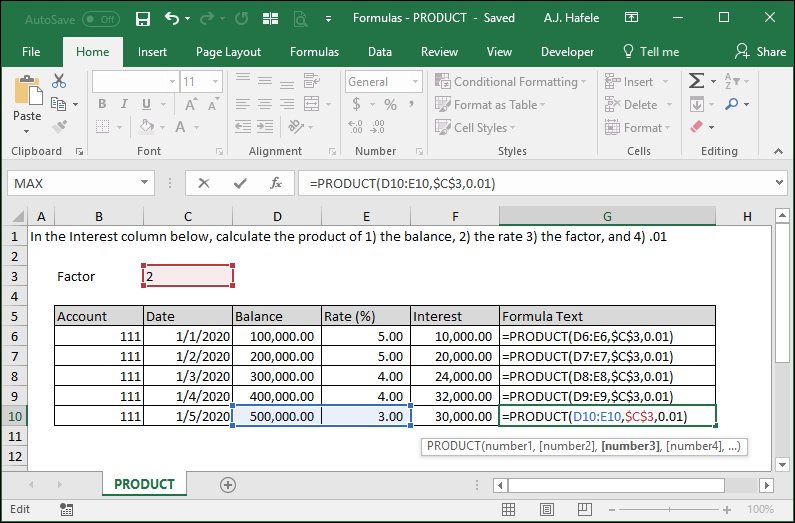
- Here is a screenshot of the final result, for reference:
Syntax
=PRODUCT(number1, number2, etc.)
Arguments
- number1
- This is the first number used to calculate the product
- This can be a hard-coded number, (single or multiple) cell range, or calculation
- number2 [optional]
- This is the next number or range in the series
- This argument has the same properties as number1
- The pattern continues (up to 255 numbers for later versions of Excel)
- All future arguments have the same properties as number1
Practice
External Links
