RANDBETWEEN
Purpose
- Generates a random integer within user-specified lower and upper bounds
Example
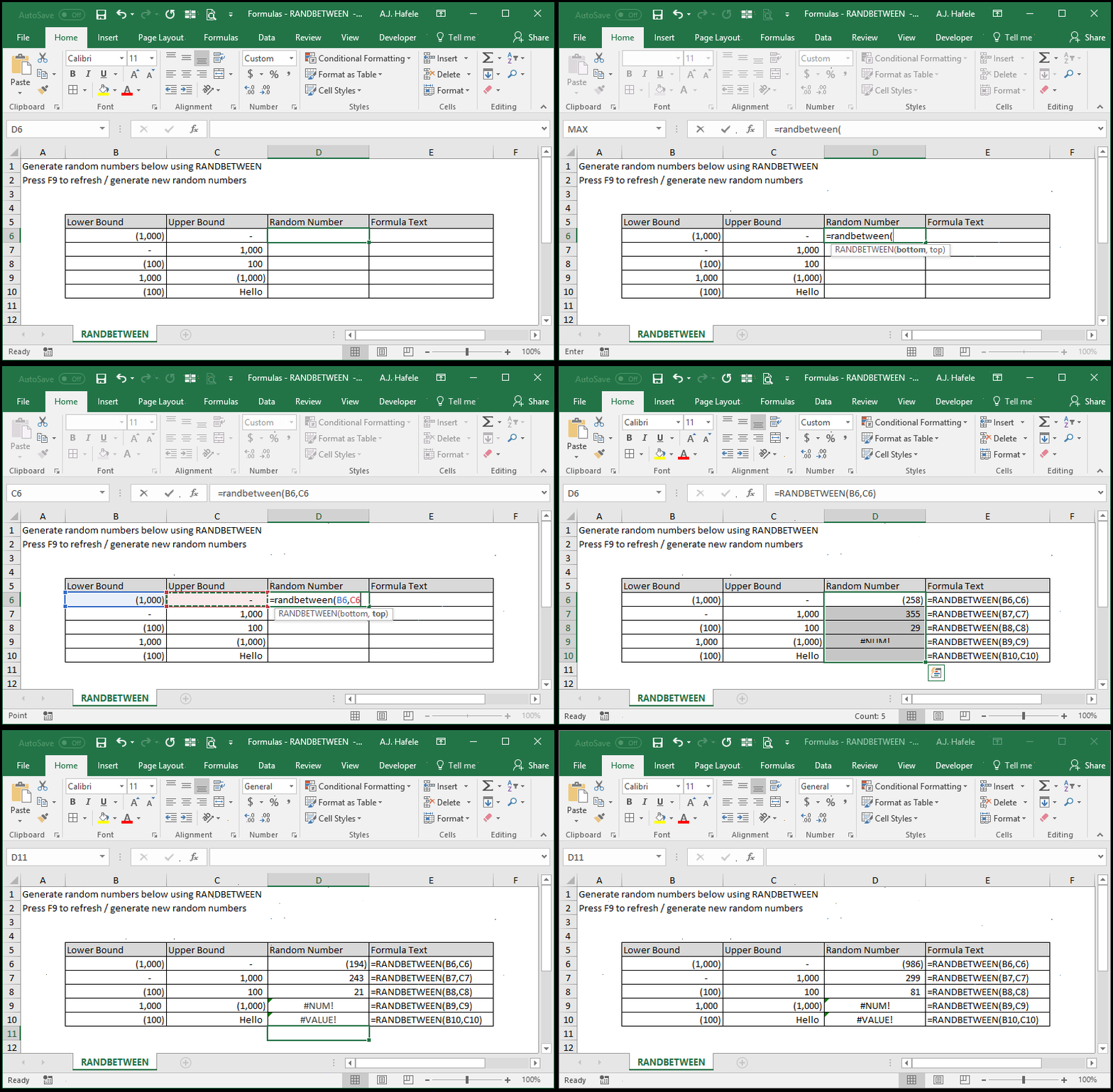
- Here is a screenshot, for reference:
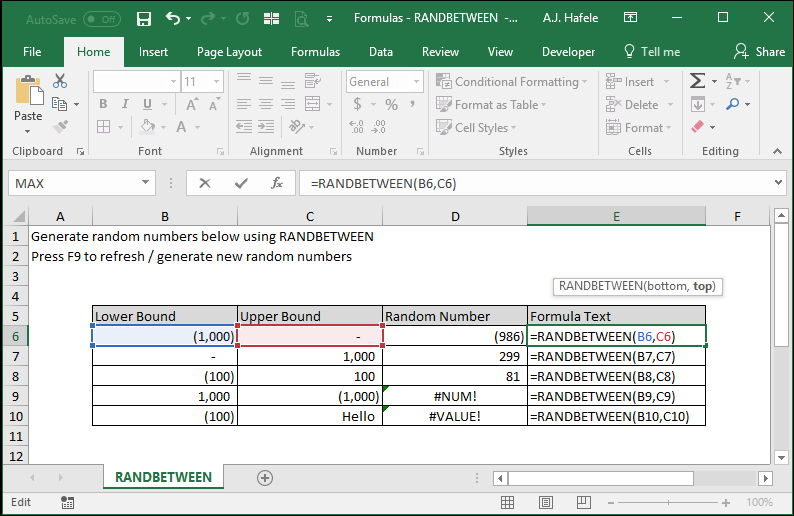
- Notice that:
- Random numbers were generated only when the 1st argument was less than the 2nd argument
- The #NUM! error message occurred when the 1st argument was greater than the 2nd argument (row 9)
- The #VALUE! error occurred when one of the arguments was non-numerical
- F9 was pressed repeatedly to generate new random numbers
Syntax
=RANDBETWEEN(bottom, top)
Arguments
- bottom
- This is the lower bound to all possible randomly-generated numbers
- This can be a hard-coded number, cell reference, or calculation
- This does not have to be an integer, but an integer is always returned
- If this number is greater than the top number, the #NUM! error will be returned
- If this argument is non-numerical, the #VALUE! error will be returned
- If this value is an integer, it can be randomly generated
- top
- This is the upper bound to all possible randomly-generated numbers
- This can be a hard-coded number or a cell reference
- This does not have to be an integer, but an integer is always returned
- If this number is less than the bottom number, the #NUM! error will be returned
- If this argument is non-numerical, the #VALUE! error will be returned
- If this value is an integer, it can be randomly generated
Practice
External Links
