Returns the ranking of a number relative to a series of numbers
Example
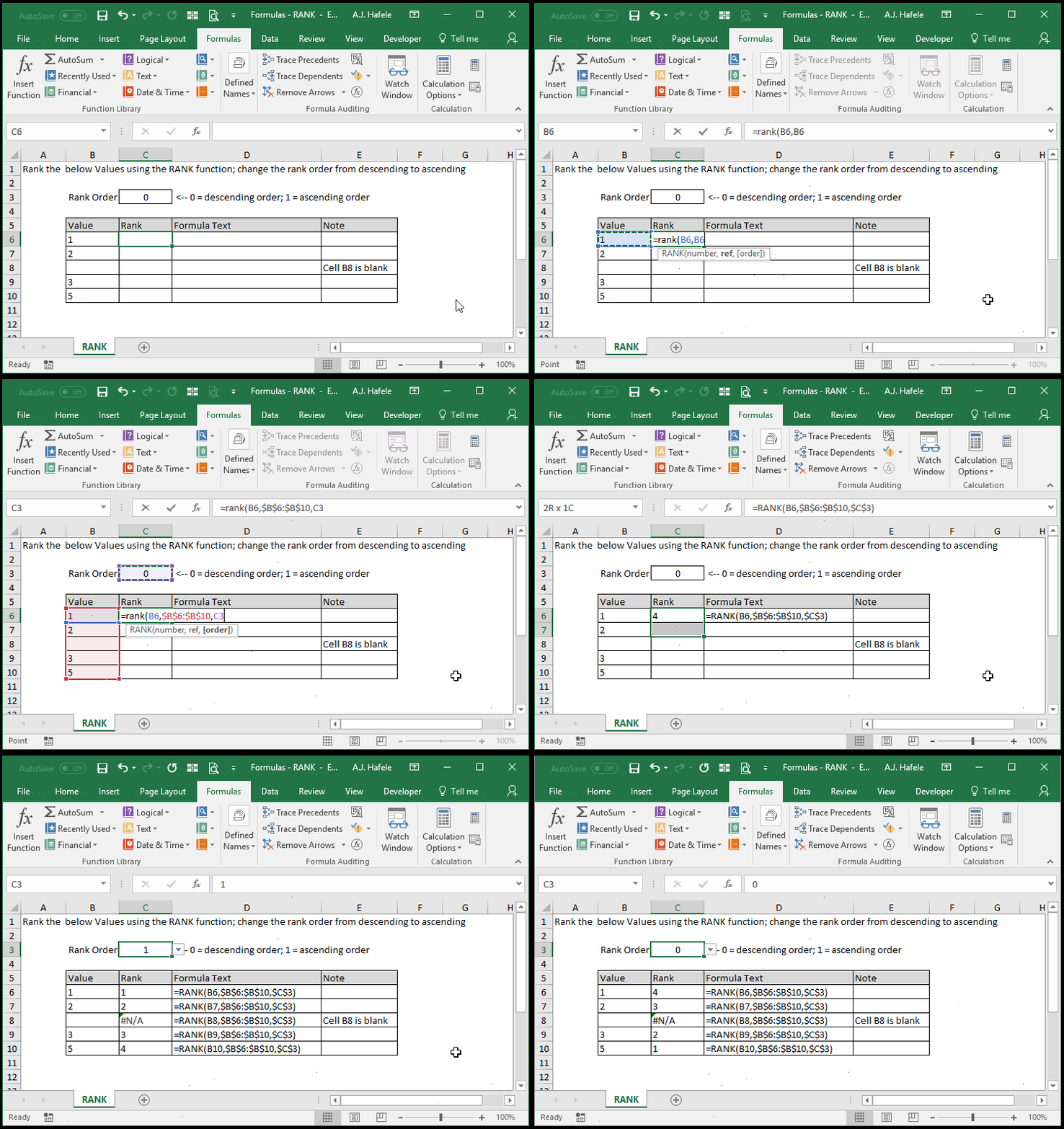
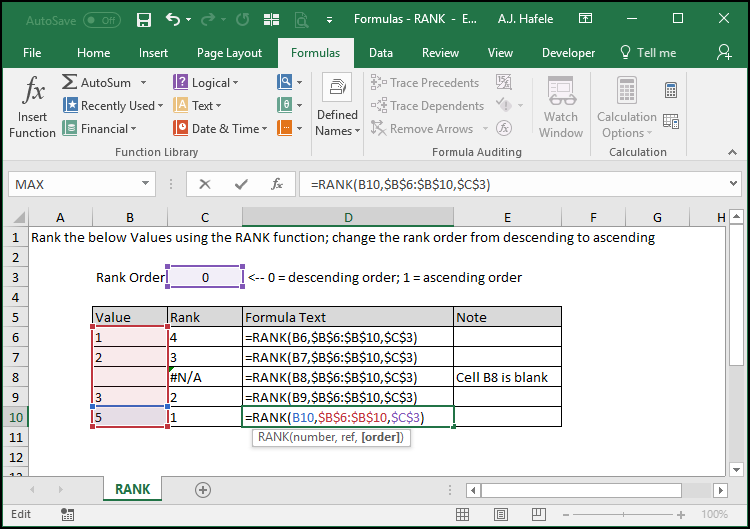
Here is a screenshot, for reference:
Notice that:
We used absolute cell references on the 2nd and 3rd arguments so that those cells were constantly referenced upon copying and pasting the RANK function
To give the largest number a rank of 1, we used 0 as the rank order value
You can also omit the value completely
To give the smallest number a rank of 1, we used 1 as the rank order value
Syntax
=RANK(number, range, order)
Arguments
number
This is the number (also contained within the range) that you need the relative ranking for
This can be a hard-coded number, cell reference, or calculation
If the number does not exist in the range, the #N/A error will be returned
range
This is the range of cells that serves as the basis for the number's ranking
order [optional]
0 or omitted: Ranks in descending order, meaning that the largest number in the range will have a rank of 1
1: Ranks in ascending order, meaning that the smallest number in the range will have a rank of 1
This can be a hard-coded number, cell reference, or calculation