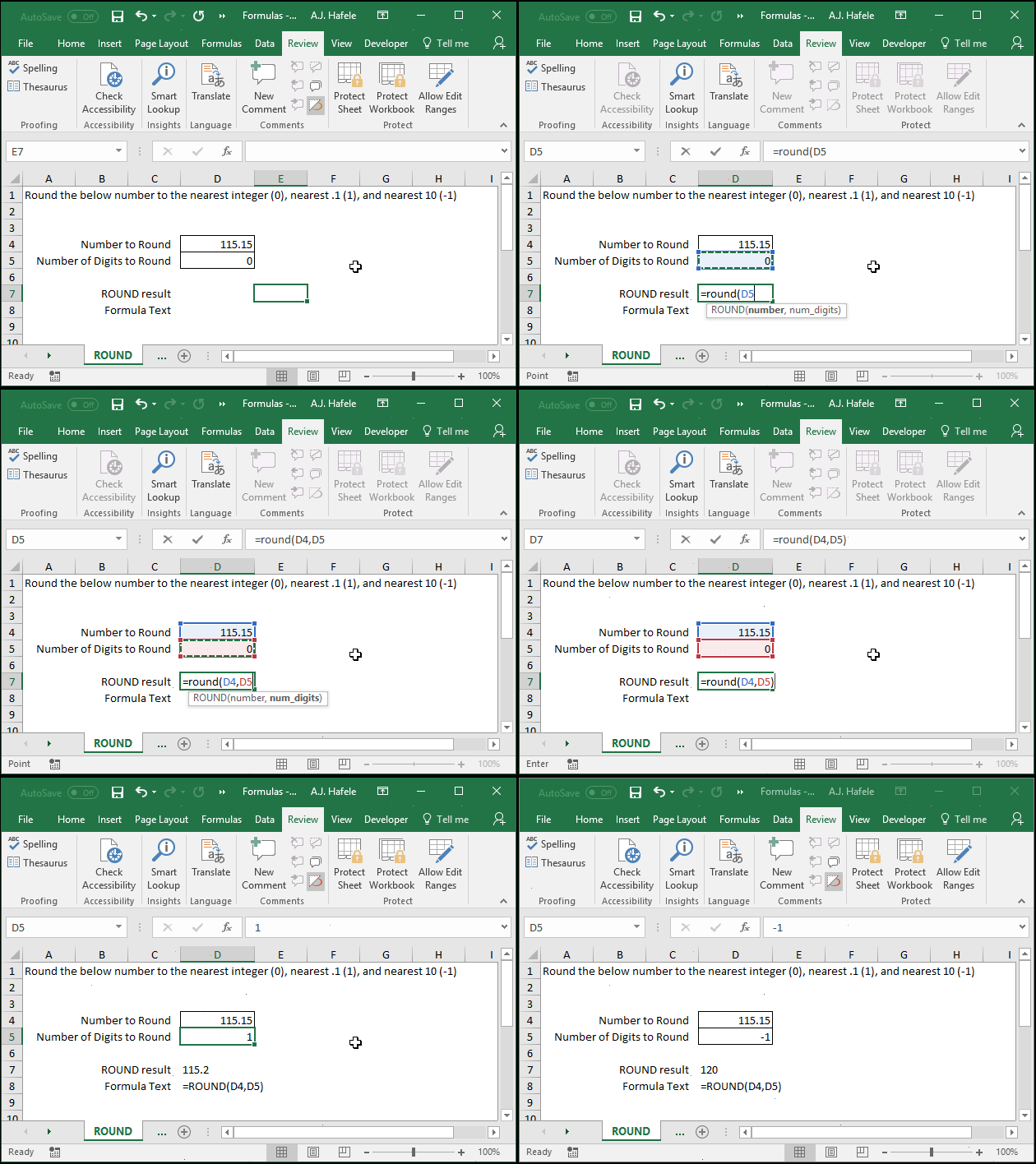
Rounds numbers to a user-specified number of digits, using the standard rounding convention (i.e. it rounds to the closest interval, or rounds up to the next interval if it is at the midpoint)
Example
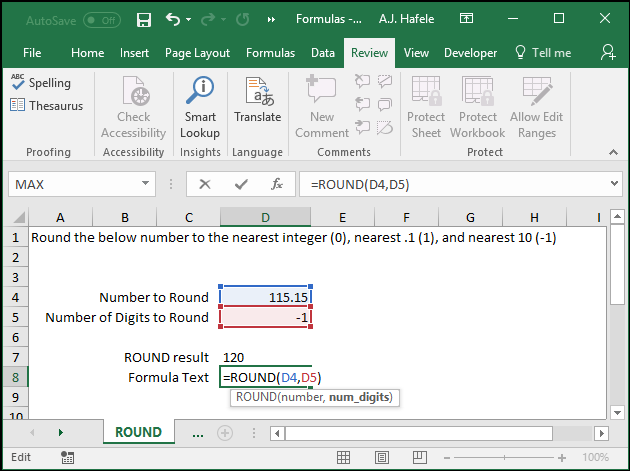
Here is a screenshot, for reference:
Syntax
=ROUND(number, num_digits)
Arguments
number
This is the number that you want to round
This can be a hard-coded number, cell reference, or calculation
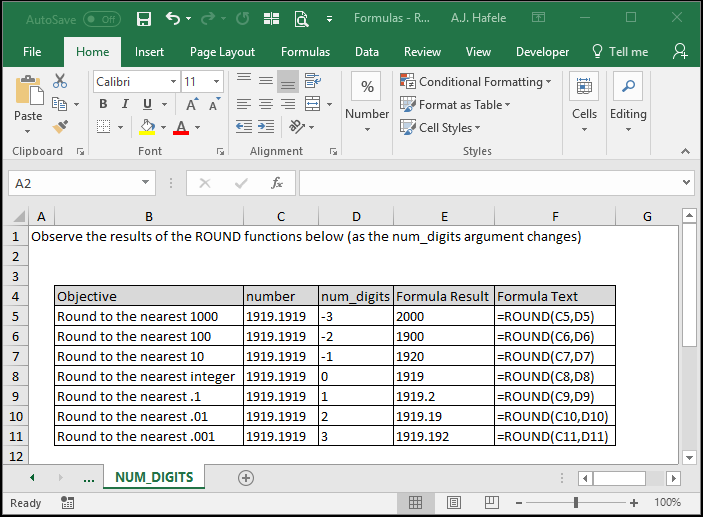
num_digits
This is the number of digits that you want to round the number to
This can be a hard-coded number, cell reference, or calculation
To understand how the num_digits argument works, carefully review the following screenshot: