ROUNDUP
Purpose
- Rounds numbers up to a user-specified number of digits
Example
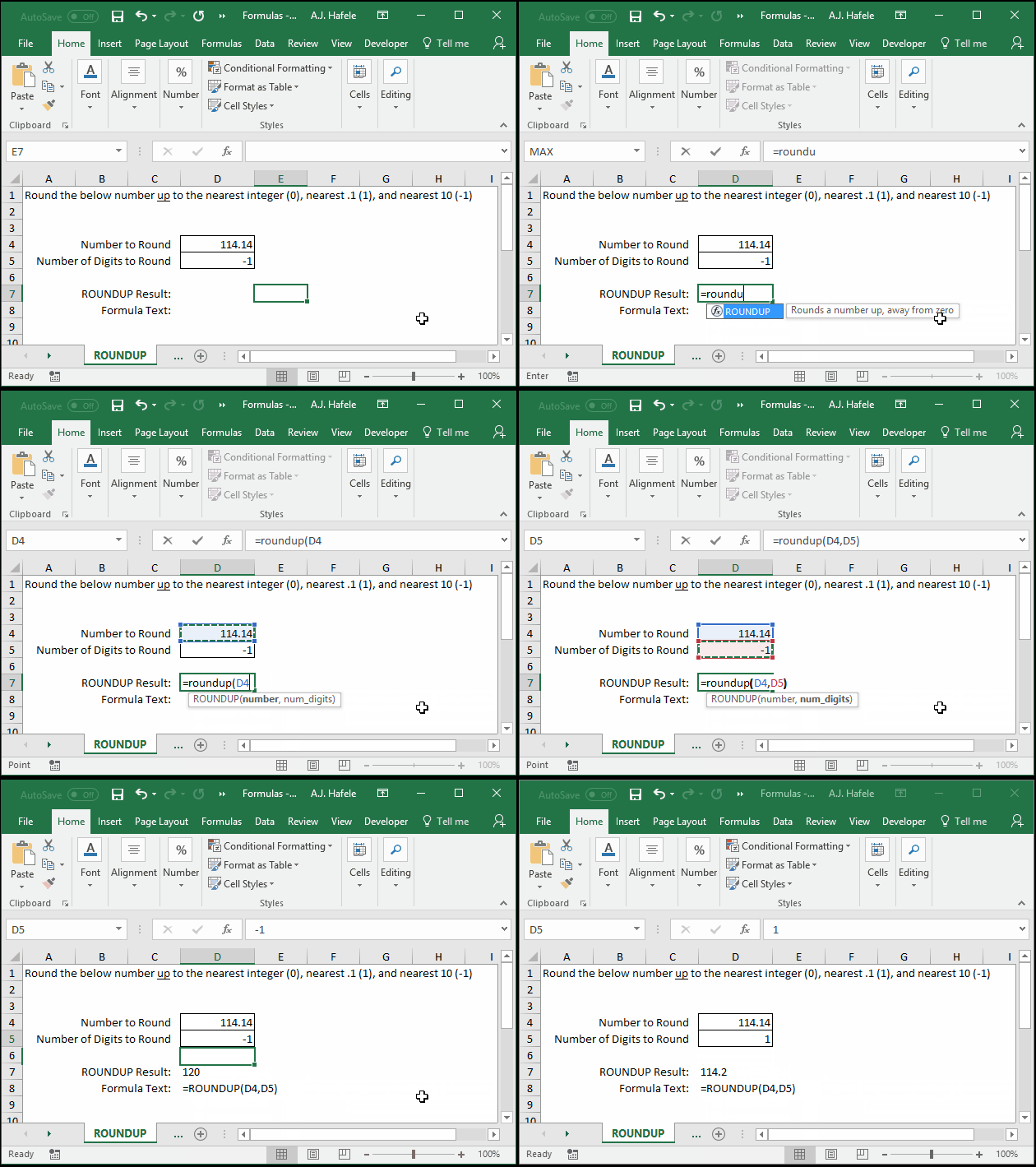
- Here is a screenshot, for reference:
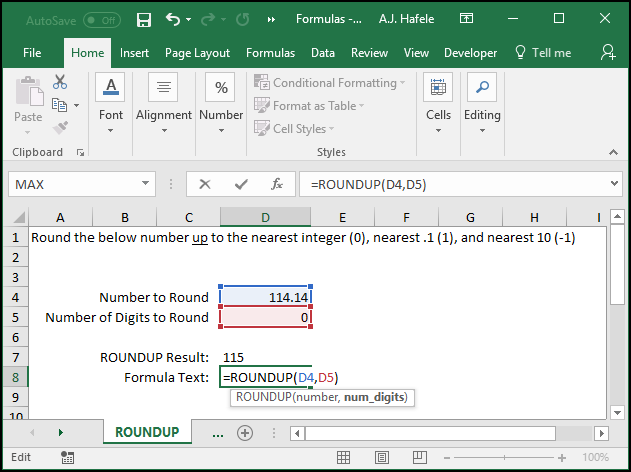
- As you can see, ROUNDUP will always round up, which is in contrast to ROUND, which will round up or down, depending on the number being rounded
Syntax
=ROUNDUP(number, num_digits)
Arguments
- number
- This is the number that you want to round up
- This can be a hard-coded number, cell reference, or calculation
- num_digits
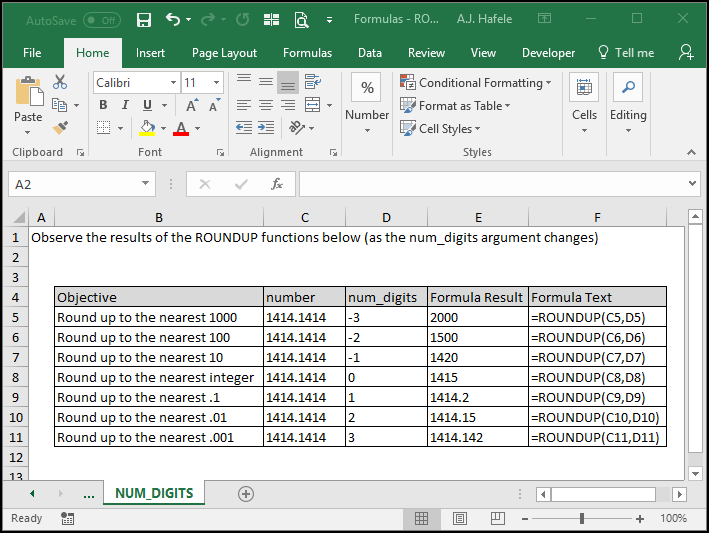
- This is the number of digits that you want to round the number (up) to
- This can be a hard-coded number, cell reference, or calculation
- To understand how the num_digits argument works, carefully review the following screenshot:
Practice
External Links
