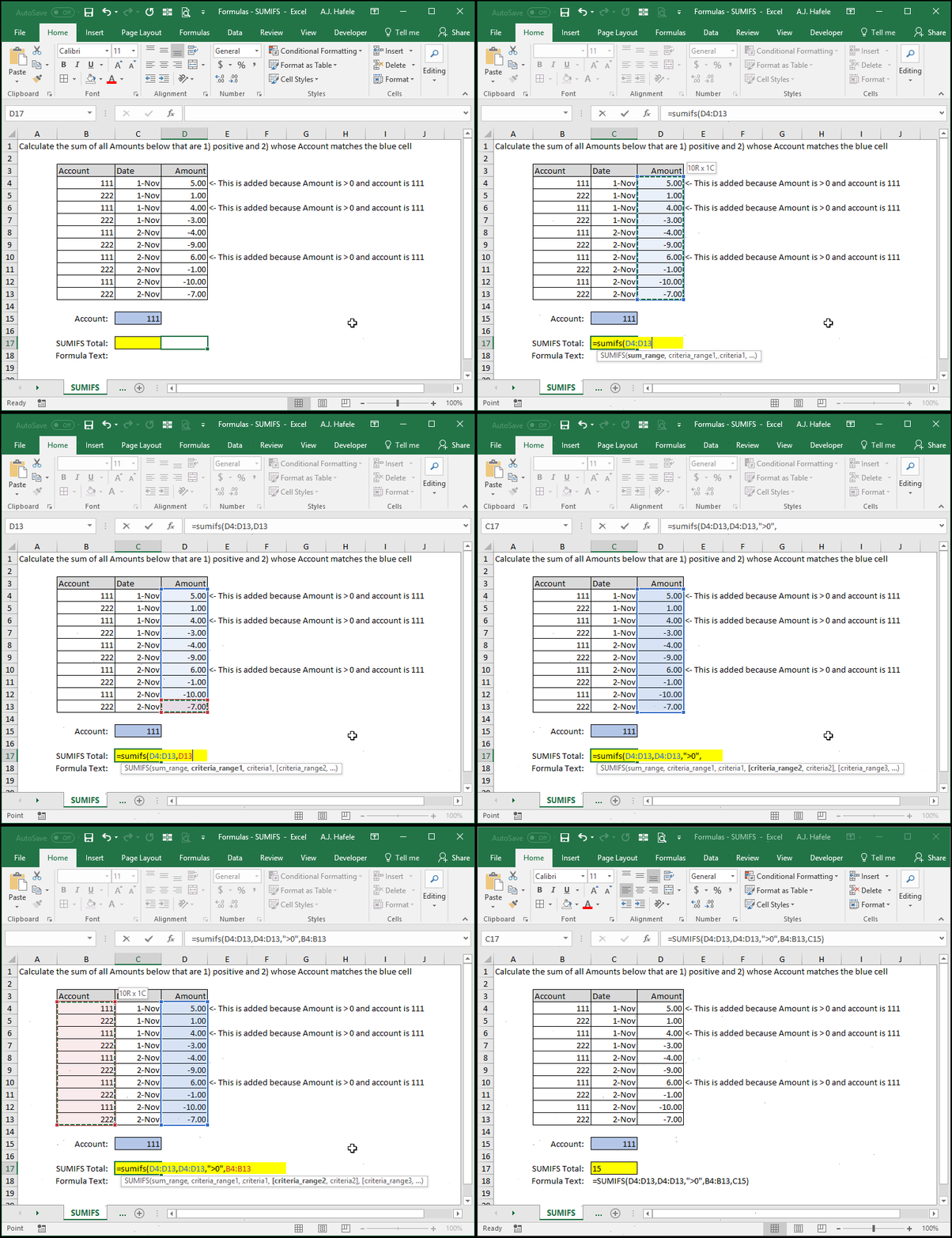
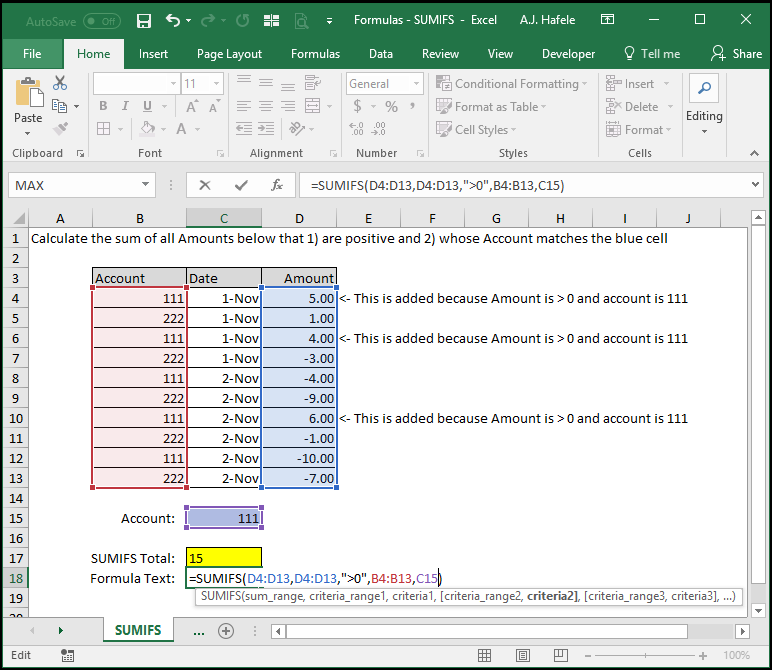
This is the target range of cells that you want to add up
The values in this range should be numerical, since we are computing a sum on this range
However, if cells containing text are in this range, they will be treated as zeroes
Importantly, SUMIFS will only add cells in the sum_range, in which all criteria (defined in the remaining arguments) are met
criteria_range1
This range of cells should contain data that either matches or do not match the criteria1 you define in the next argument
This range must contain the same number of cells as the sum_range argument
If the sum_range is a vertical (horizontal) range of cells, criteria_range1 must also be a vertical (horizontal) array of cells
This range can contain numerical values or text
This range can be the exact same range as the sum_range, if necessary
criteria1
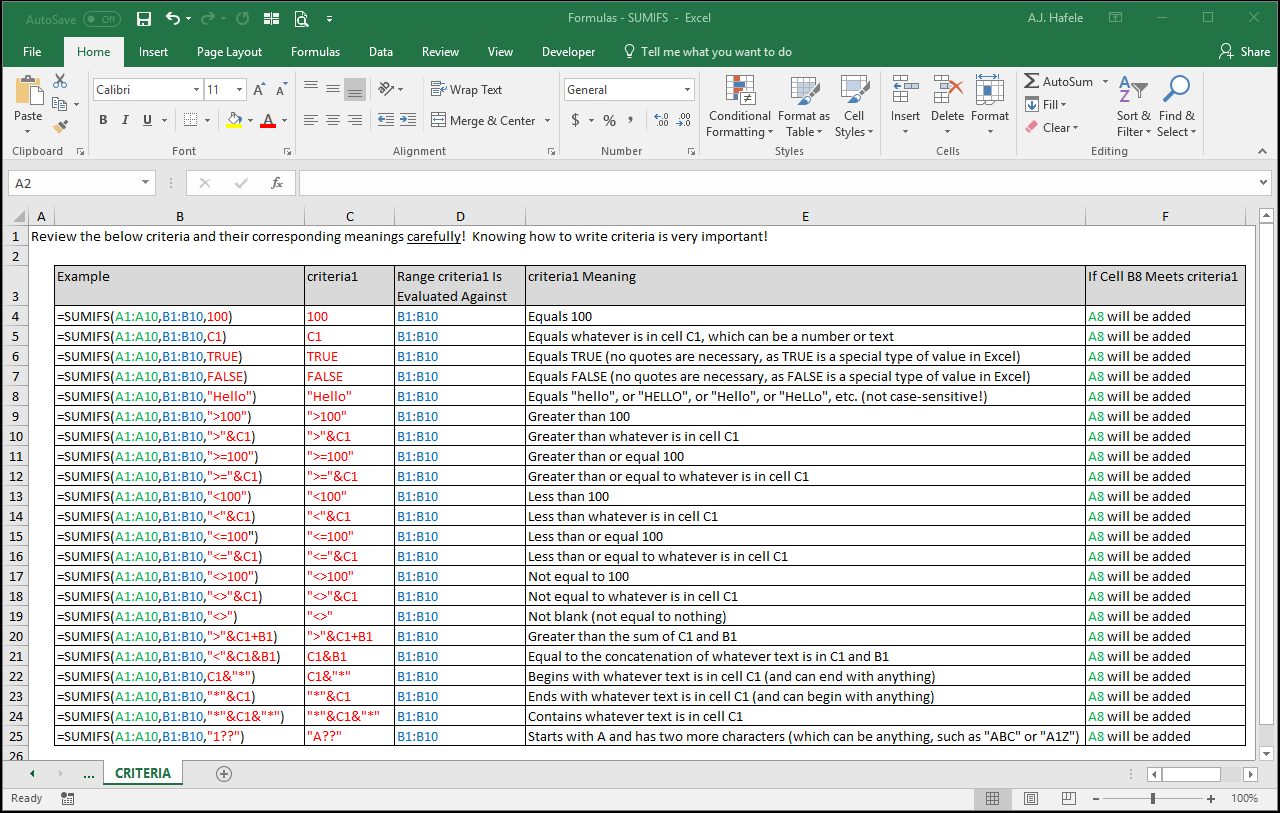
This is the actual criteria that must be met (in the criteria_range1) in order to be included in the sum
Carefully review the following screenshot, which provides a few examples of how you can write criteria and what they mean:
criteria_range2 [optional]
This is the next range which either matches or does not match criteria2 you define in the next argument
This range has the same properties as criteria_range1
criteria2 [optional]
This is the actual criterion that must be met (in the criteria_range2) in order to be included in the sum
This range has the same properties as criteria1
The pattern continues up to 127 times (in the newest version of Excel)
Note that, if you include any more criteria ranges (e.g. criteria_range3), you must also include a corresponding criteria (e.g. criteria3)
All future criteria_range arguments have the same properties as the criteria_range1 argument
All future criteria arguments have the same properties as the criteria1 argument
Tips
The SUMIFS function is extremely useful, so be sure to understand it thoroughly!
The SUMIF (without the ending S) function can be used if you have just one criteria that needs to be met, but why use SUMIF if you can always use SUMIFS?
Note that the arguments in SUMIF are arranged differently than those in SUMIFS
As such, using SUMIFS will allow you to easily add more criteria without having to change the arrangement of your arguments
Though not applicable to this lecture, there are two new functions (in Excel 2016 and later) which are structurally similar to SUMIFS: MAXIFS and MINIFS
MAXIFS: returns the maximum value in a range of cells given one or more user-defined criteria
MINIFS: returns the minimum value in a range of cells given one or more user-defined criteria
Once you are comfortable using SUMIFS, you will also be able to use MAXIFS and MINIFS with ease
Additionally, the AVERAGIFS function works just like SUMIFS too