CELL
Purpose
- Returns information about the location, formatting, and contents of a cell, including but not limited to:
- The cell address
- The column number
- The row number
- The filename
- The cell contents
- For the purposes of this lecture, we will focus only on using CELL to return and manipulate the filename
Example
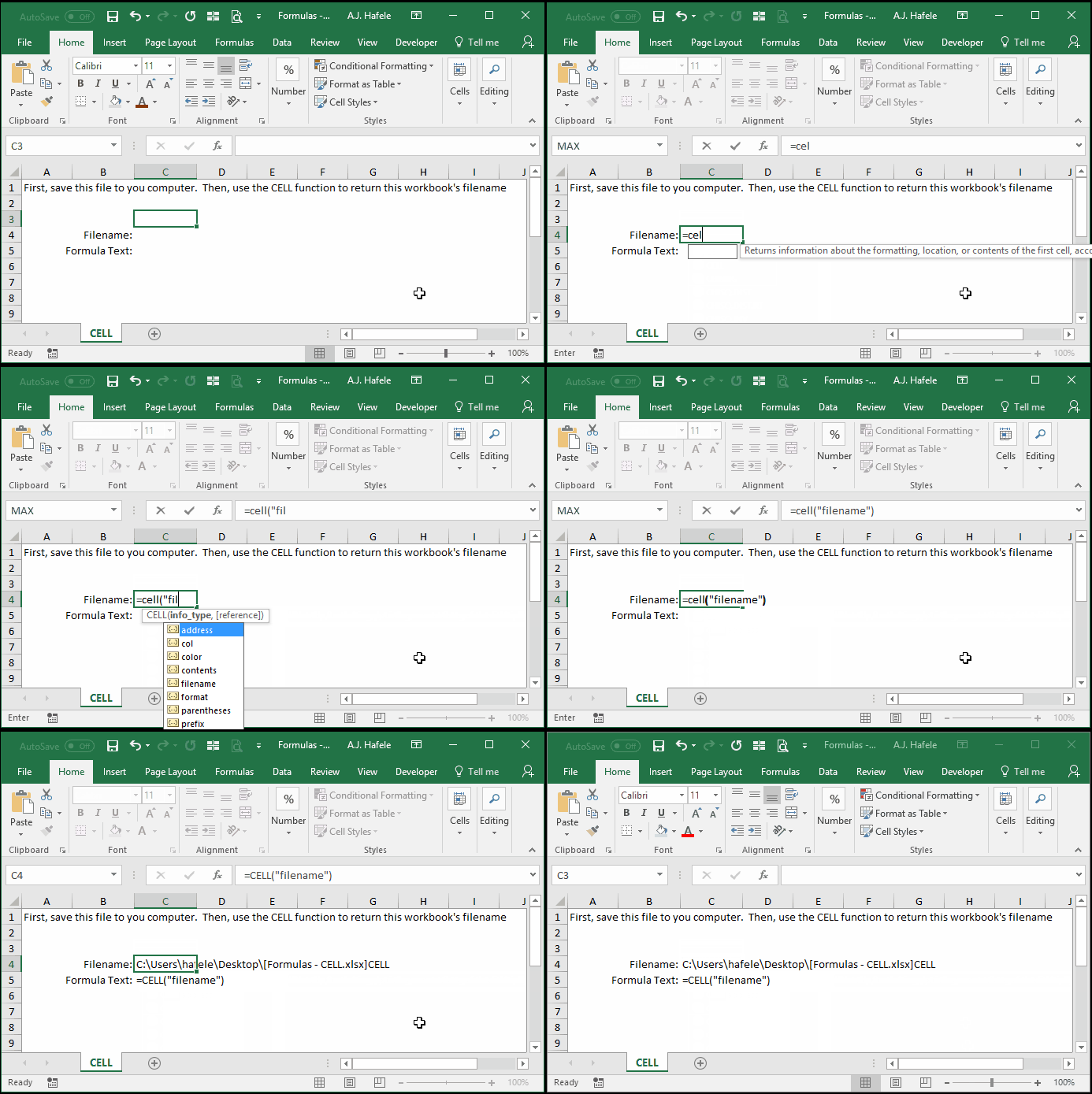
- Observe as we use CELL to return the workbook's filename (which also includes the sheet name):
Syntax
=CELL(info_type, reference)
Arguments
- info_type
- This can be one of the following:
- "col"
- "color"
- "contents"
- "filename"
- "format"
- "parentheses"
- "prefix"
- "protect"
- "row"
- "type"
- "width"
- This argument can be hard-coded text, a cell reference, or text resulting from a calculation
- See here for explanations of each of these options
- reference
- This is the cell whose information will be provided (corresponding to the info_type specified)
Practice
External Links
