Looks up data in a table when provided a relative numerical row number and/or column number
Examples
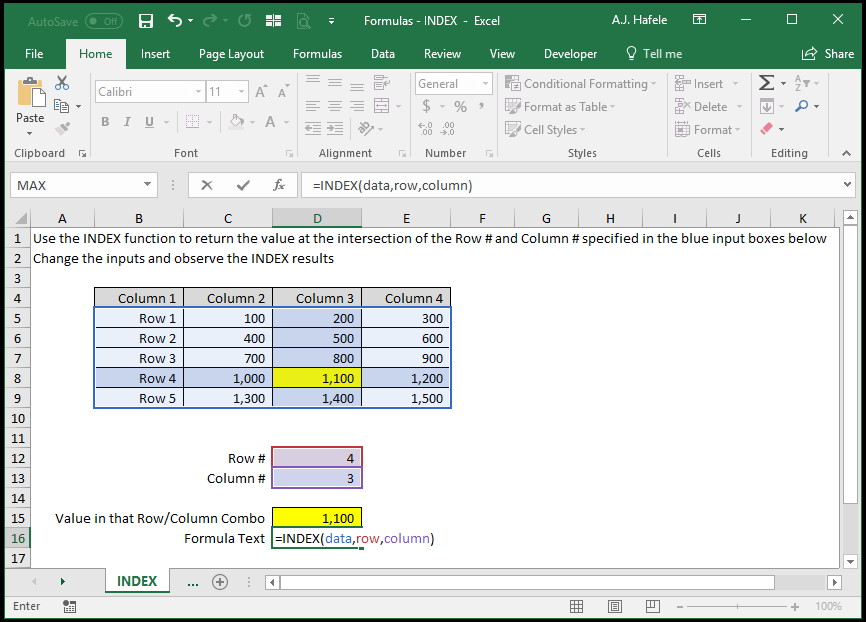
In the following example, we use 3 named ranges:
"data" (B5:E9)
"row" (D12)
"column" (D13)
Syntax
=INDEX(array, row_num, column_num)
Arguments
array
This is the table containing the data that you need to look up
row_num
This is the relative numerical row number within the array that you want to look up
This can be a hard-coded number, cell reference, or calculation
If the row number does not exist in the array (i.e. you enter 5, but the table contains only 4 rows), an error will occur
column_num
This is the relative numerical column number within the array that you want to look up
This can be a hard-coded number, cell reference, or calculation
If the column number does not exist in the array (i.e. you enter 5, but the table contains only 4 columns), an error will occur
INDEX and MATCH Combined
Nest the MATCH function within INDEX to create a dynamic lookup mechanism
Let's go through a comprehensive example
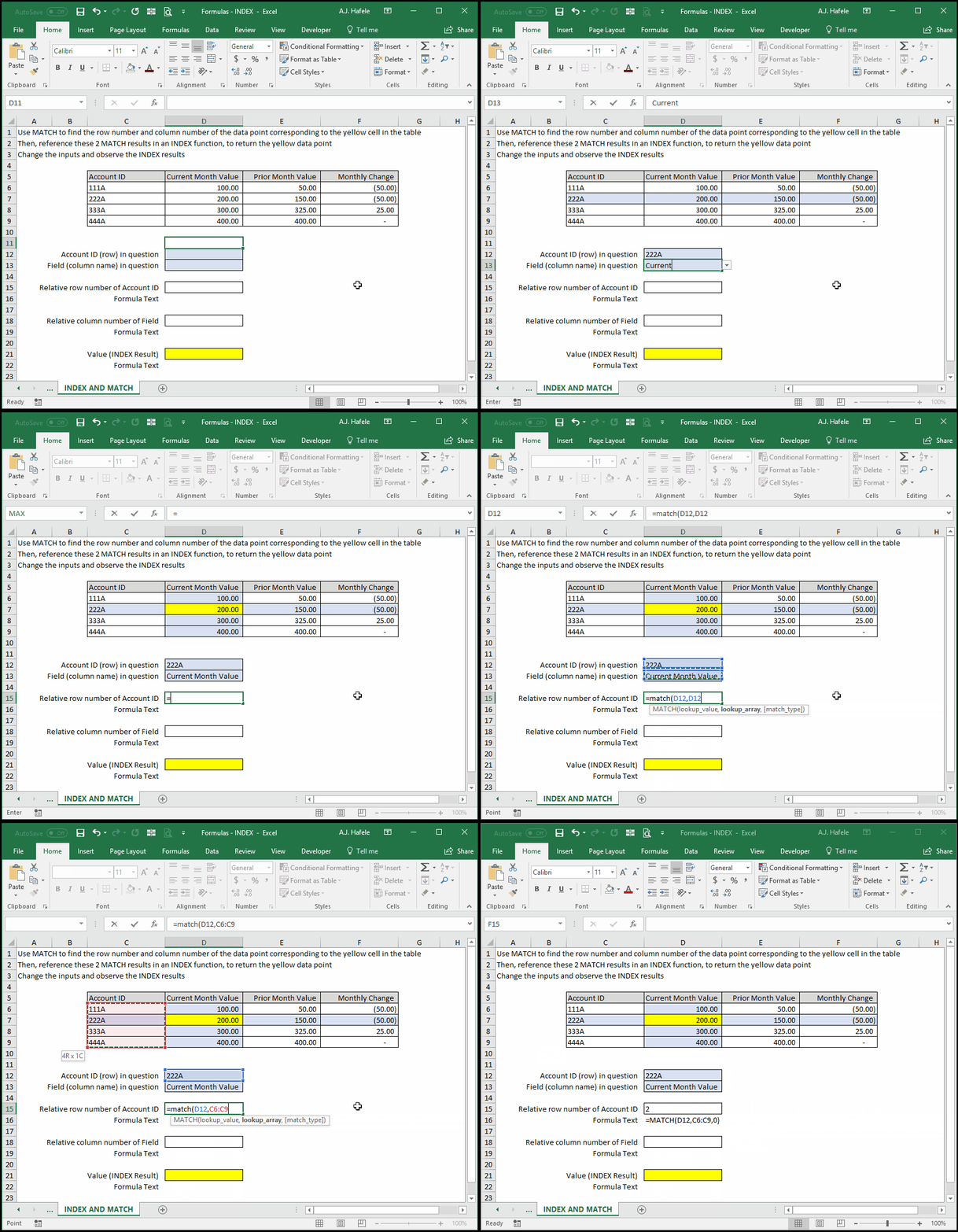
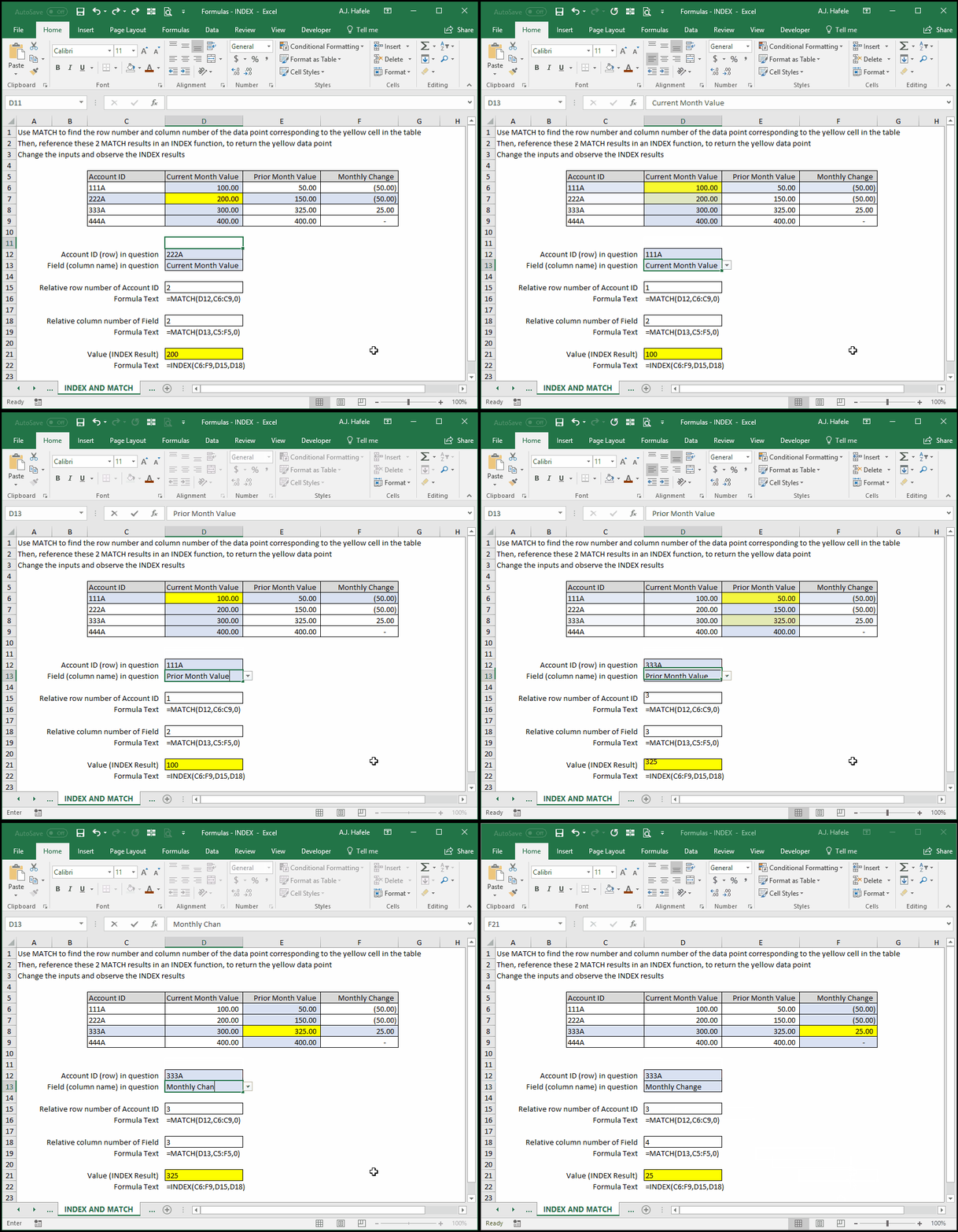
In this example, we want to find the data point at the intersection of the inputs in the blue cells
Let's enter some data in the blue cells, and then write the MATCH function which will return the relevant row number:
The MATCH function returns the number 2 because the Account ID 222A is the 2nd cell in the range we selected
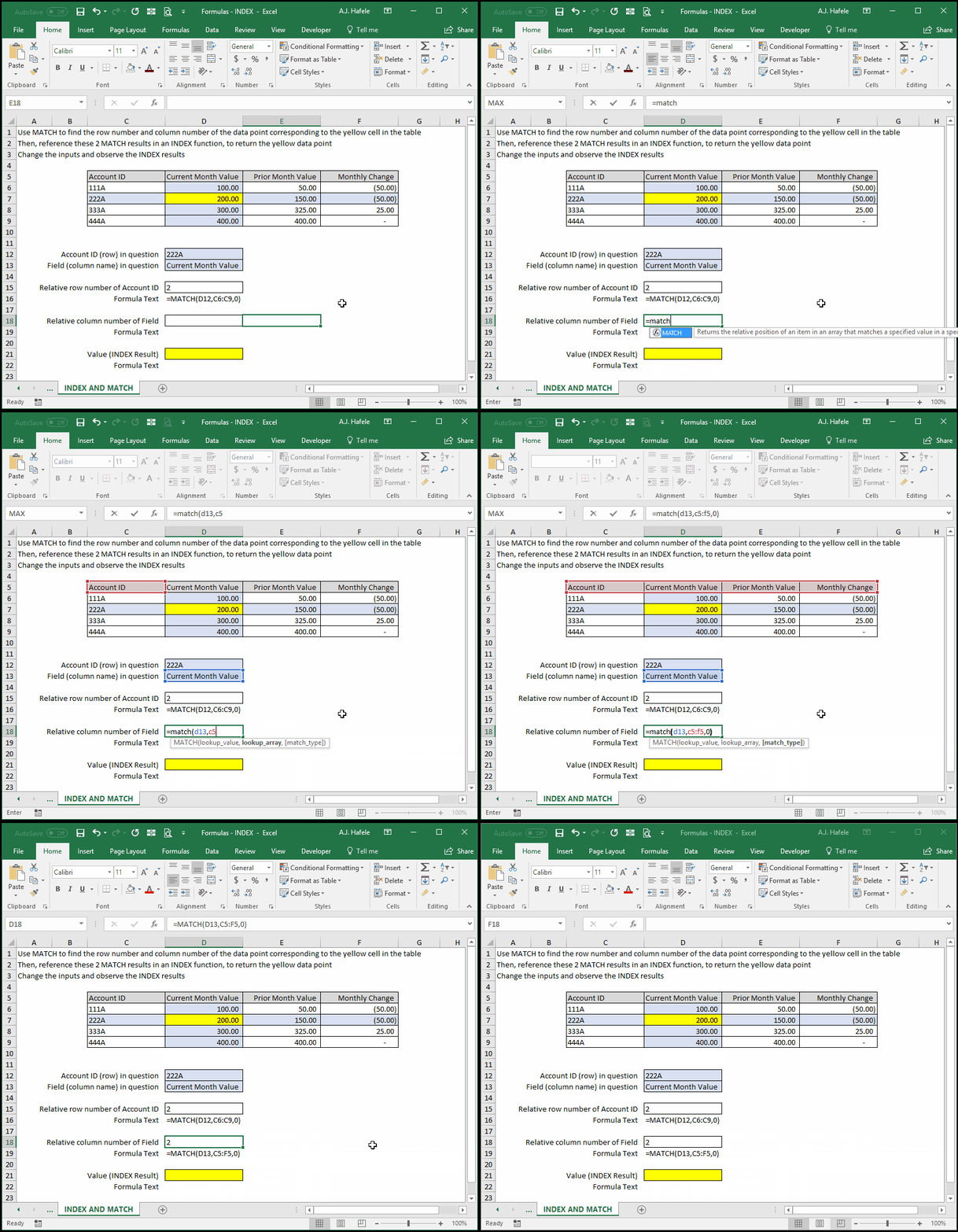
Now, let's use MATCH again to return the column number corresponding to the Current Month Value field:
The MATCH function returns the number 2 because the "Current Month Value" field is the 2nd cell in the range we selected
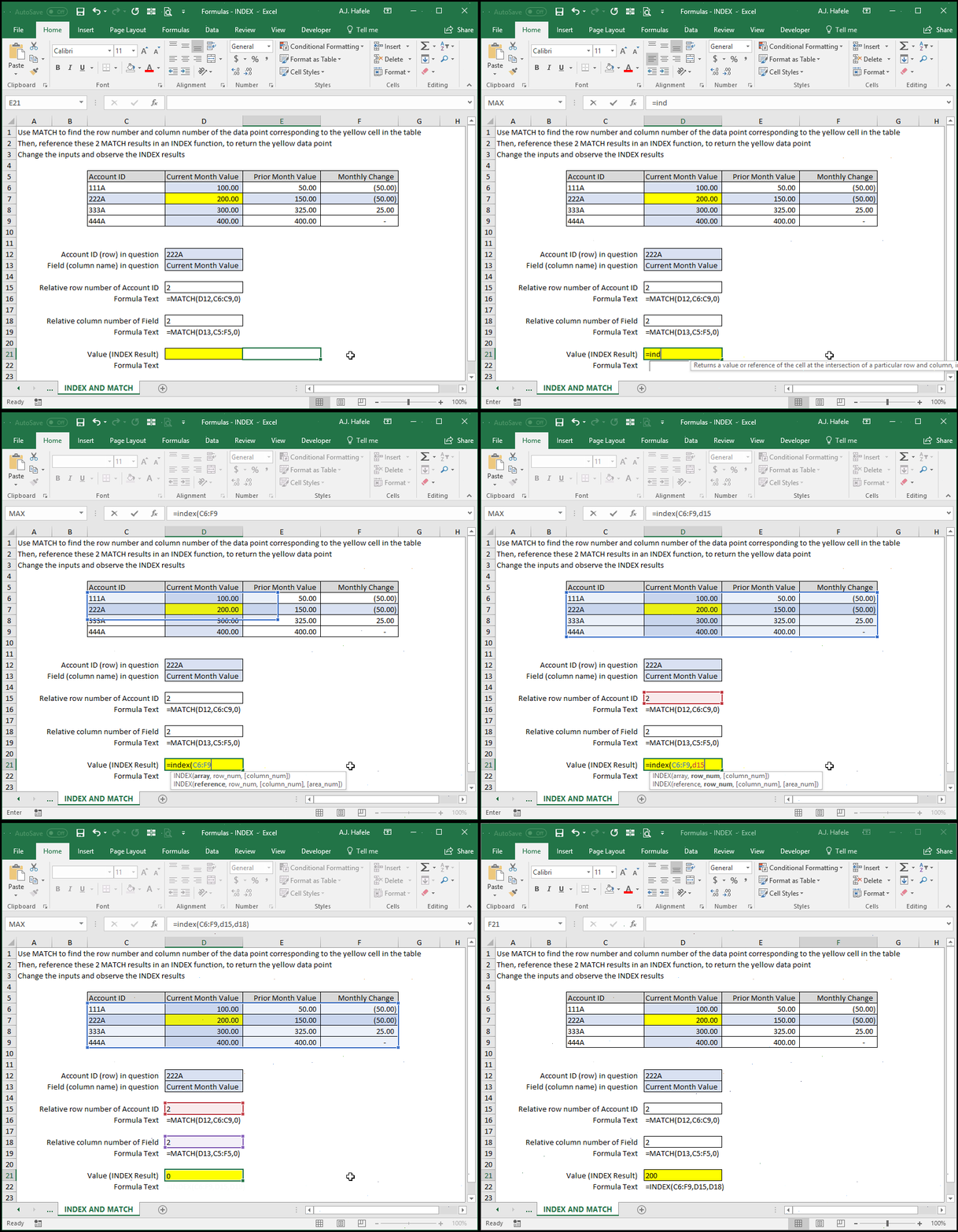
Now, let's reference the 2 MATCH function results in the INDEX function, to return the yellow data point in the table:
Now, let's change the blue cells and observe the formula results:
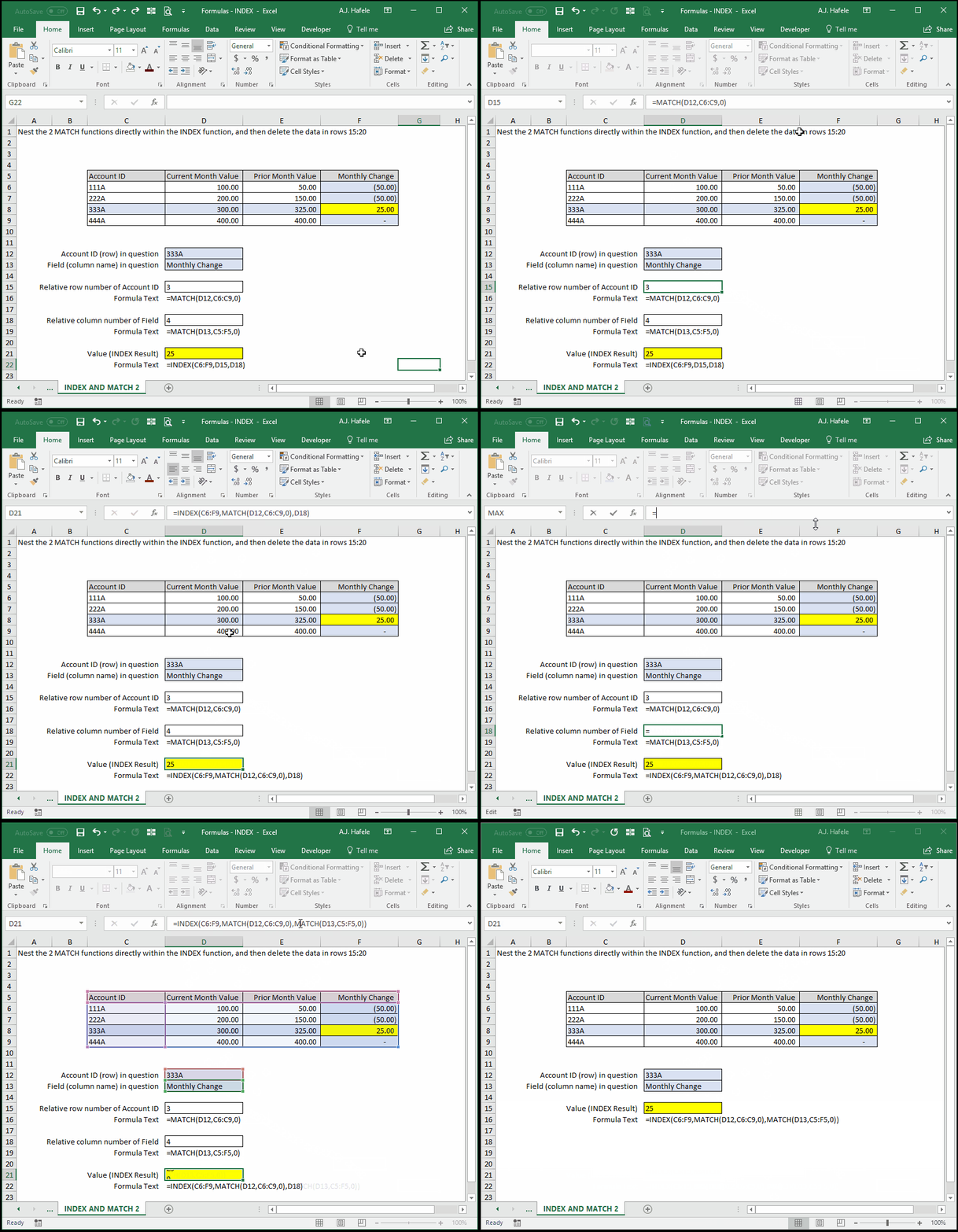
Last, let's cut and paste the two intermediary MATCH functions directly into the INDEX function (and then delete the intermediary MATCH functions):
Tips
INDEX and MATCH is more flexible than VLOOKUP and HLOOKUP because the information being looked (with INDEX and MATCH) up does not necessarily have to be in the topmost row or leftmost column
The trade-off is that VLOOKUP is typically easier to set up than INDEX and MATCH