ROW
Purpose
- Returns the row number of a cell reference
Example
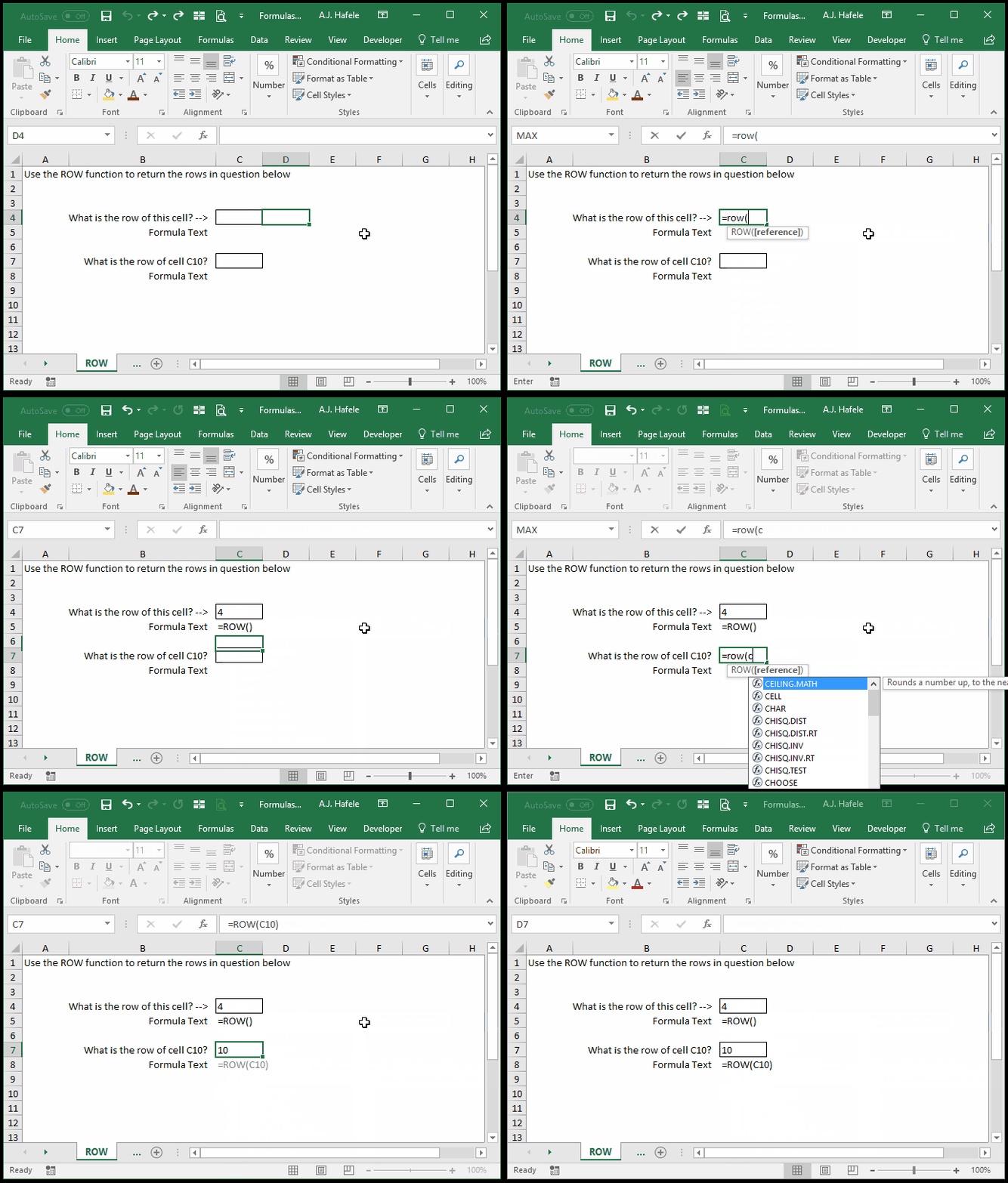
- Here is a screenshot, for reference:
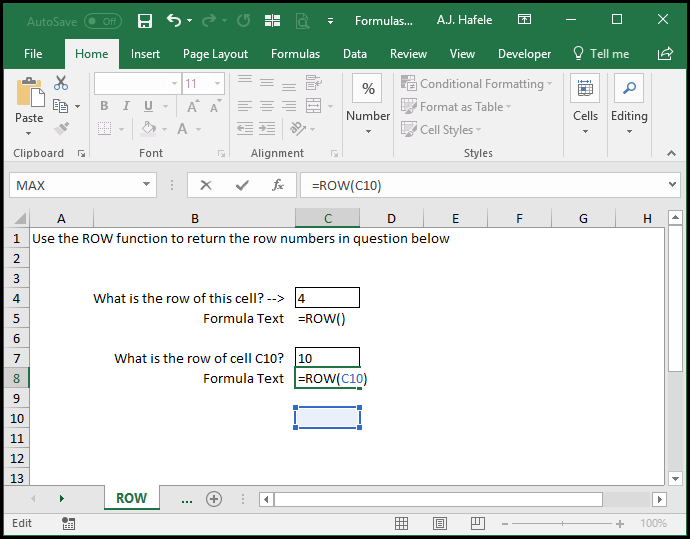
- Notice that if you do not enter any argument, the ROW function will return the row of the cell itself
- Thus, when
=ROW() is entered into C4, the number 4 is returned
Syntax
Arguments
- reference [optional]
- This is the cell whose row number is needed
- If the reference is omitted, the formula will return the row number of the cell containing the ROW formula
- If the reference is a range (e.g. C5:X1000), the result will be the topmost row in the range (e.g. 5)
Practice
External Links
