ROWS
Purpose
- Returns the number of rows in a range of cells
Example
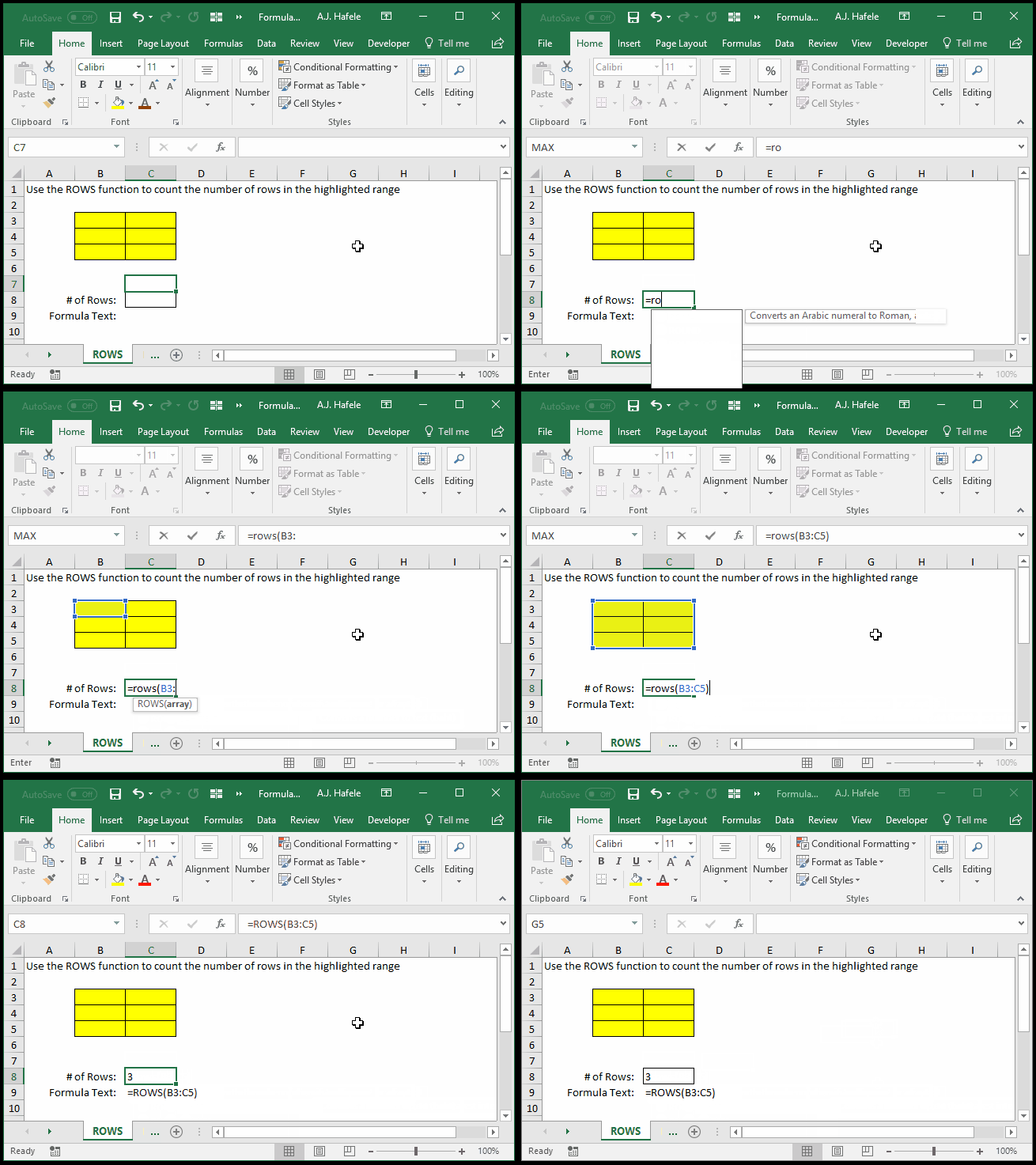
- Here is a screenshot, for reference:
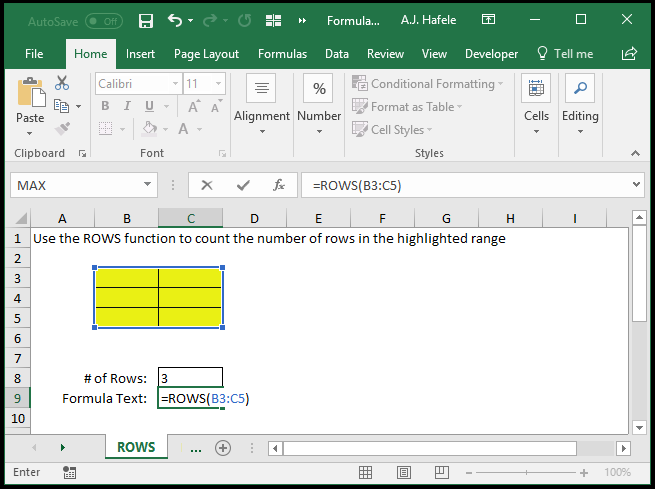
- Notice that:
- Since the range referenced (i.e. the highlighted cells) is 3 rows high, 3 is returned
- The number of columns that the range spans (2, in this case) is irrelevant
- The ROWS function ignores the contents (or lack of contents) of the cells referenced - it simply counts how many rows are in the range you specify
Syntax
Arguments
- array
- This is a range of cells in question
- If the array encompasses 5 rows (e.g. A1:Z5), the number 5 will be returned
Practice
External Links
