CONCATENATE
Purpose
- Joins separate strings of text into a single text string
Example
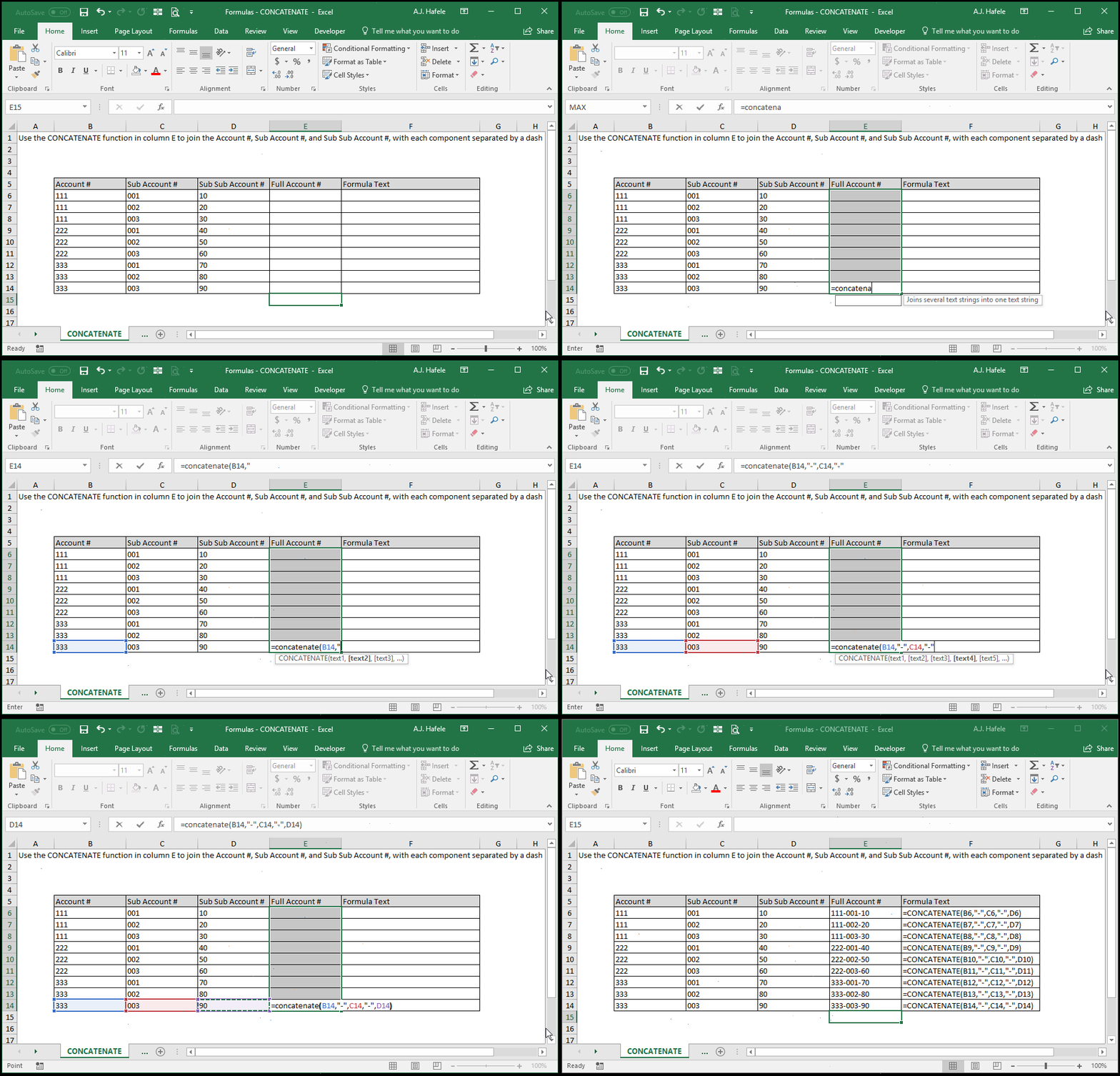
- Here is a screenshot, for reference:
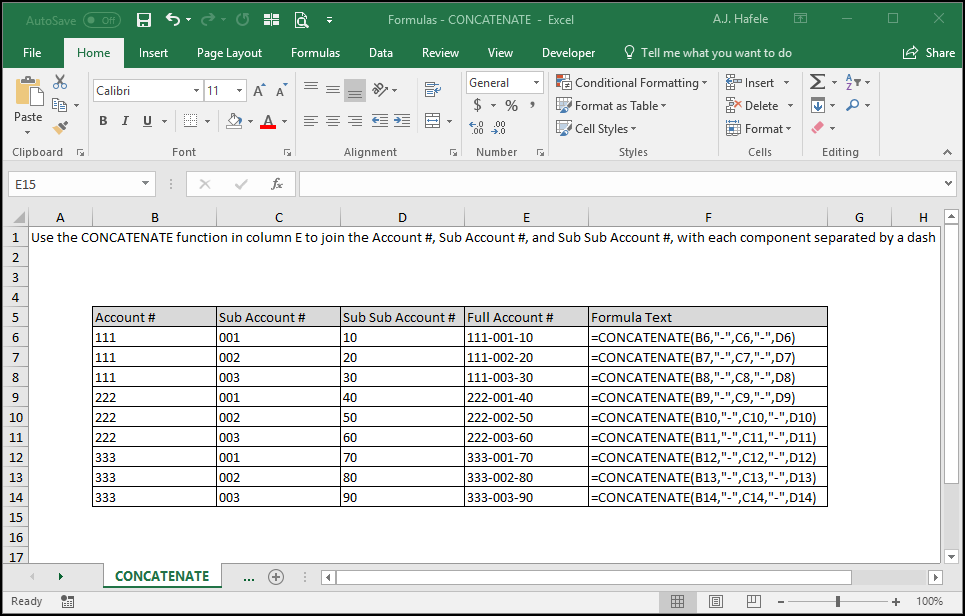
Syntax
=CONCATENATE(text1, text2, etc.)
Arguments
- text1
- This is the first string of text which will be concatenated
- This can be hard-coded text, a single cell reference, or text resulting from a calculation
- text2 [optional]
- This is the second string of text which will be concatenated after text1
- This argument has the same properties as text1
- The pattern continues for up to 255 separate text arguments
- All remaining arguments have the same properties as text1
Tips
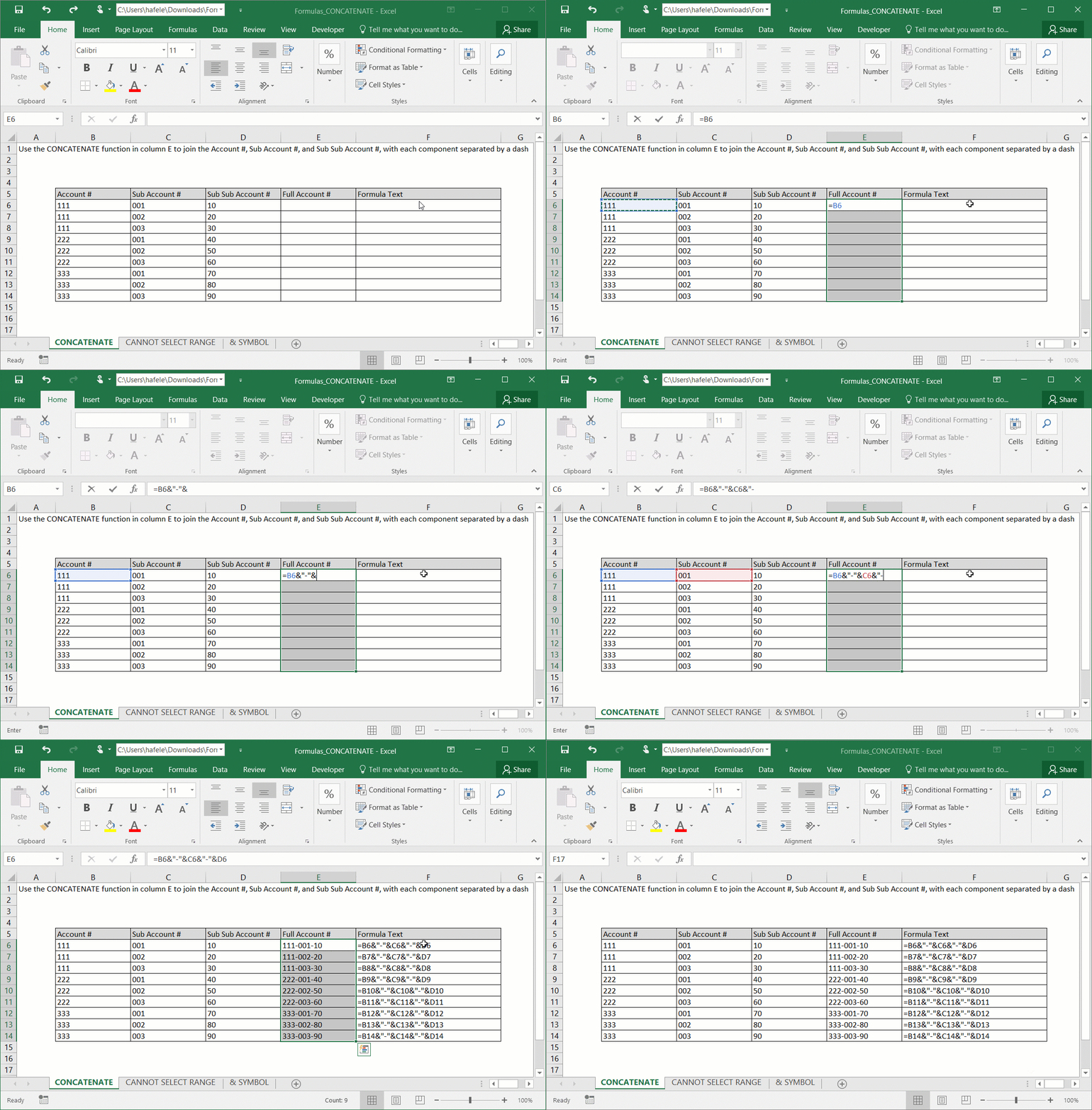
- As an alternative to using CONCATENATE, you can use the "&" symbol within formulas, as shown here:
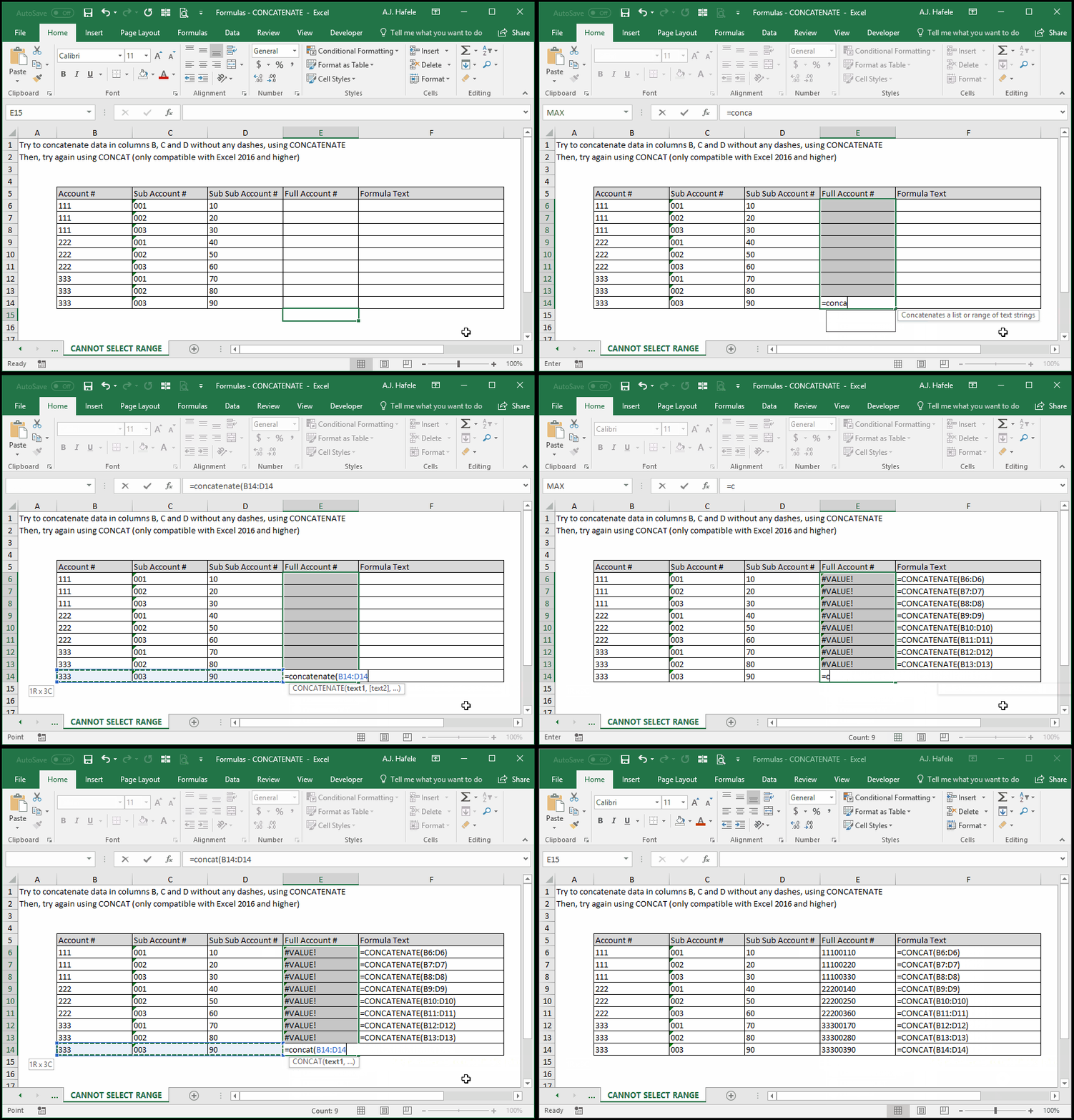
- The biggest disadvantage of CONCATENATE is that each argument can reference only a single cell
- This has been corrected with the use of CONCAT, however, as shown here:
- TEXTJOIN, another new function, is even more powerful, as it allows you to systematically add delimiters between concatenated text!
Practice
External Links
