LEFT
Purpose
- Returns the leftmost x characters in a text string, where x is user-defined
Example
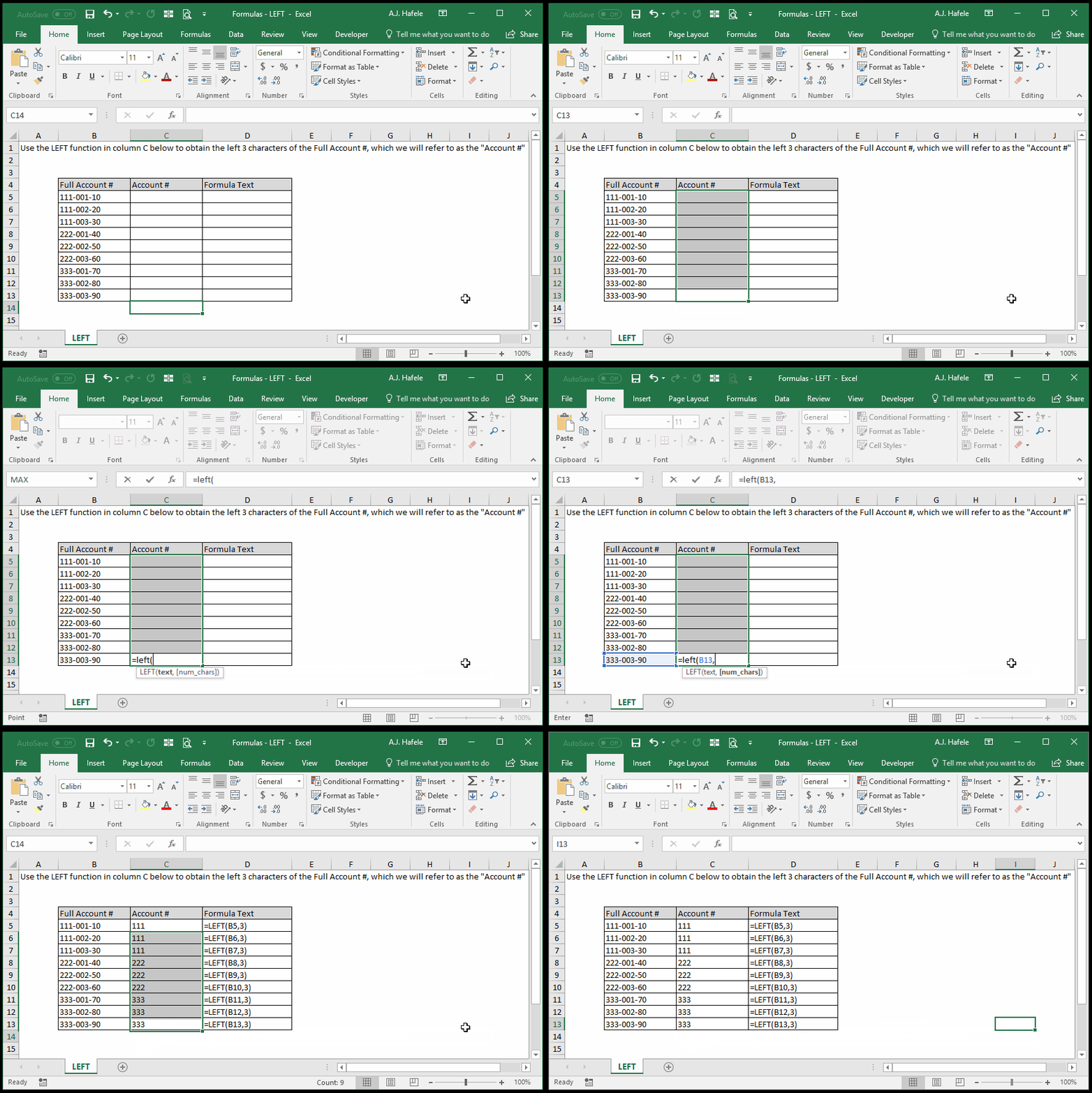
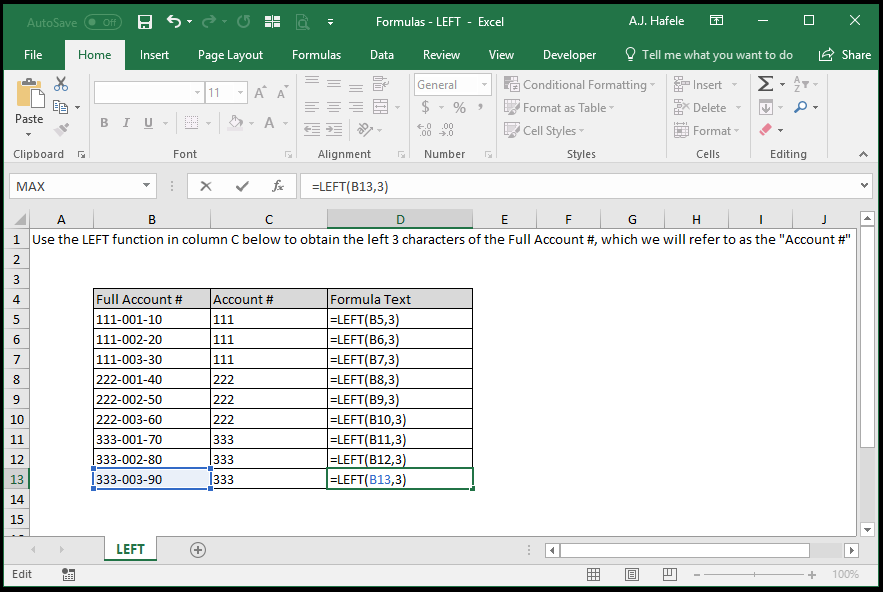
- Here is a screenshot, for reference:
Syntax
Arguments
- text
- This is the text (or number) in question
- This can be hard-coded text, a cell reference, or text resulting from a calculation
- The LEFT function will return the leftmost user-defined number of characters of the num_chars text string
- num_chars [optional]
- This is the number of characters that you want to return, starting from the leftmost character in the text argument
- This can be a hard-coded number, cell reference, or calculation
- If omitted, Excel treats this value as "1" (i.e. Excel will return the single leftmost character in the text)
- If this value is greater than the total number of characters in the text, the entire text will be returned
- For example,
=LEFT("hello",1000) will return "hello"
Tips
- Remember that blank spaces (" ") and other special characters (such as decimal places) are counted as characters
Practice
External Links
