
LEN
Purpose
- Returns the number of characters in a text string
- Blank spaces are counted as characters
Example
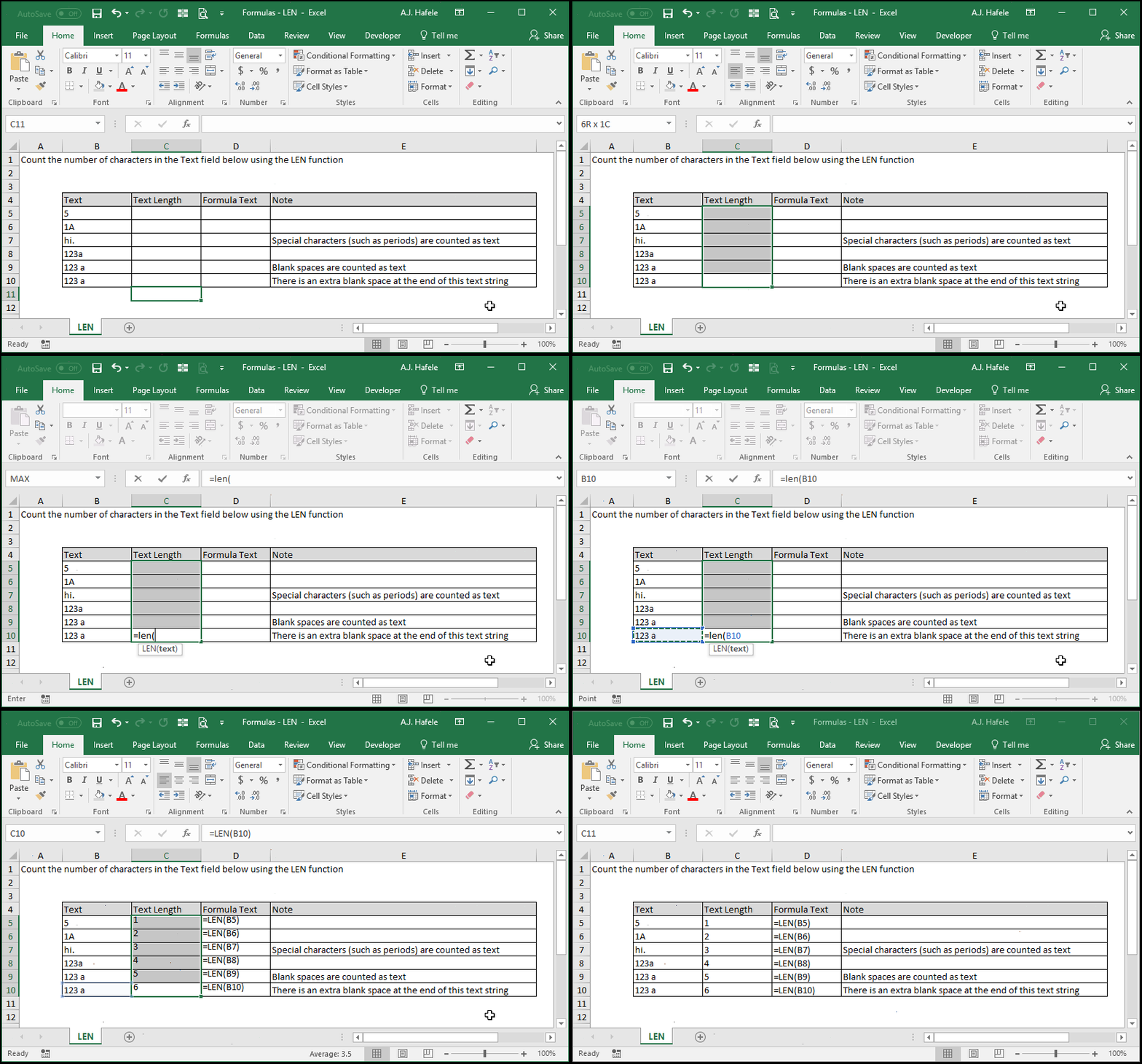
- Here is a screenshot, for reference:
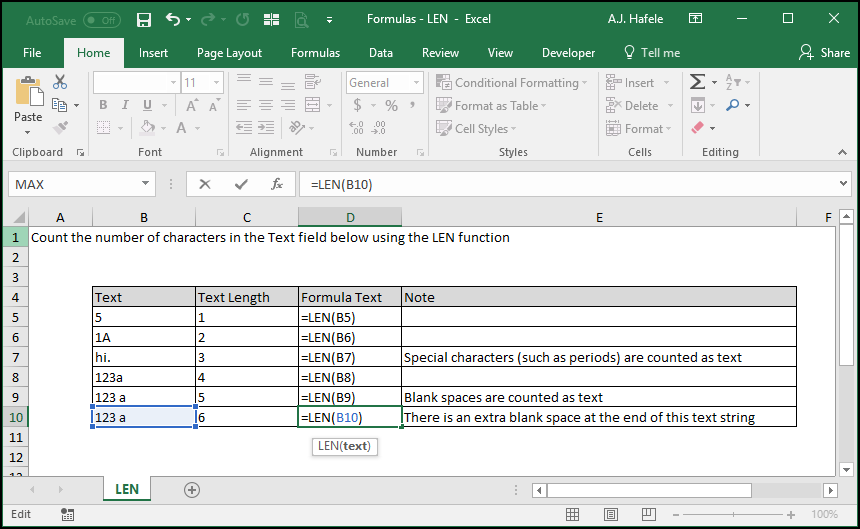
- As you can see, LEN will count all characters in a text string, including:
- Letters
- Numbers
- Special characters
- Blank spaces
Syntax
=LEN(text)
Arguments
- text
- This is the text whose character length you need to obtain
- This can be hard-coded text, a cell reference, or text resulting from a calculation