MID
Purpose
- Returns a part of a text string, starting at a user-defined numerical position, and encompassing a user-defined number of characters
- In other words, this function will return x characters starting from position y, where x and y are user-defined
Example
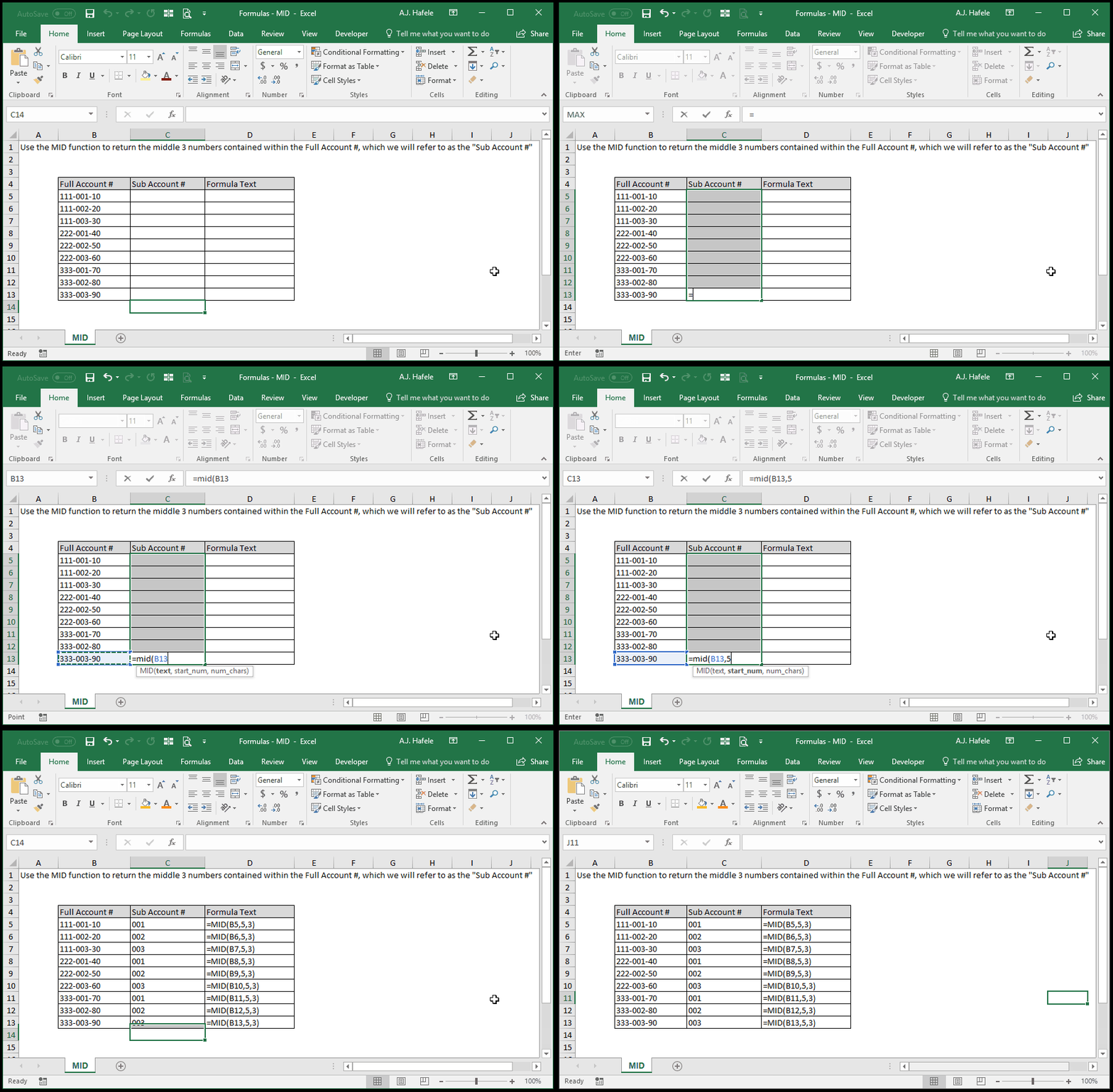
- Here is a screenshot, for reference:
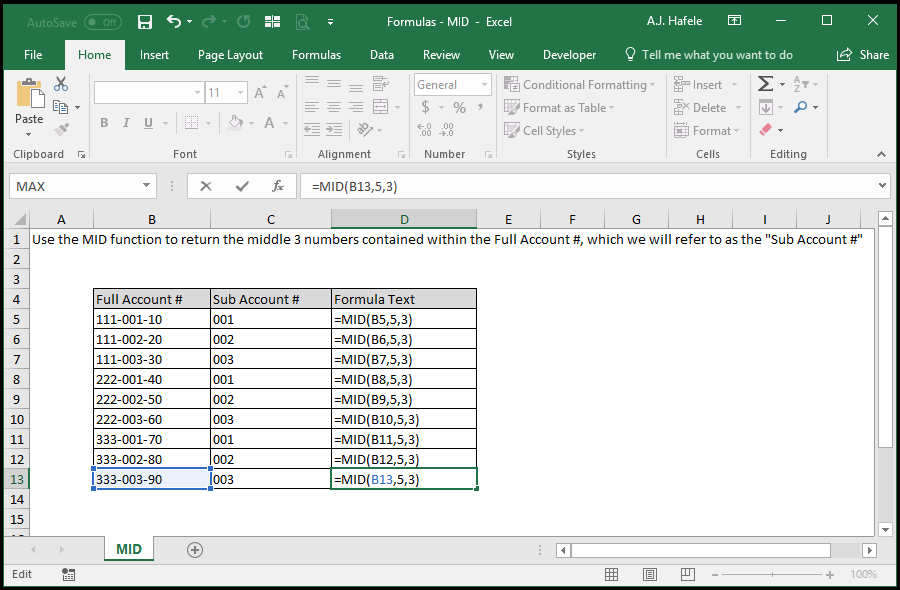
- Notice that:
- In this example, we are trying to obtain the number in between the two dashes
- This number starts in position 5 (e.g. after the 4 characters "111-"), and is 3 characters long
- Thus, the 2nd and 3rd arguments are 5 and 3, respectively
Syntax
=MID(text, start_num, num_chars)
Arguments
- text
- This is the text (or number) in question; you just need to return some portion of this text
- This can be hard-coded text, a cell reference, or text resulting from a calculation
- start_num
- This is the starting position within the text that you need to return
- Position 1 is the starting position of the entire text string
- This can be a hard-coded number, cell reference, or calculation
- num_chars
- This is the number of characters that you need to return from the text, starting in the start_num position
- This can be a hard-coded number, cell reference, or calculation
Practice
External Links
