PROPER
Purpose
- Capitalizes the first letters in a text string, as well as any other letters that follow non-letter characters, including:
- Text after spaces
- Text after numbers
- Text after special characters (e.g. "-", "?", etc.)
- All other letters are made lowercase
Example
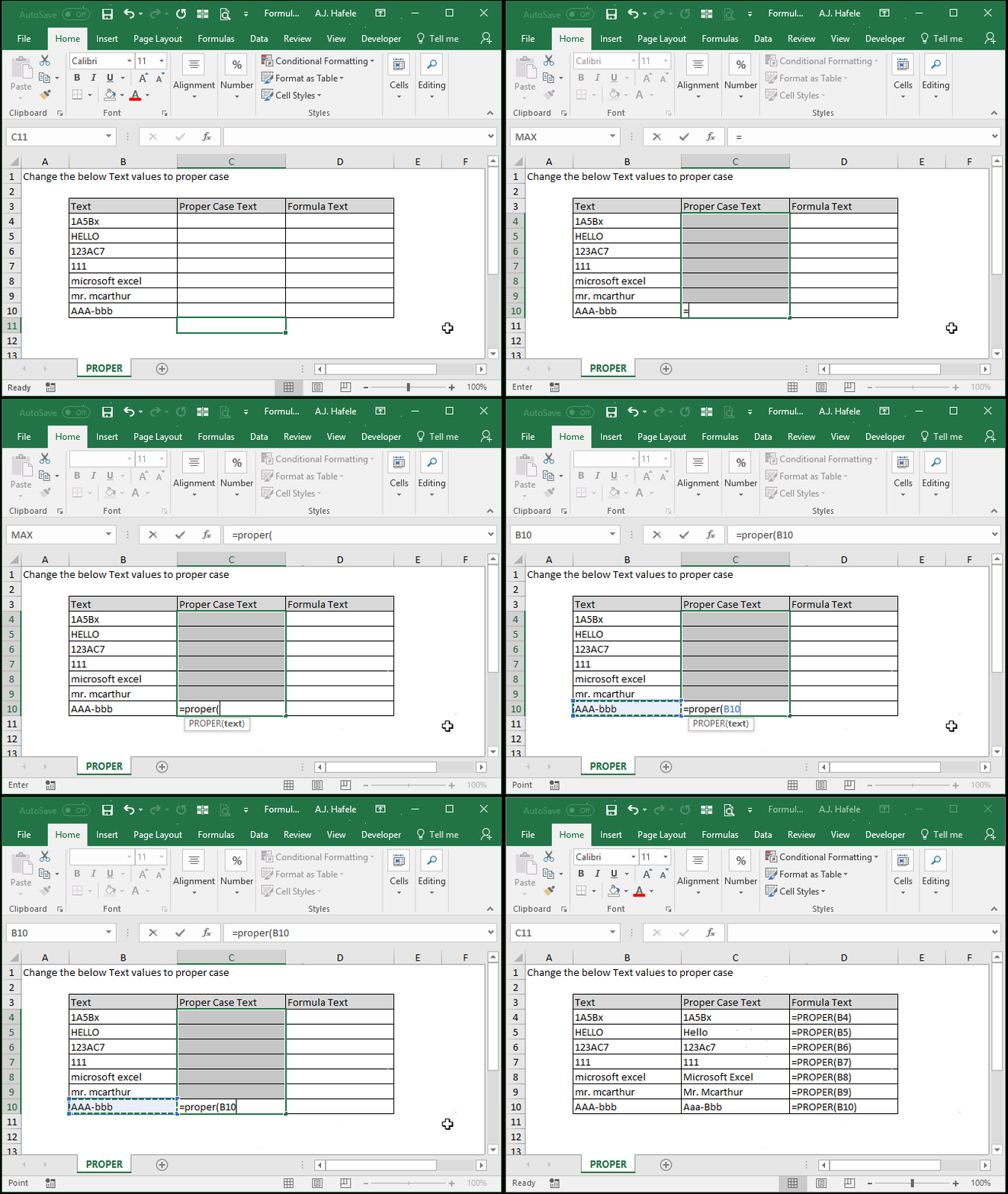
- Here is a screenshot, for reference:
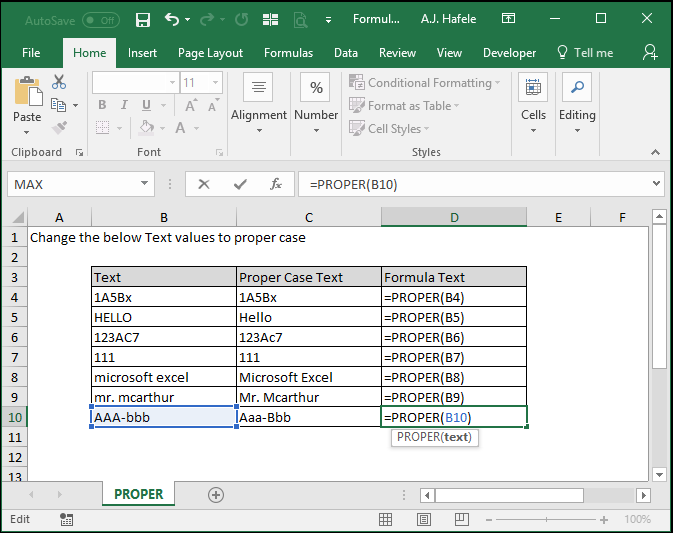
- Notice that:
- PROPER capitalizes first letters in text strings
- PROPER also capitalizes letters immediately after numbers, spaces, or special characters
- PROPER isn't perfect, since it cannot easily accommodate for names such as "MacArthur" (see cell C9)
Syntax
Arguments
- text
- This is the text that you want to change to proper case
- This can be hard-coded text, a cell reference, or text resulting from a calculation
Tips
- PROPER can be handy when cleaning up text with proper nouns (though again it is not 100% perfect, as this lecture's example shows)
Practice
External Links
