SUBSTITUTE
Purpose
- Substitutes old text with new text within string of text
- All instances of old text can be replaced
- Alternatively, a single instance of old text can be replaced
Examples
- Let's first replace all instances of some old text with new text:
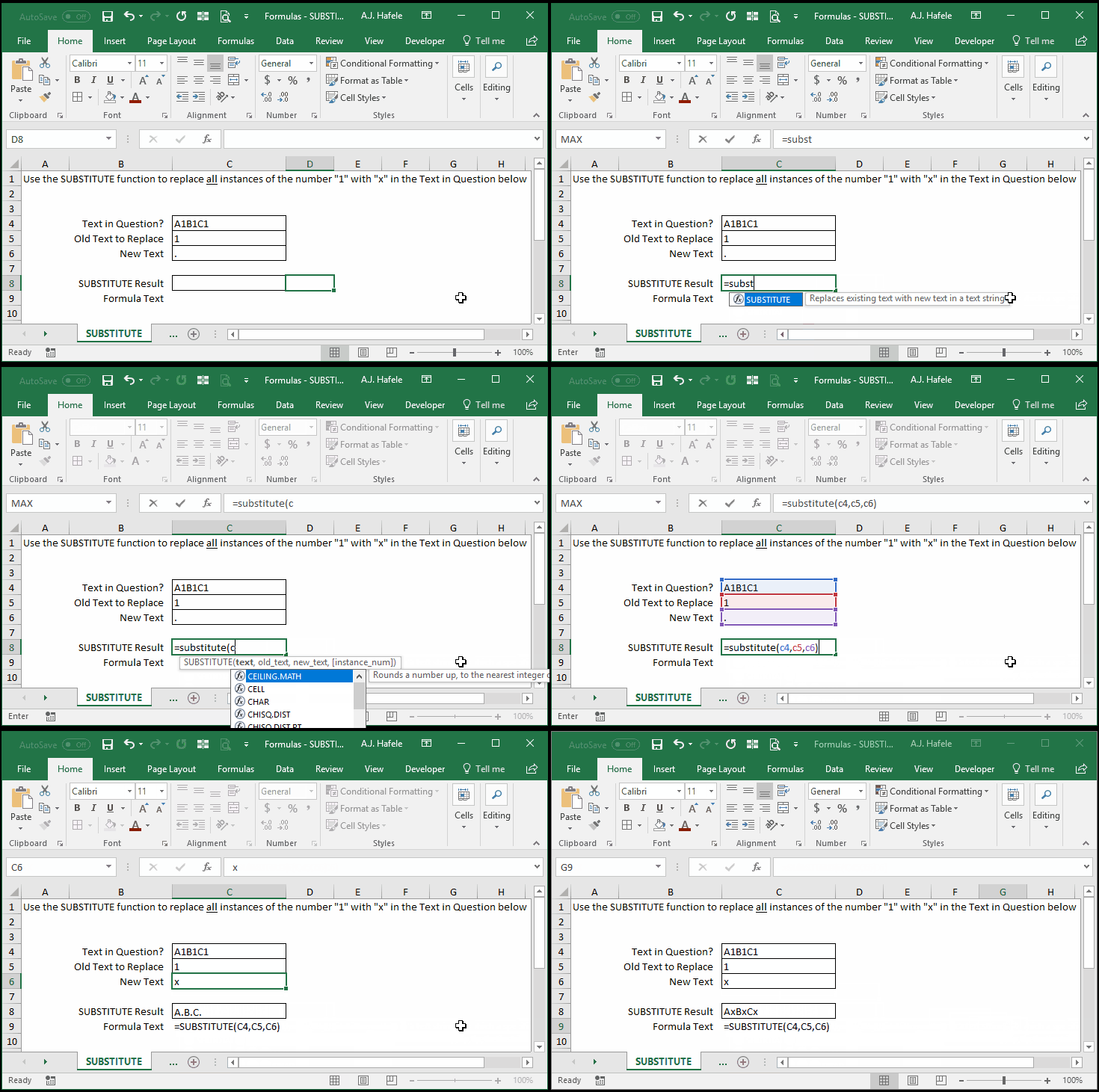
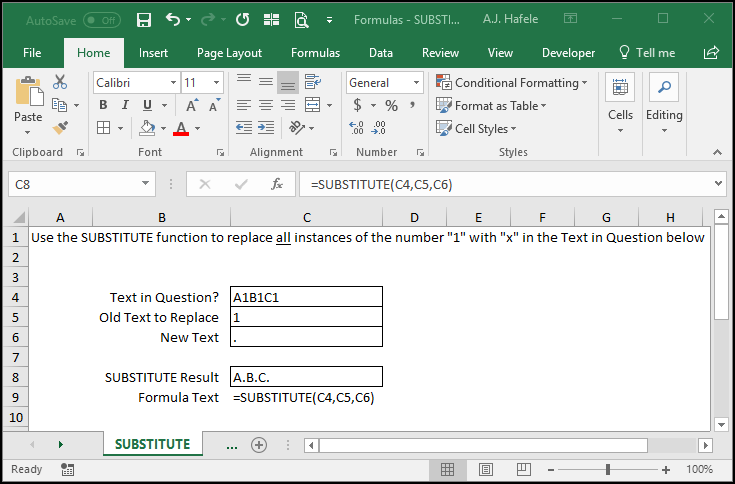
- Here is a screenshot, for reference:
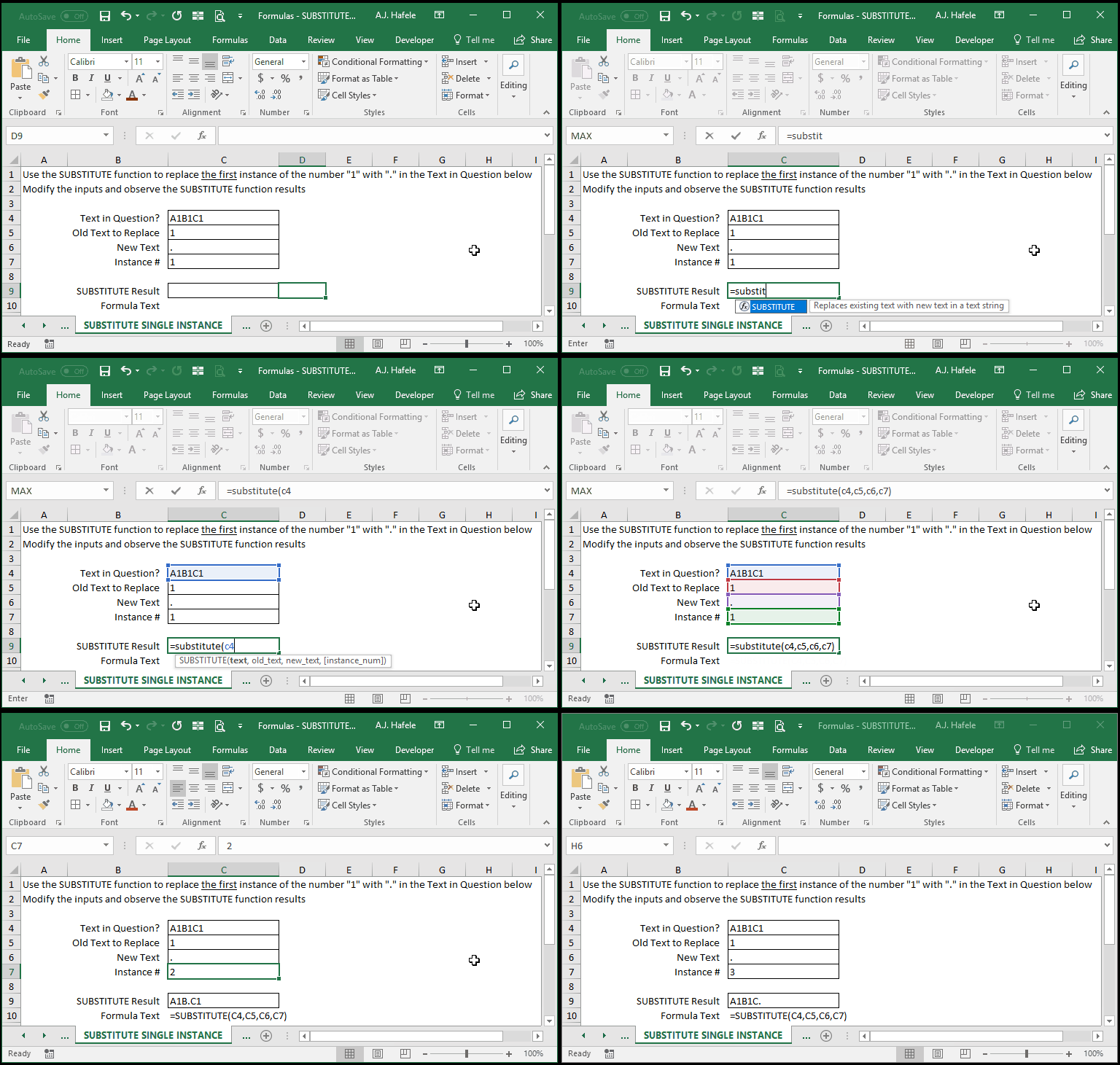
- There is also a way to substitute just one instance of the old text with new text (using a 4th argument), as shown here:
Syntax
=SUBSTITUTE(text, old_text, new_text, instance_num)
Arguments
- text
- This is the text which contains the old_text to be replaced
- This can be hard-coded text, a cell reference, or text resulting from a calculation
- old_text
- This is the actual (case-sensitive) text that you wish to replace within the text specified
- This can be hard-coded text, a cell reference, or text resulting from a calculation
- new_text
- This is the text which will replace the old_text
- This can be hard-coded text, a cell reference, or text resulting from a calculation
- instance_num [optional]
- If omitted, all instances of the old_text found in the text will be replaced with the new_text
- If a number is provided, only that instance of the old_text will be replaced
- For example, if 2 is specified, then only the 2nd instance of the old_text will be replaced with the new_text
- This can be a hard-coded number, cell reference, or calculation
Practice
External Links
