TEXTJOIN
Purpose
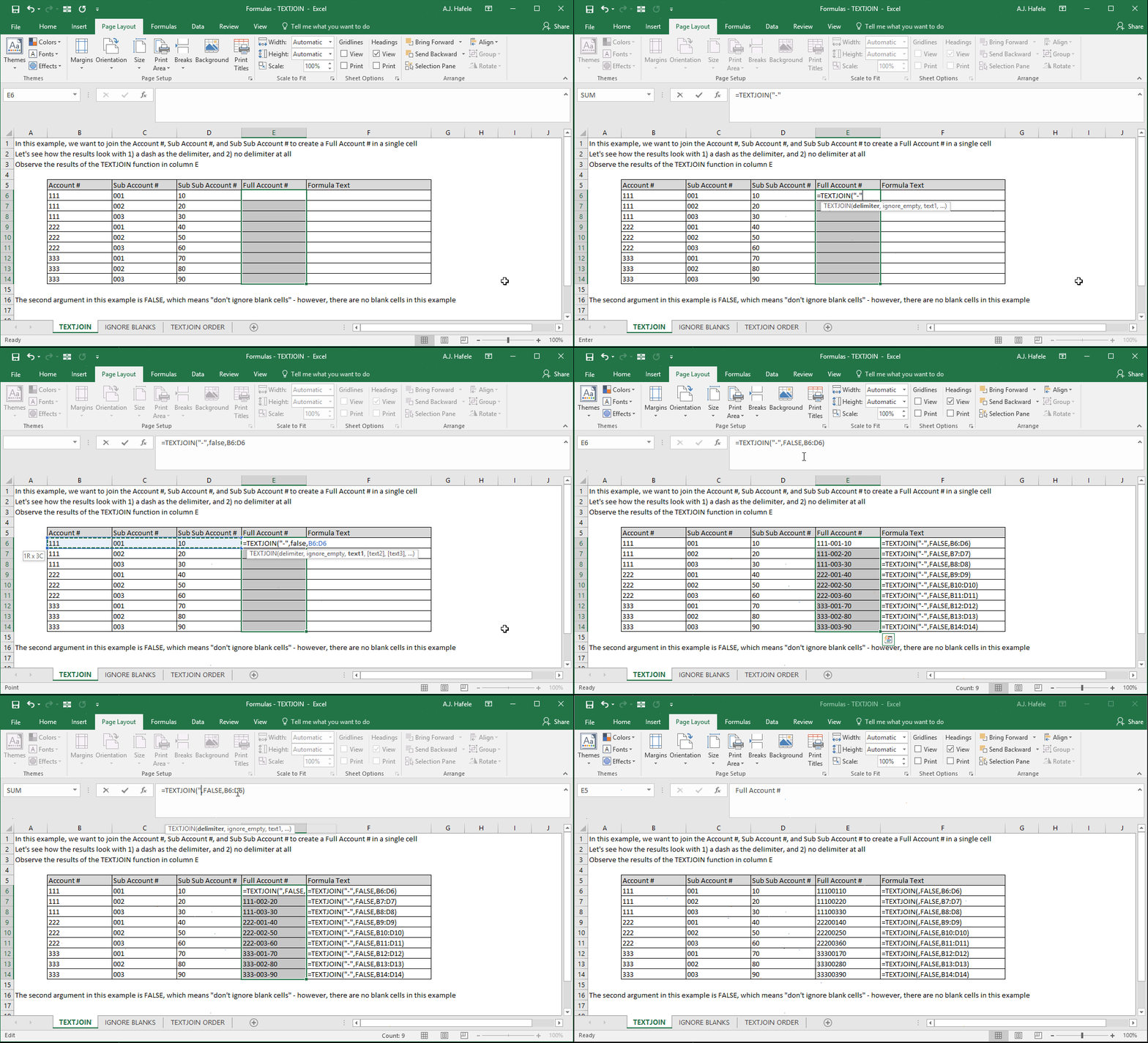
- Joins separate strings of text into a single text string, and allows you to:
- Specify a delimiter which is inserted in between each text string referenced
- Either ignore or not ignore blank cells referenced upon concatenating
- Thus, TEXTJOIN can do the same thing as the CONCATENATE and CONCAT functions, and more!
Example
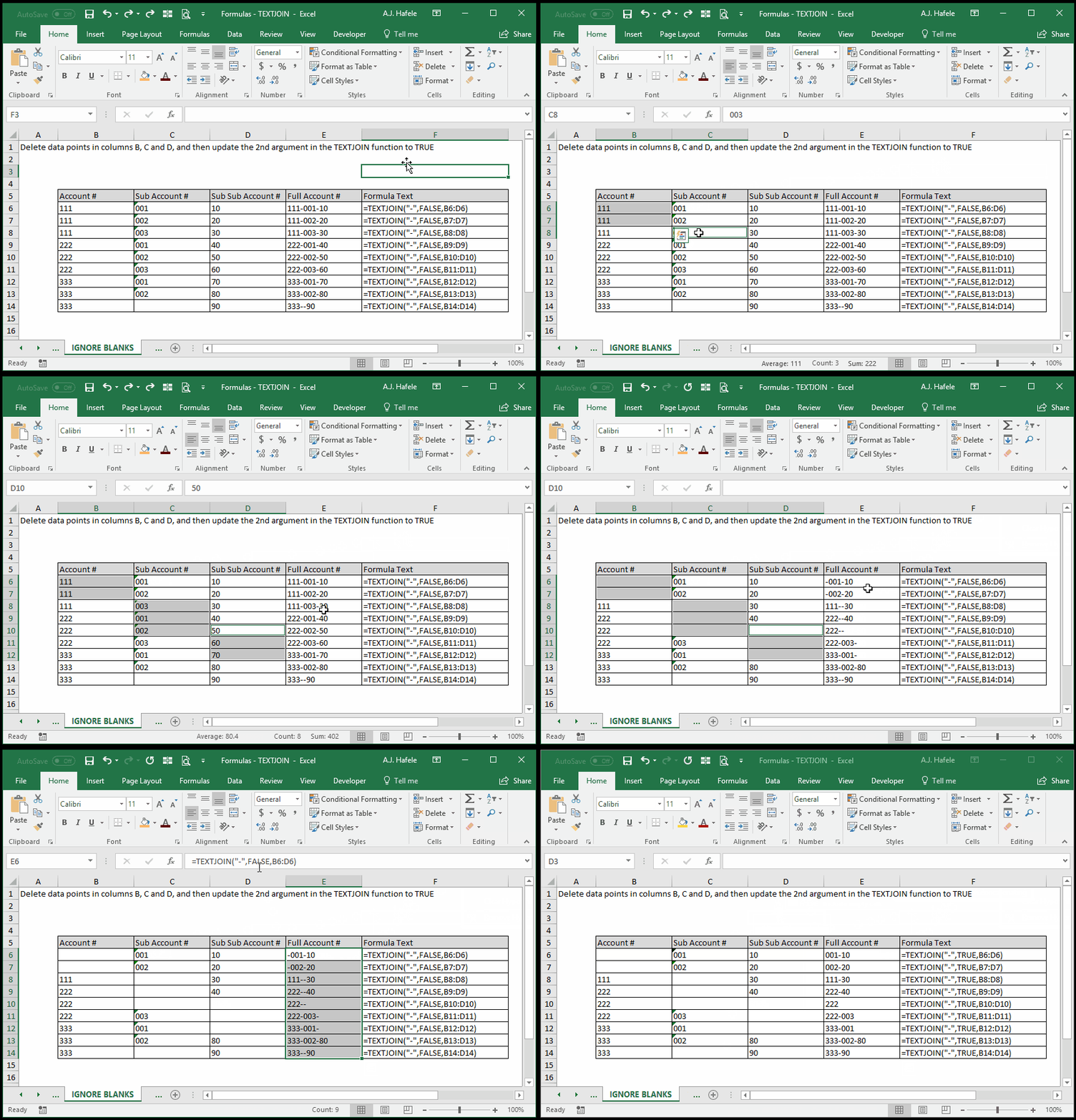
- Now, let's ignore blank cells this time, by changing the 2nd argument to TRUE:
- Here is a screenshot, for reference:
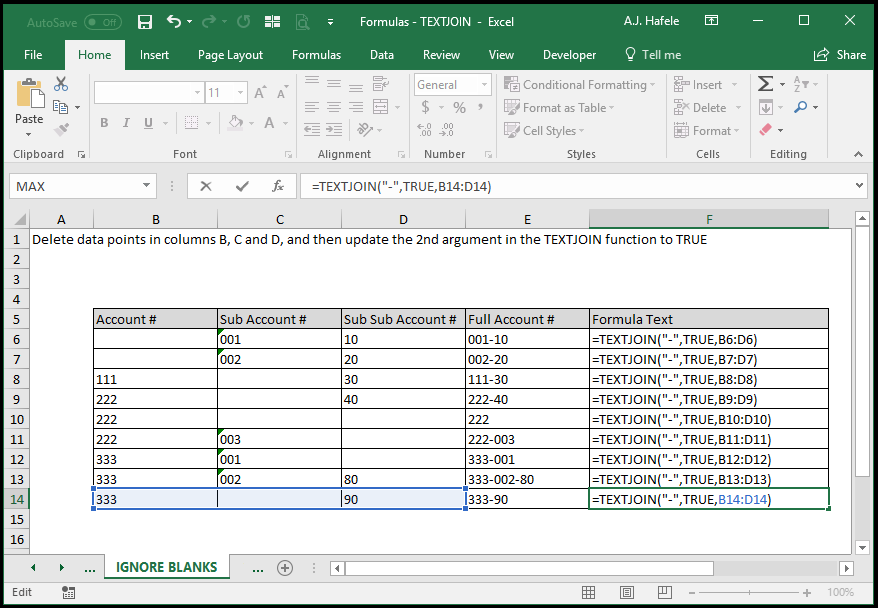
- Notice that:
- This time around, the formula result in cell E14 changes from "333--90" to "333-90"
- This happened because, since C14 is blank, it is completely ignored by the formula
Syntax
=TEXTJOIN(delimiter, ignore_empty, text1, text2, etc.)
Arguments
- delimiter
- This is the text which will be placed in between each text string selected
- If you select a range of cells as one of the text strings, the delimiter will be placed in between the text in each individual cell referenced
- If this argument is left blank, no delimiter will be used
- This can be hard-coded text, a cell reference, or text resulting from a calculation
- ignore_empty
- Enter TRUE (or leave blank) if you want to completely ignore empty cells (they will not show up anywhere in the result)
- Enter FALSE if you want to include empty cells
- If a cell is blank and you have a non-blank delimiter, this will result in two delimiters being side-by-side
- text1
- This is the first string of text which will be concatenated
- This can be hard-coded text, a cell reference, or text resulting from a calculation
- text2 [optional]
- This is the second string of text which will be concatenated after text1
- This argument has the same properties as text1
- The pattern continues for up to 252 separate text arguments
- All future arguments have the same properties as text1
Concatenation Order
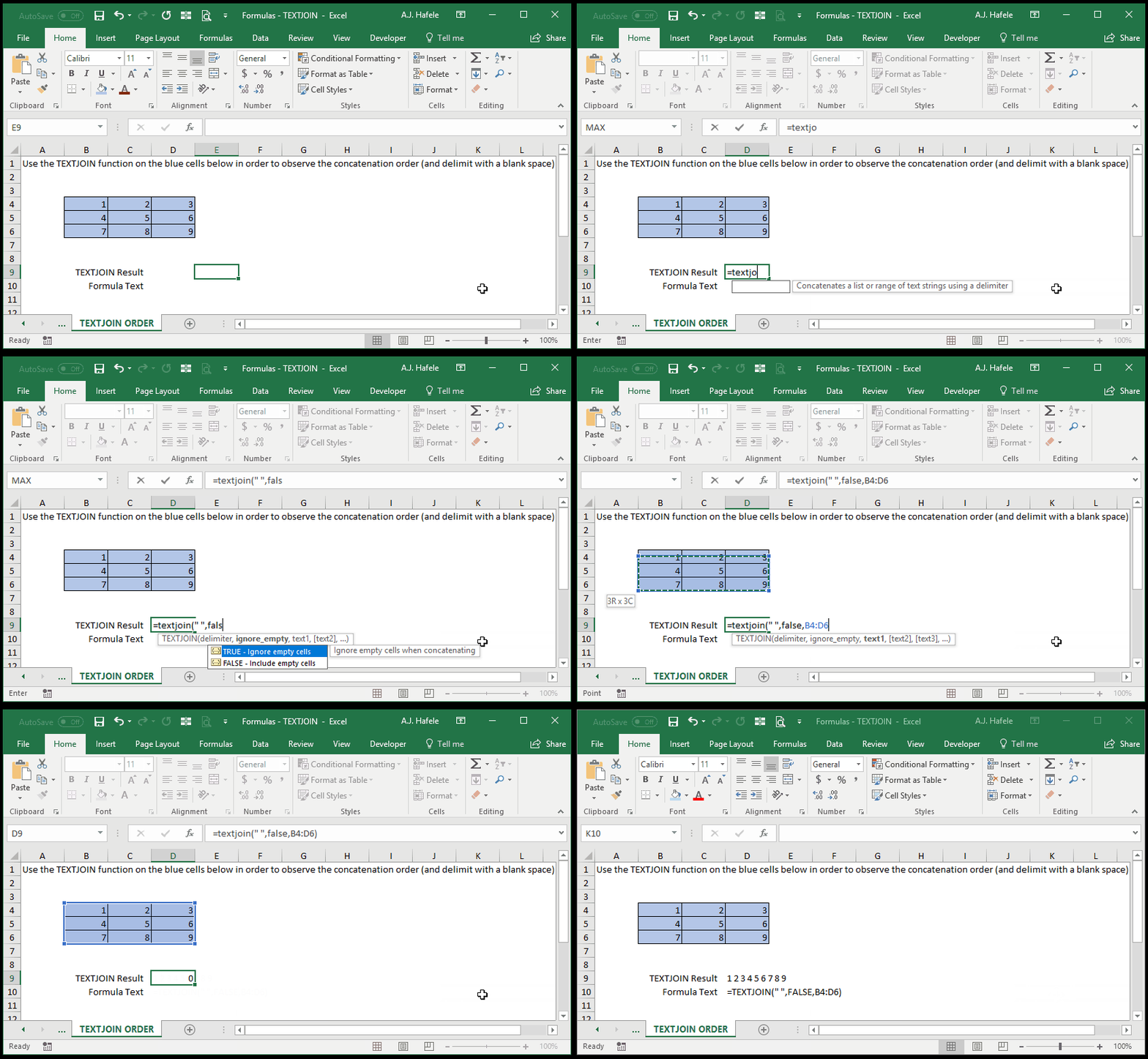
- If you are joining text from a multi-row and multi-column range, TEXTJOIN will concatenate text in the following manner:
- Starting at the top-left of the range
- Moving from left-to-right in a row
- Moving down to the next row, and moving left-to-right again
- Ending at the bottom-right of the range
- Observe the following example:
Practice
External Links
