Removes all spaces from text strings, except for single spaces between characters
Spaces at the beginning and ending of text strings are completely removed
Spaces in between text are reduced such that only a single space between characters remains
Example
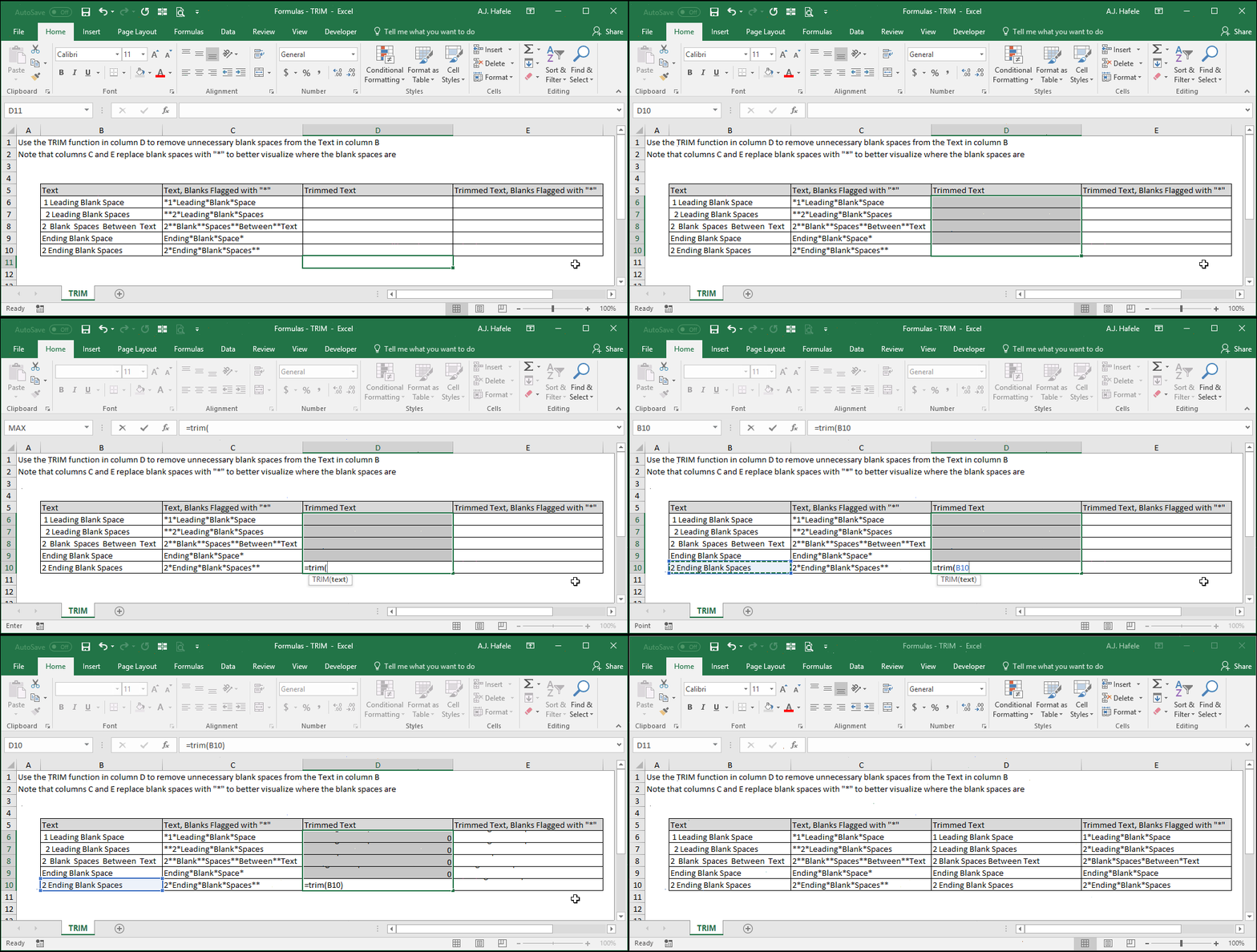
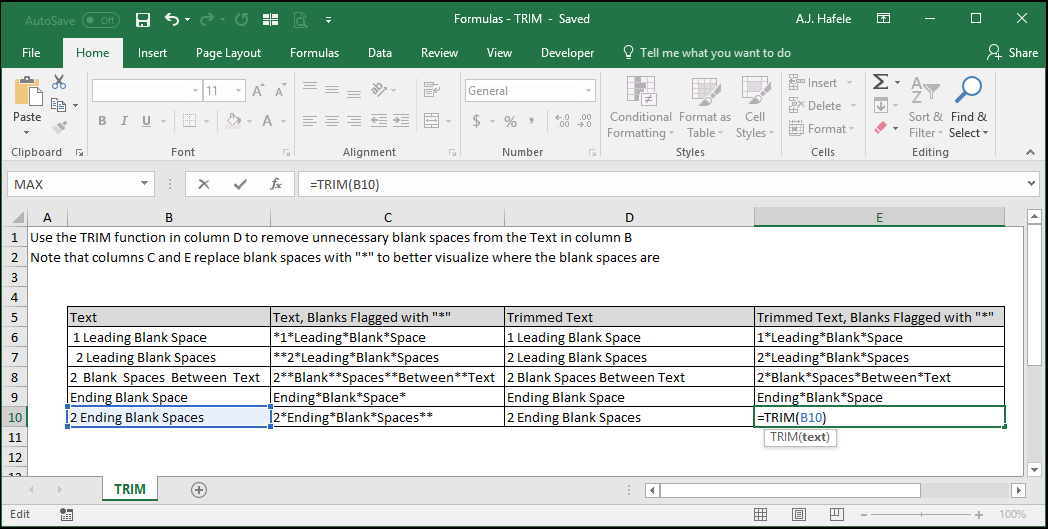
In the below example, some text contains:
Blank spaces at the beginning of a text string
Blank spaces at the end of a text string
Multiple blank spaces between words in a text string (e.g. 2 blank spaces between words)
Observe how TRIM removes blank spaces in these situations:
Here is a screenshot, for reference:
Syntax
=TRIM(text)
Arguments
text
This is the text that you want to trim
This can be hard-coded text, a cell reference, or text resulting from a calculation
Tips
TRIM serves to essentially clean up messy text, which may be useful when referencing data (e.g. using VLOOKUP between a clean set of lookup values, and an unclean array of data, or vice versa)