If you have ever had a workbook open, but you cannot seem to find any of the worksheets, you may have inadvertently hidden the workbook (or "window" in Excel terminology)
This lecture briefly covers how to hide and unhide workbooks
Buttons
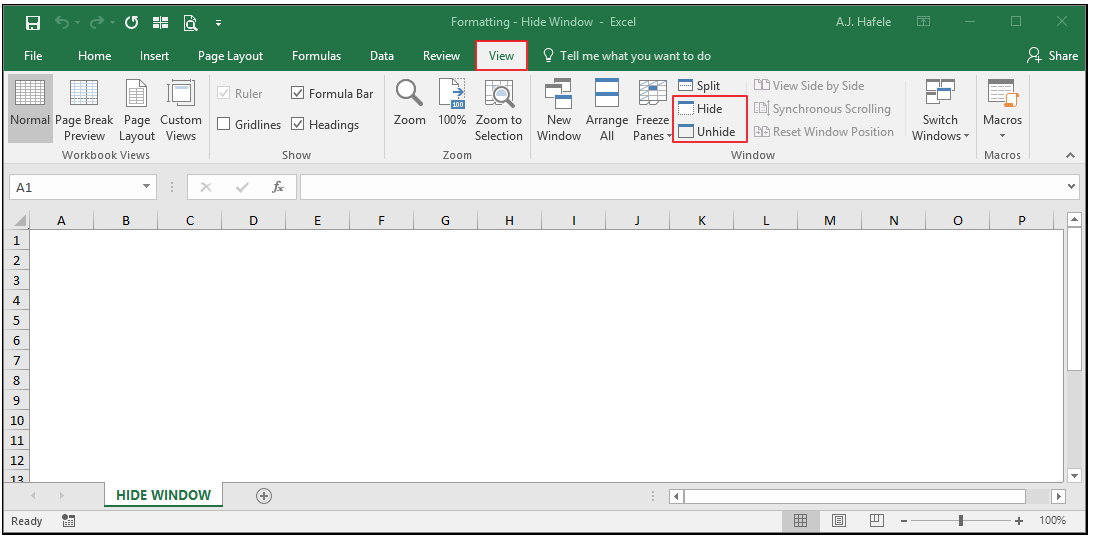
The relevant buttons can be found in the Window group of the View tab:
Hide and Unhide Window
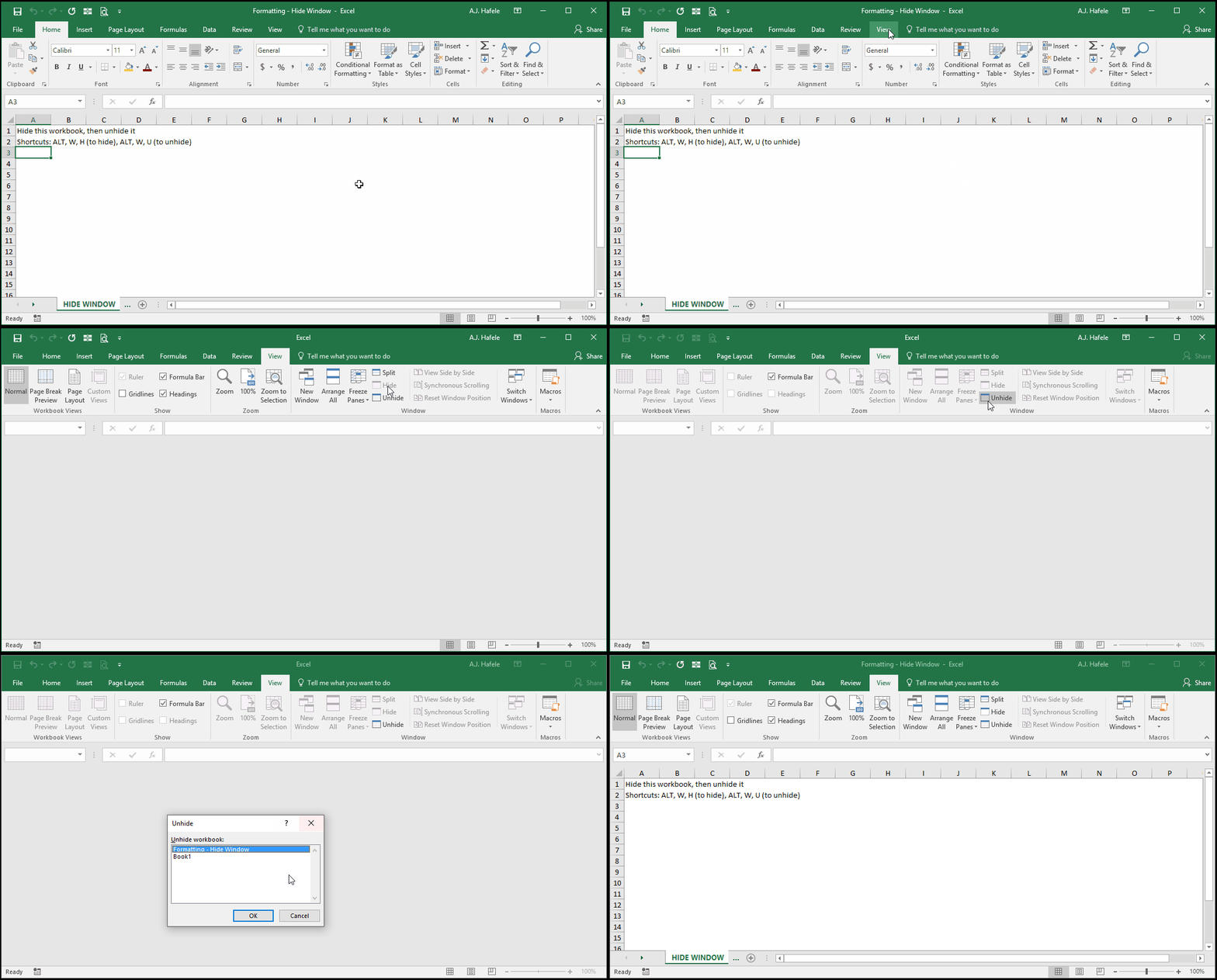
The following illustrates how to hide and subsequently unhide a workbook:
Notice in the above example that we had a second workbook hidden (Book1)
Tips
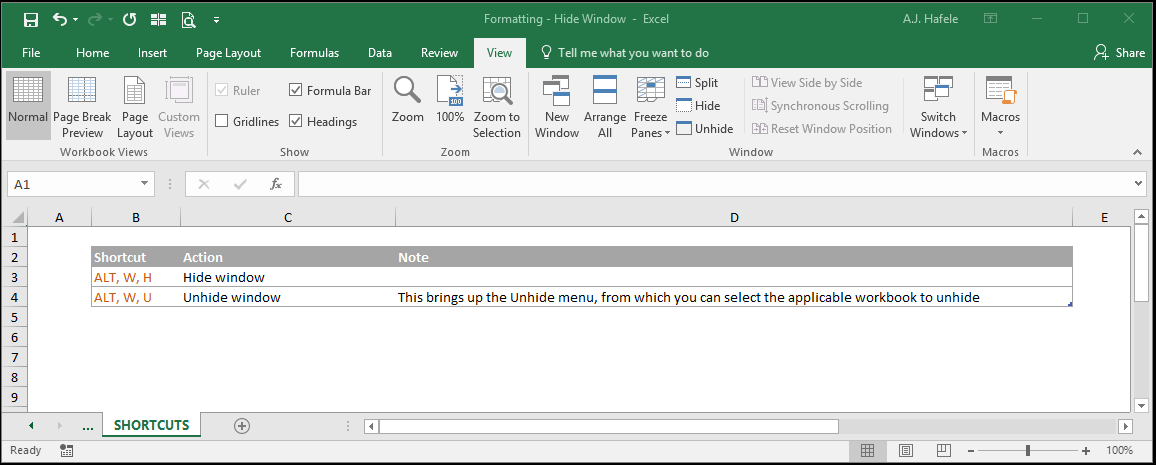
The biggest lesson here is that, if you ever "lose" your workbook and cannot seem to find it, see if you accidentally hid it by attempting to unhide it