Returns TRUE if a cell meets the following conditions (and FALSE otherwise):
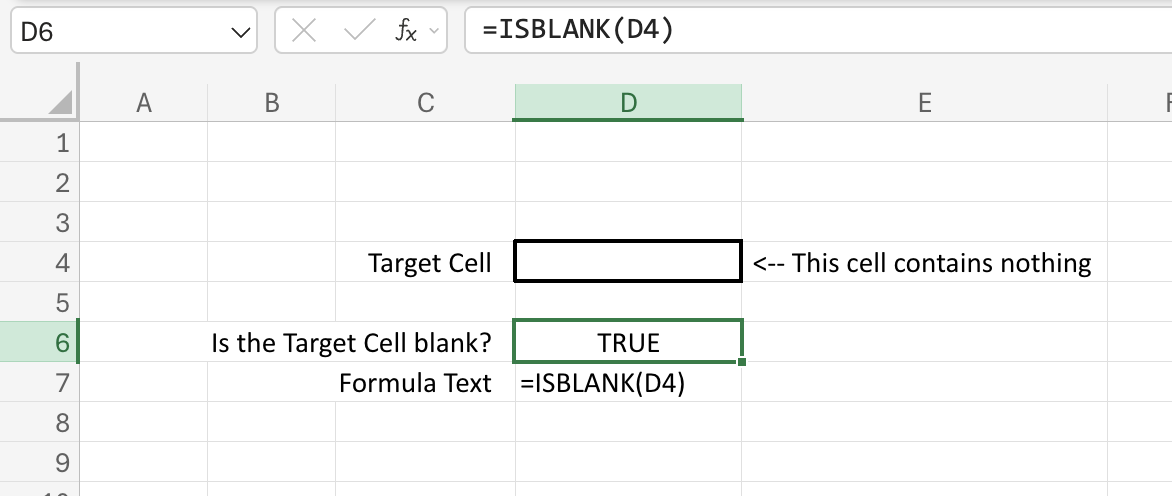
ISBLANK - TRUE if the cell is completely blank
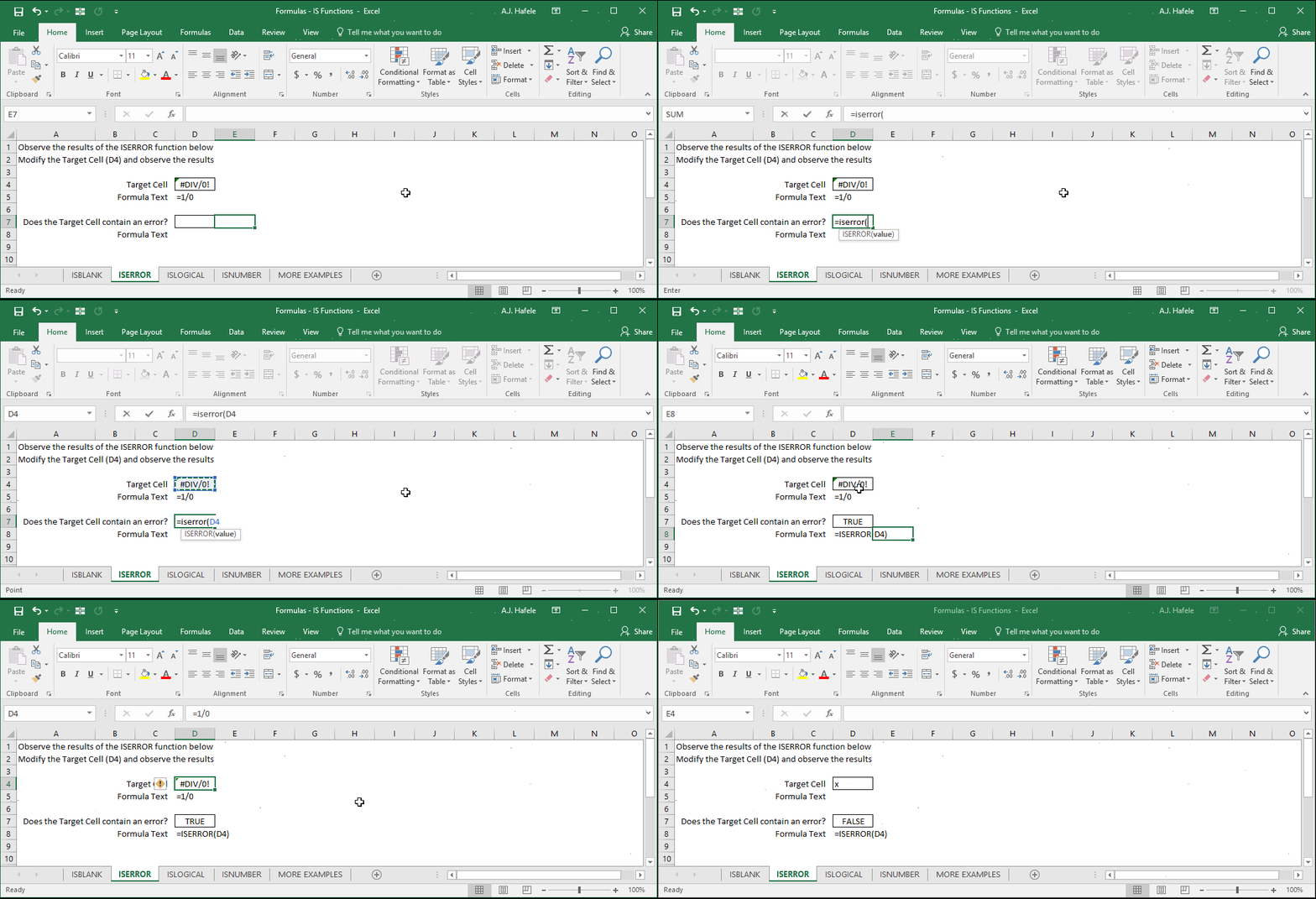
ISERROR - TRUE if the cell value is an error
ISLOGICAL - TRUE if the cell is a TRUE/FALSE value
ISNUMBER - TRUE if the cell is a numerical value (not formatted as text)
Note that there are more logical functions than these 4 - see the link at the end of this lecture
Example - ISBLANK
Notice that:
If a cell referenced contains a blank space, FALSE is returned
If a cell contains a formula which returns nothing (e.g. =""), FALSE is also returned
Essentially, the cell referenced needs to be completely blank in order for TRUE to be returned
Example - ISERROR
When ISERROR is used, TRUE is returned only when errors such as the following are referenced:
#DIV/0! (as shown above)
#NAME?
#NUM!
#REF!
Etc.
Example - ISLOGICAL
Notice that:
TRUE is returned when the logical values TRUE or FALSE are referenced
Note that these logical values are not case-sensitive (e.g. Excel will convert "false" to FALSE, as shown above)
FALSE is returned if "TRUE" or "FALSE" are entered and interpreted as text in a cell
e.g. as shown in the illustration, adding an apostrophe to the beginning of the word "FALSE" will result in Excel treating the value as text, thus resulting in ISLOGICAL returning FALSE
This can also happen if a cell is formatted as Text, and "true" or "false" are entered into a cell
Example - ISNUMBER
Notice that:
FALSE is returned if non-numeric text is referenced
TRUE is returned if a number is referenced
FALSE is returned if a number is referenced, but it is formatted (and thus interpreted) as text
When we added an apostrophe to the beginning of the number 5000, Excel treated it as text, and thus FALSE was returned
Syntax
=ISBLANK(value)
=ISERROR(value)
=ISLOGICAL(value)
=ISNUMBER(value)
Arguments
value
This is the value that you are testing in one of the above logical functions
This can be a hard-coded number, cell reference, or calculation
Tips
As shown in the above illustrations, these functions may not return what you are expecting if the cells referenced are treating values as text, rather than logical values, numbers, etc.
Remember, numbers can be formatted as text, as can TRUE/FALSE logical values
After discussing Number and Text Formats, you should be more comfortable with identifying instances in which data are treated as text