Counts a series of data which meets all of one or more user-defined criteria
Example
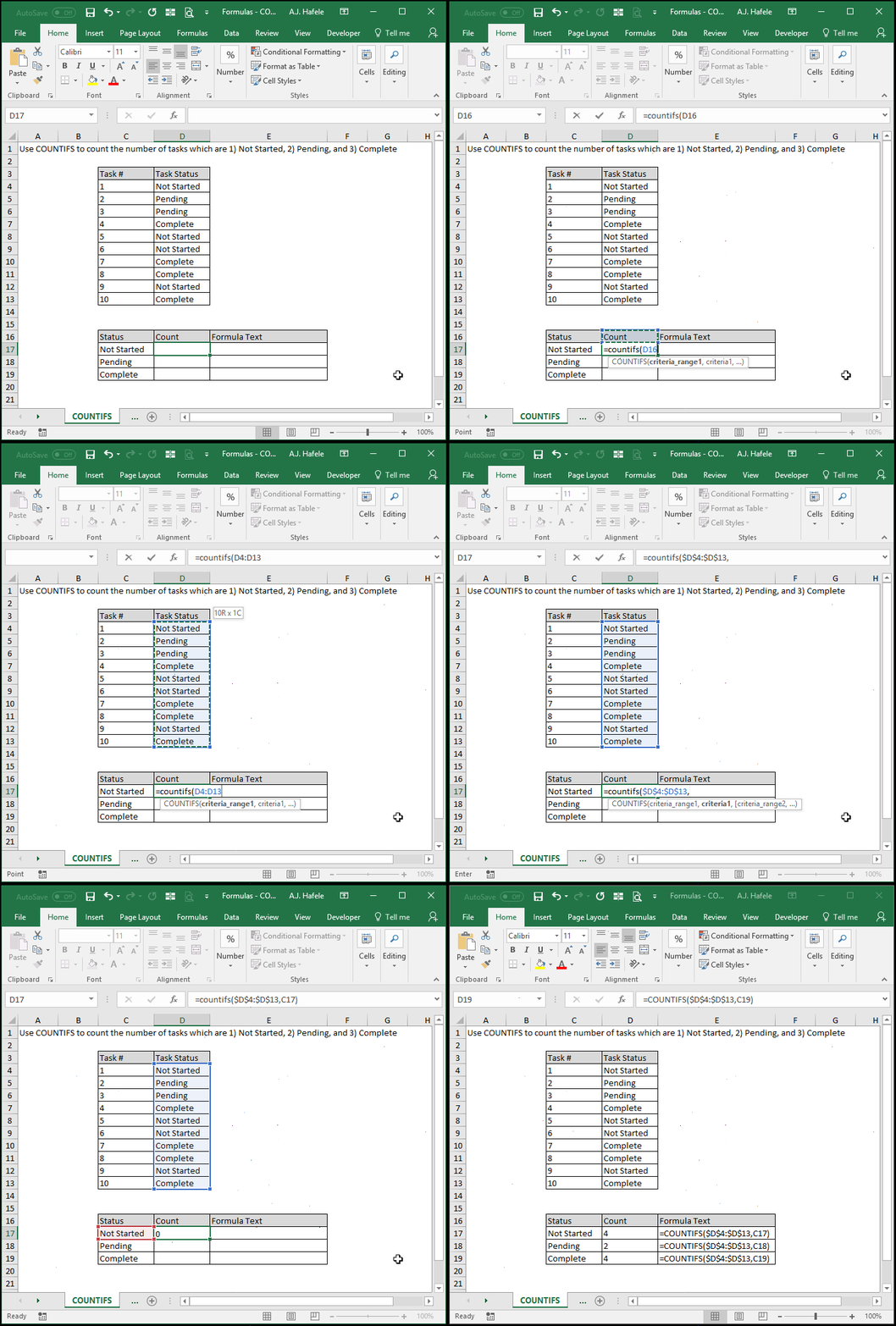
In the following illustration, we use COUNTIFS to count a range of cells which meet one criteria (and we copy and paste the formula to multiple cells):
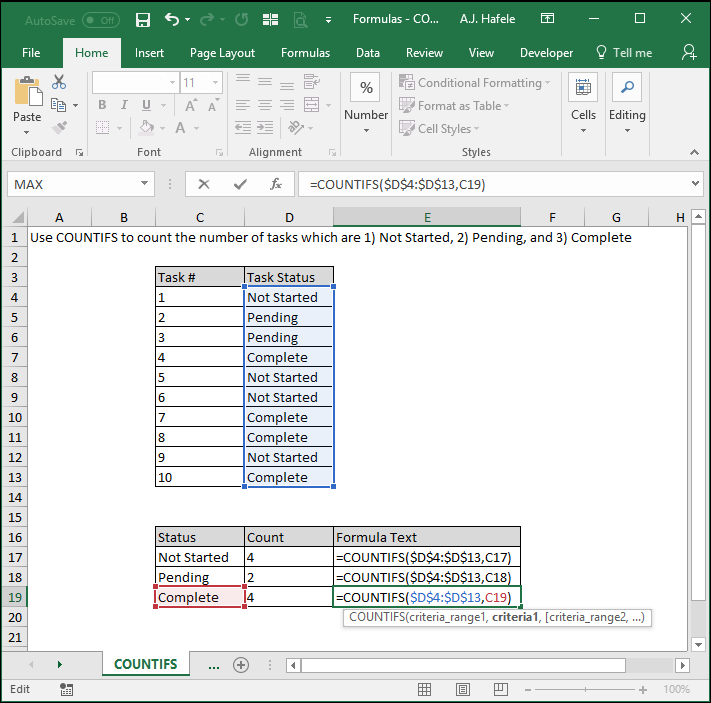
Here is a screenshot, for reference:
Notice that:
We used absolute cell references for the criteria_range1 (1st) argument so that we would always reference that range upon copying and pasting the formula
The criteria1 (2nd) argument is a relative cell reference, since we want it to change upon copying and pasting the formula
This is the range of cells that contains data which is checked against the first criteria
At a minimum, one criteria_range must be specified, so this argument is required
The illustration above only has a single criteria_range (and criteria), but more than one can be used
criteria1
This criteria is used to check against the criteria_range1 argument
At a minimum, one criterion must be specified, so this argument is required
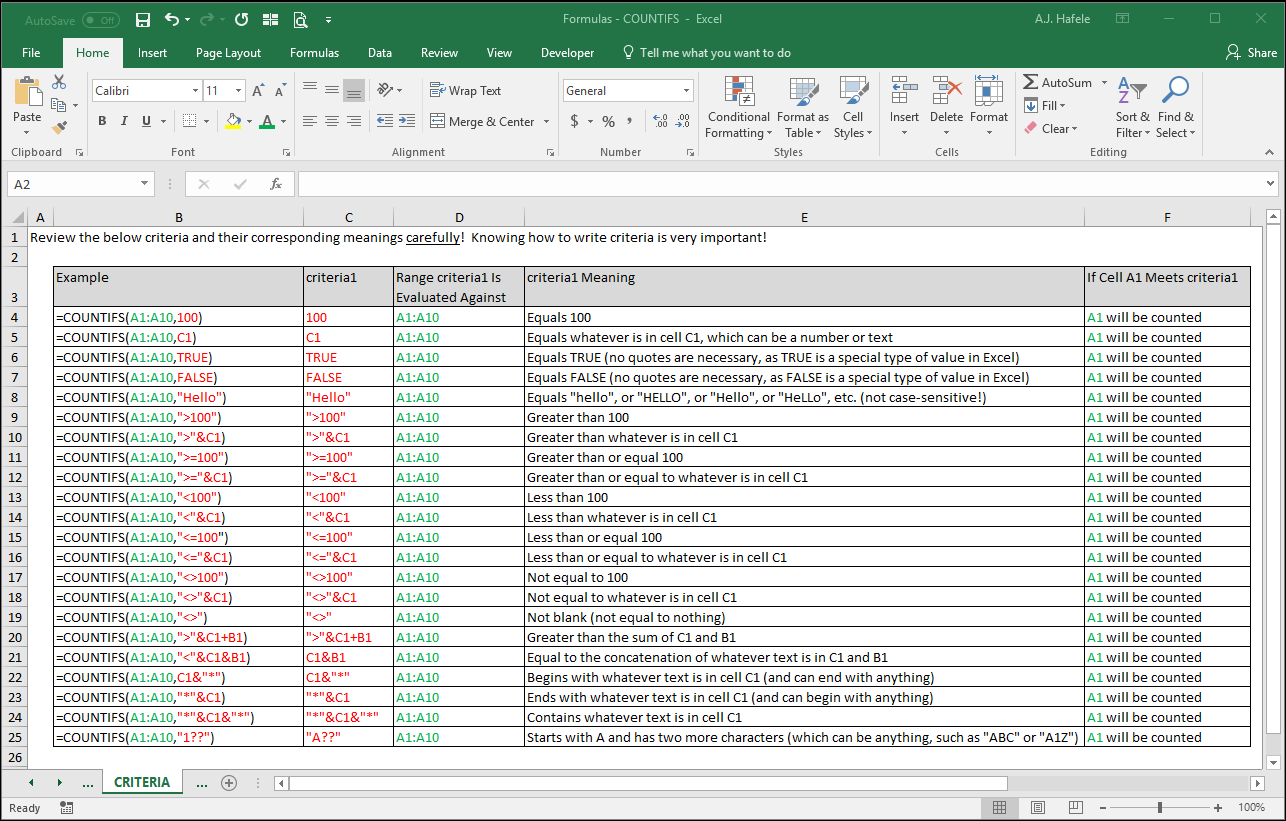
Carefully review the following screenshot, which provides a few examples of how you can write criteria and what they mean:
criteria_range2 [optional]
This is a new range of cells which will be tested against criteria2
This range has the same properties as criteria_range1
It can be a completely different range than criteria_range1, or it can be the same exact range
It must contain the same number of cells as criteria_range1 (and all future criteria ranges)
If criteria_range1 is a vertical (horizontal) range of cells, criteria_range2 must also be a vertical (horizontal) range of cells
criteria2 [optional]
This is the criteria that is referenced by criteria_range2
This argument has the same properties as criteria1
If the cells in criteria_range2 meet this criteria, they are still in the running for being counted, but remember that all criteria must be met in order to be counted
And the pattern continues for up to 127 sets of criteria_range arrays and criteria
All criteria_range arguments have the same properties as criteria_range1
All criteria arguments have the same properties as criteria1
See this lecture's Excel file for an example of COUNTIFS using more than one criteria