MAX
Purpose
- Returns the largest number in a set of numbers
Example
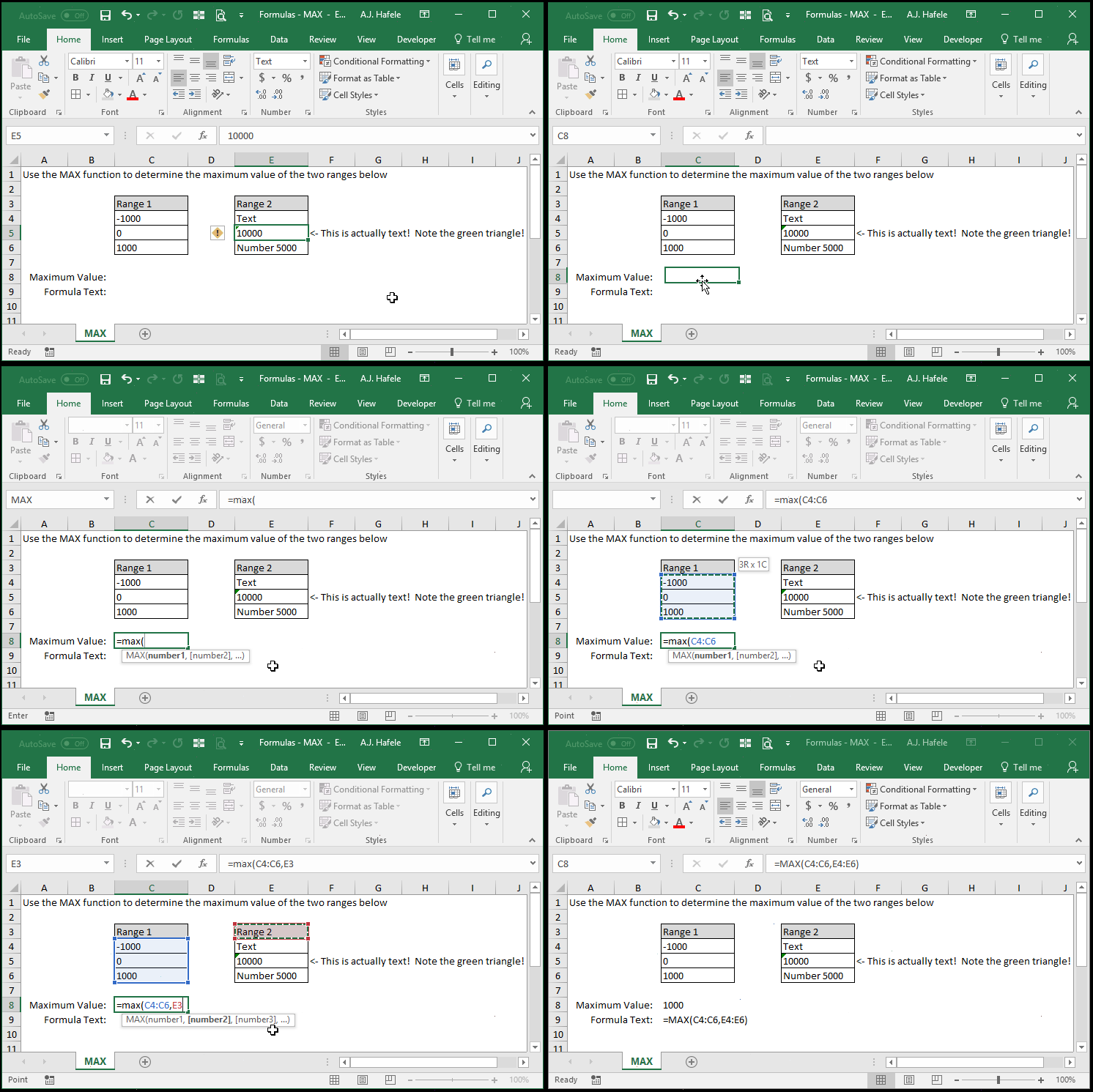
- Here is a screenshot, for reference:
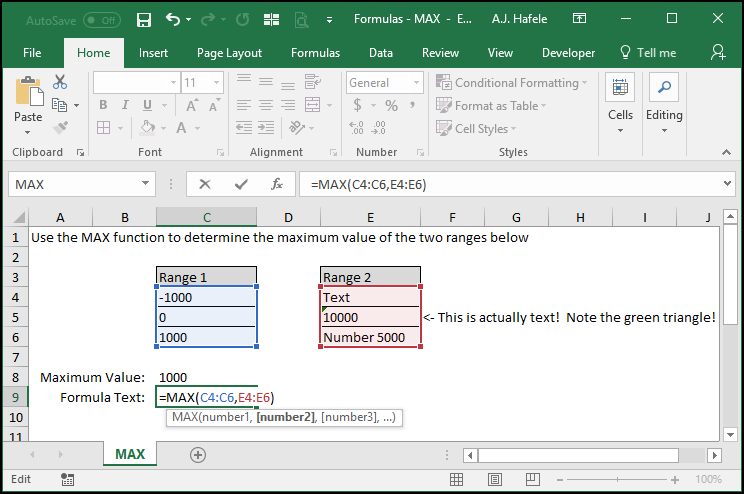
- Notice that:
- The maximum value of both ranges (1000) was returned
- "Number 5000" was not returned, as Excel reads this information as text
- When a cell has text combined with numerical values, Excel will always read the contents as text
- This is somewhat of a universal rule in Excel
- The number 10000 (in cell E5) was also not returned, as it is also formatted as text
- As this illustration shows, you can indeed format numbers to be read as text
Syntax
=MAX(number1, number2, etc.)
Arguments
- number1
- This is the first set of data from which the maximum value will be determined
- This can be a hard-coded number, (single or multiple) cell range, or calculation
- number2 [optional]
- This is the second set of data from which the maximum value will be determined
- This argument has the same properties as number1
- The pattern continues (for up to 255 numbers for later versions of Excel)
- All future arguments are optional
- All future arguments have the same properties as number1
Practice
External Links
