Converts numerical data into a different user-defined format, such as the following:
Date / time
Percentage / fraction
Text
Other custom formats
Examples
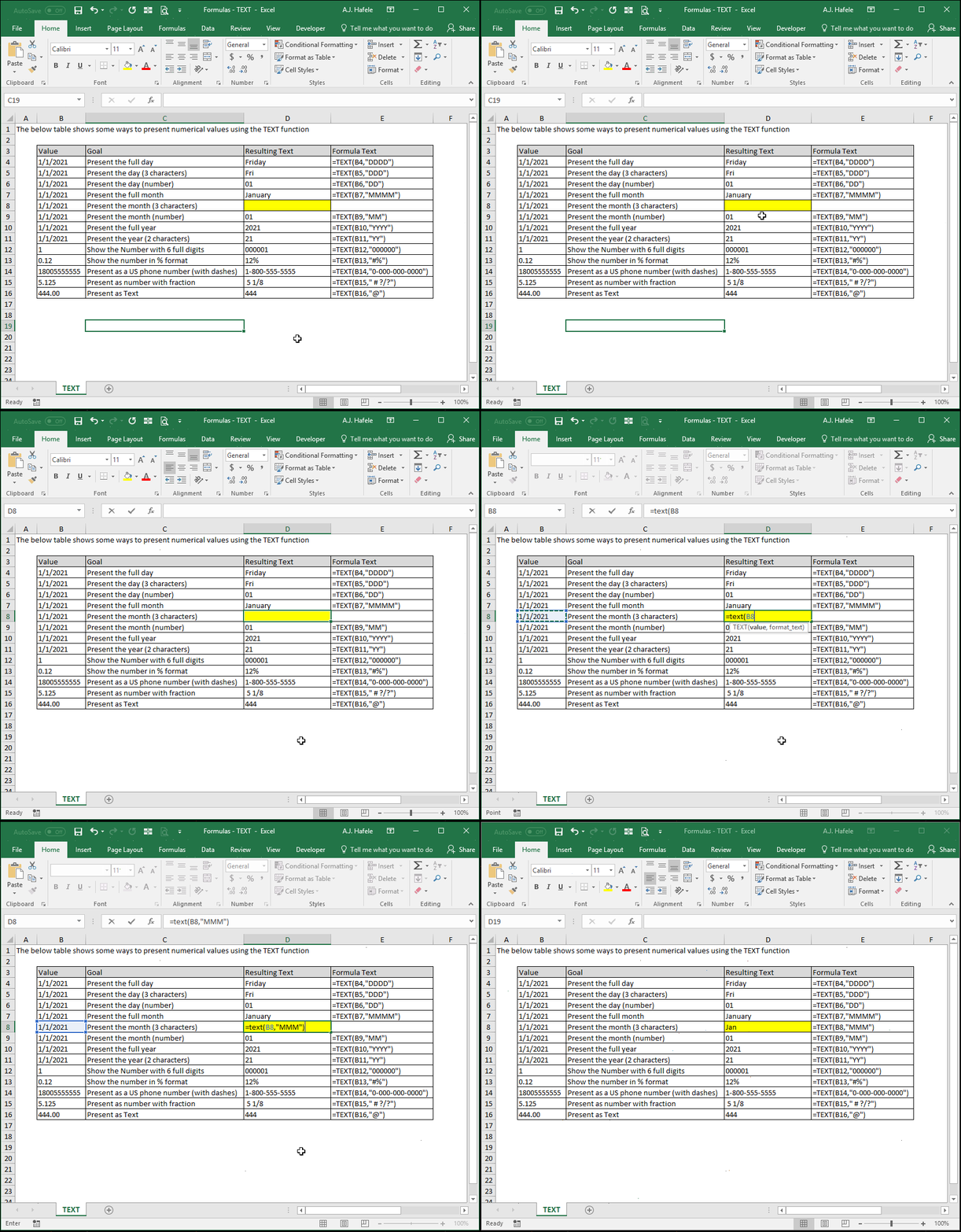
Observe the various ways you can use the TEXT function to re-format data (to illustrate, we will enter just one formula in the highlight):
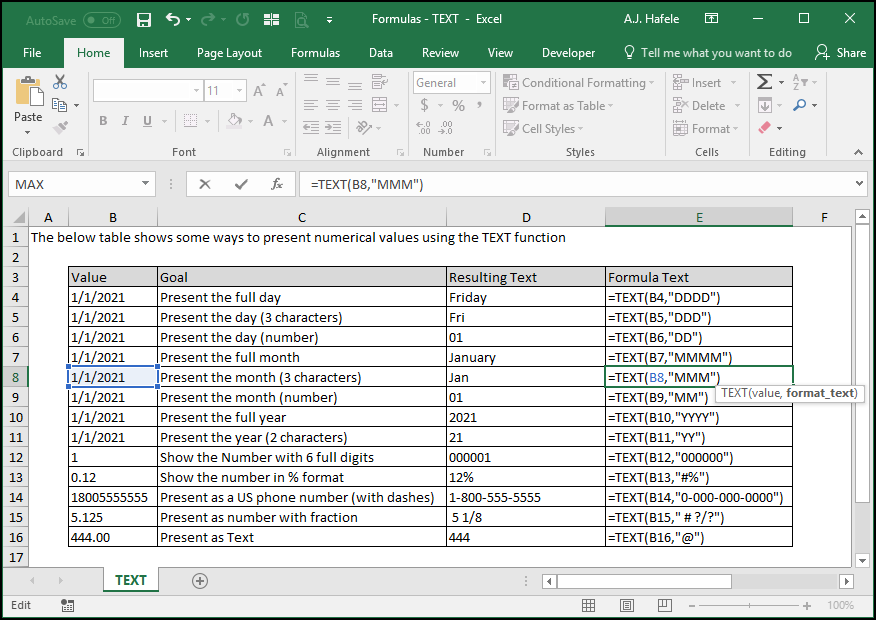
Here is a screenshot, for reference:
As you can see above, we simply hard-coded the formats within the TEXT function's second argument, but if desired, you can actually reference the formats in cells
See below for more information pertaining to what these coding symbols (in the 2nd argument of the Text function) mean
Syntax
=TEXT(value, format_text)
Arguments
value
This is the numerical value that you want to re-format
This can be a hard-coded number, cell reference, or calculation
format_text
This is the format that you want the value to be
This can be hard-coded text, a cell reference, or text resulting from a calculation
If this argument is hard-coded (as in our examples above), this argument should be in quotes
Note that you must use Excel's formatting codes to define the text; here are some examples:
"000000.00" - coerces numbers into always having 6 leading digits and 2 decimals presented (e.g. "15.6" will be presented as "000015.60")
"######.##" - number format, with leading zeroes removed (e.g. "15.6000" will be presented as "15.6")
"mm/dd/yy" - date format (for example, the number 42,766, which is January 31, 2017, would be presented as 01/31/17)
This article explains in further detail formatting code descriptions (e.g. what do "#", "?", and "0" mean, in the context of formatting data in Excel?)
Tips
As an alternative to using the TEXT function, the format of the original cells can be modified instead
Be sure to treat numbers consistently (i.e. treat all of them like numbers, or all of them like text, but treat numbers as text only where necessary - e.g. when dealing with account numbers)
Use TEXT to coerce numbers to text only if you have a good reason to do so, since your ability to use the numbers (in a text format) will be limited
For example, it is often useful to treat ID numbers with leading zeroes (e.g. 000123) as text