DATEVALUE
Purpose
- Converts a date that is stored as text (which Excel cannot interpret as a date) into an Excel date serial number (which Excel can interpret as a date)
Example
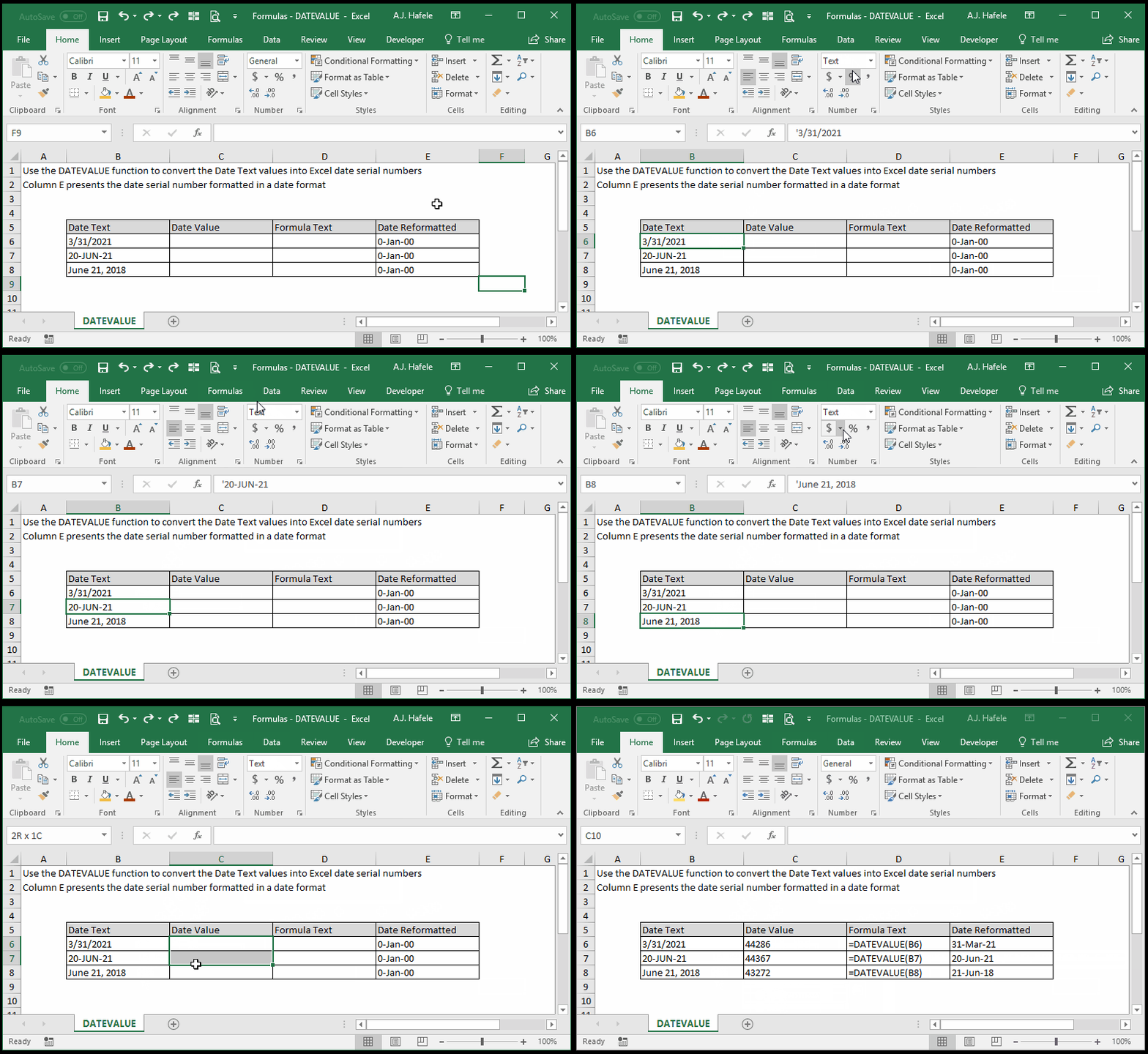
- Notice that all the dates in column B are formatted as text
- Thus, Excel will not treat these values as dates
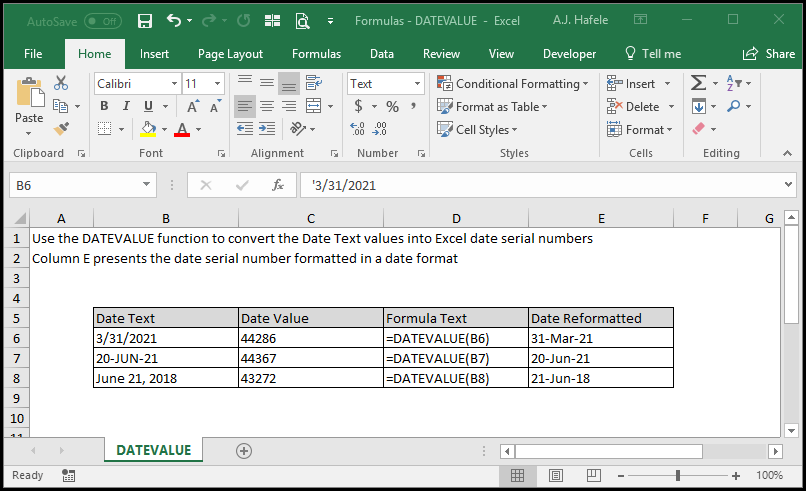
- However, when we convert them to Excel-friendly dates (i.e. Excel date serial numbers), they are much more versatile
- Here is a screenshot, for reference:
Syntax
Arguments
- date_text
- This is the text that you want to convert into Excel's serial number date, in a Text format
- The dates referenced can be formatted in any of the following ways (using August 31, 2018 as an example):
- 8/31/2018
- 22-AUG-2018
- 2018/08/31
- 31-AUG (the current year will be used in this case)
- This can be hard-coded text, a cell reference, or text resulting from a calculation
Tips
- Why should you care about converting a date in Text format to an Excel-friendly date, using DATEVALUE?
- If you do not do this, you may not always be able to use Excel to its fullest extent. For example:
- You may not be able to use dates in computations or as arguments in certain functions
- You may not be able to sort and filter date information properly
- You may have issues when building charts
- PivotTables allow you to slice and dice date information in unique ways, but this will not be available if Excel does not recognize the dates
Practice
External Links
