In this lecture, we will show you how to align, orient and indent text
Text alignment refers to the positioning of text within cells
The primary horizontal alignment options include: left, center, and right
The primary vertical alignment options include: top, middle, bottom
Text orientation refers to the angling of text within cells
Text indentation refers to (unsurprisingly) indenting text within cells
Buttons
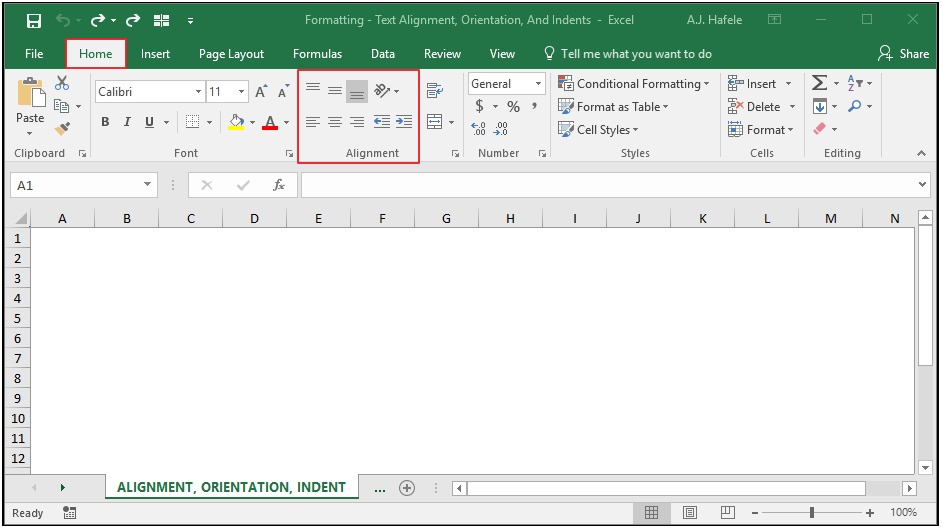
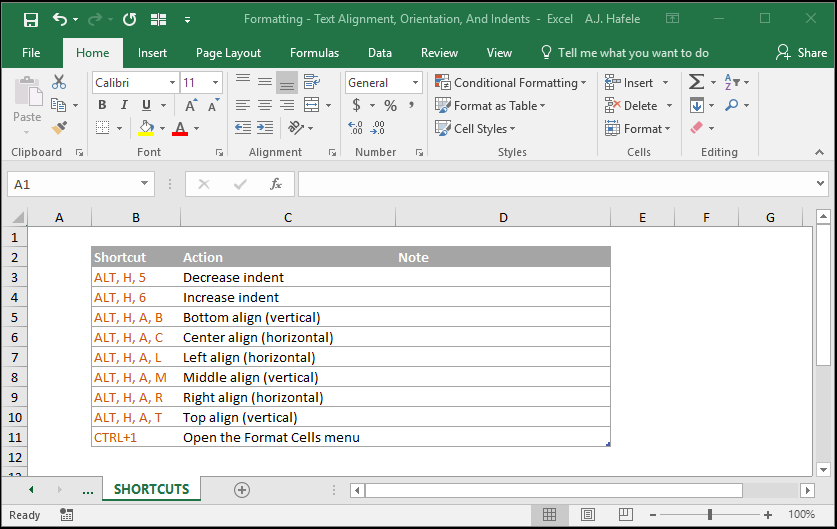
The relevant buttons can be found in the alignment group of the Home tab:
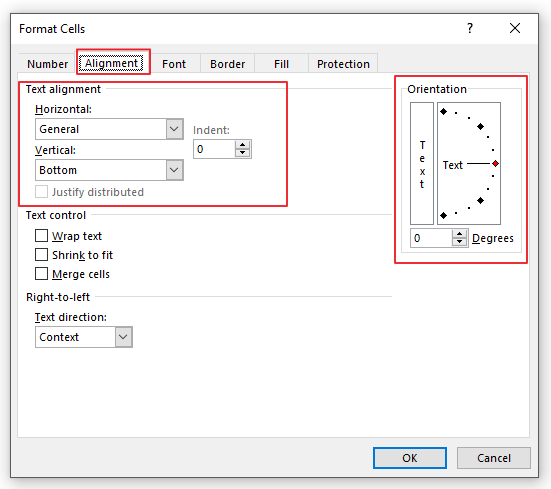
These options can also be changed in the Format Cells menu (CTRL+1):
Align Text
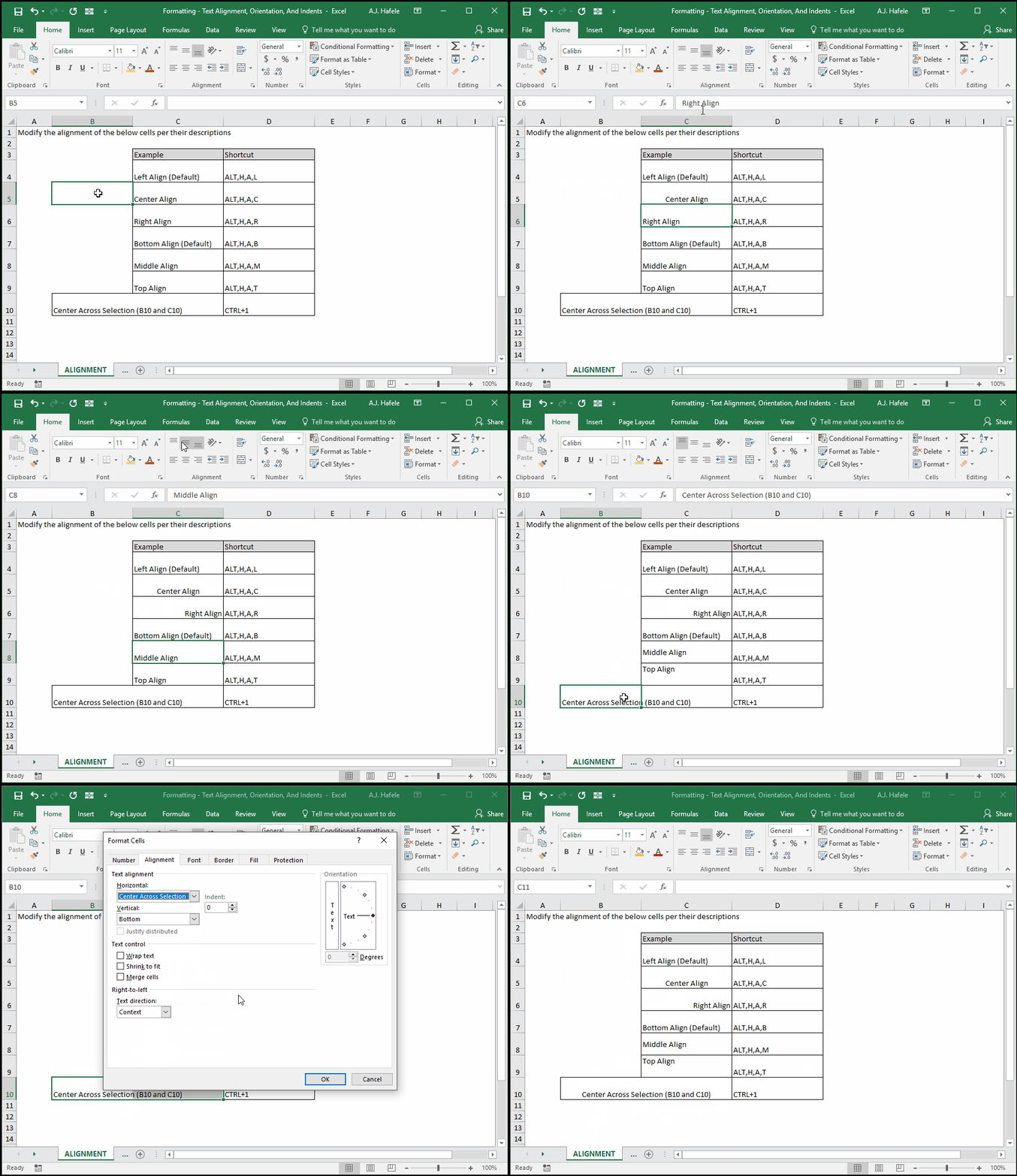
Observe as we modify the alignment of a few cells:
Though not shown above:
You can make vertical and horizontal alignment selections in each cell (e.g. left and top alignment)
You can change the alignment of any contiguous or non-contiguous range of cells by first selecting them and then making the appropriate alignment selections
This is true for all formatting options in this lecture
Orient Text
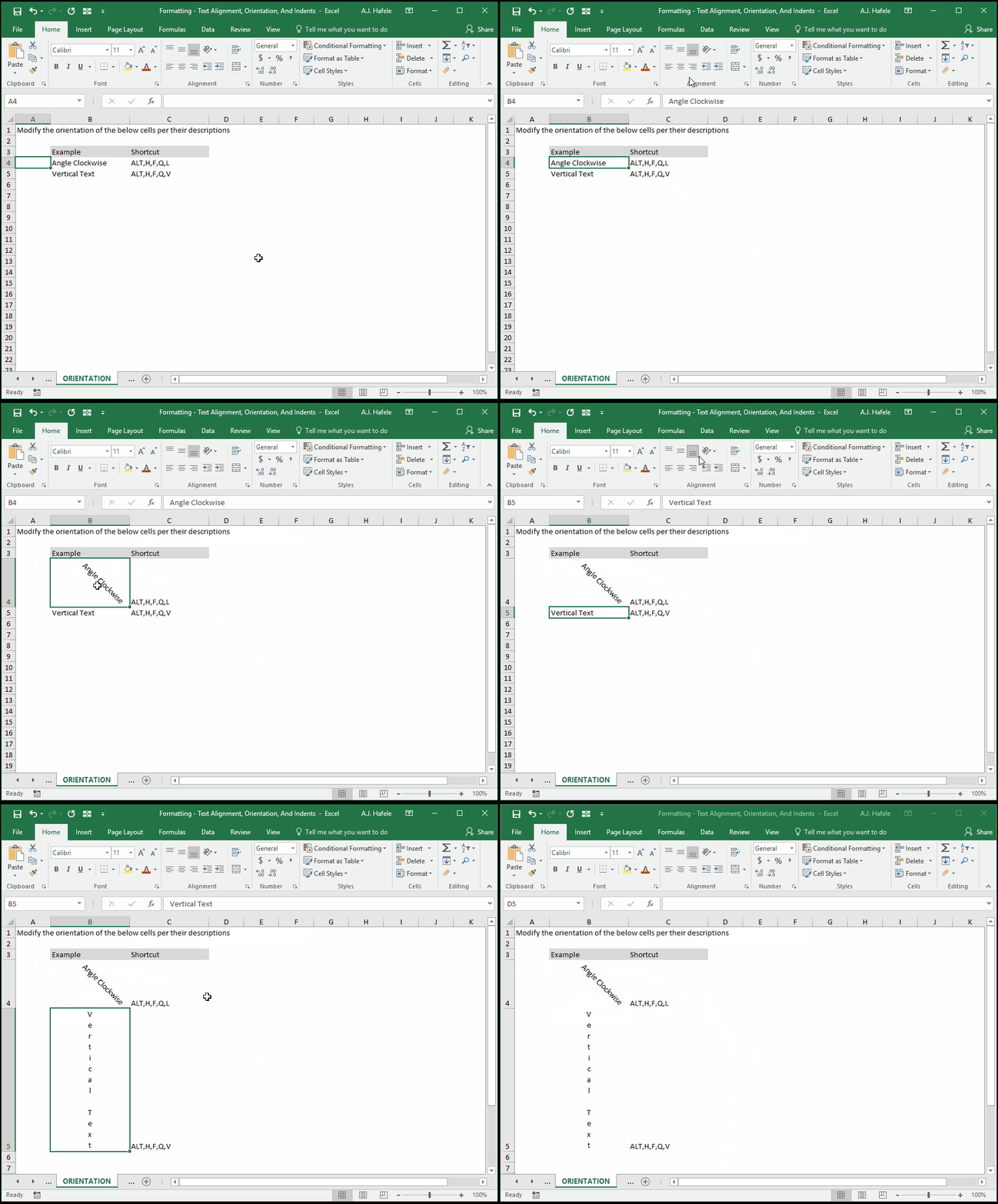
Observe as we modify the text orientation in a few cells:
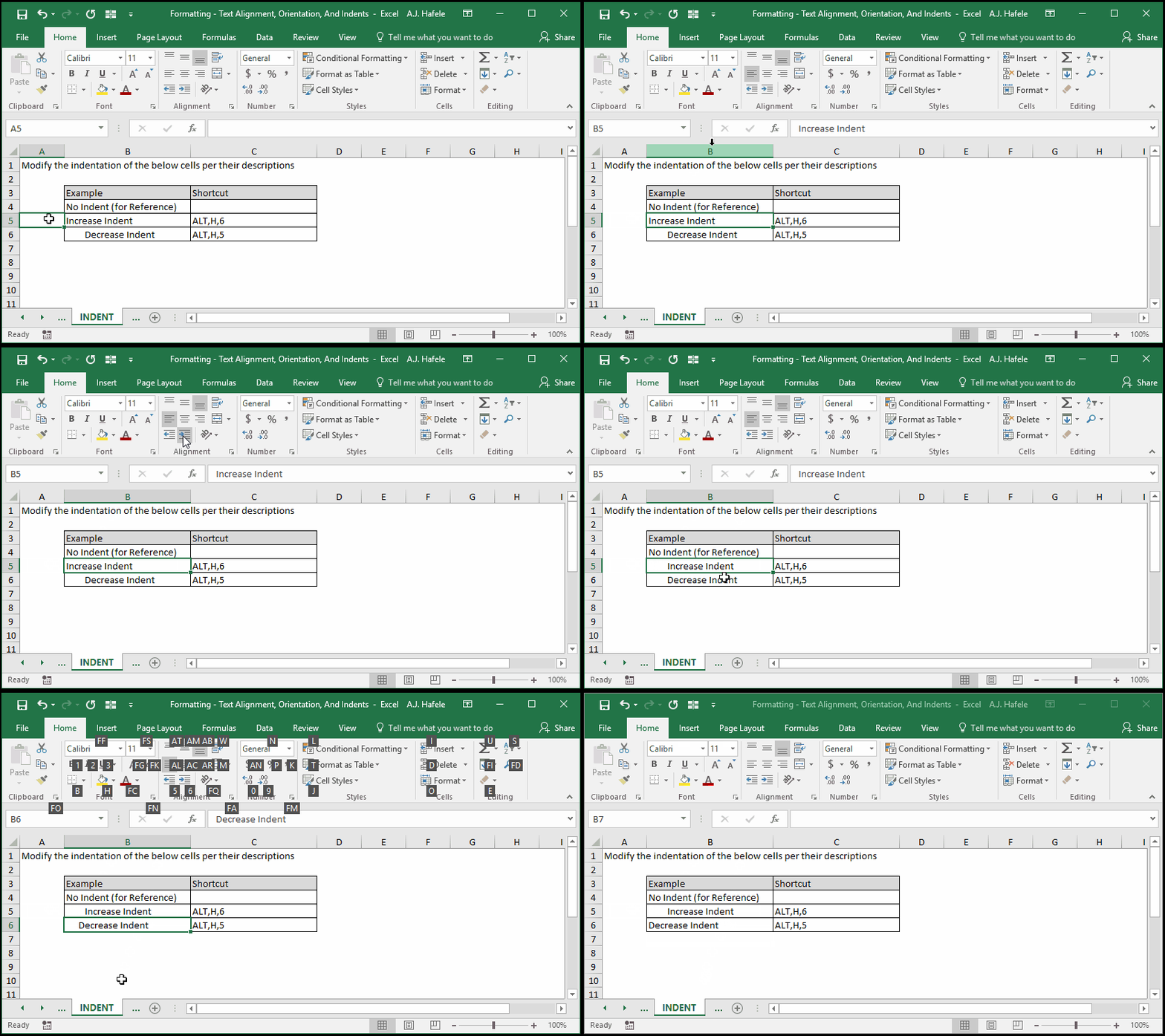
Indent Text
Observe as we increase and decrease indentation in a few cells:
Tips
As with font types, only utilize these options where necessary
Horizontal text alignment modifications are frequently made to make information flow better visually
Orientation modifications are made when formatting reports, or when you need to fit long field headings above tables of data
Indents are typically made when formatting reports which contain layers of subtotaled data
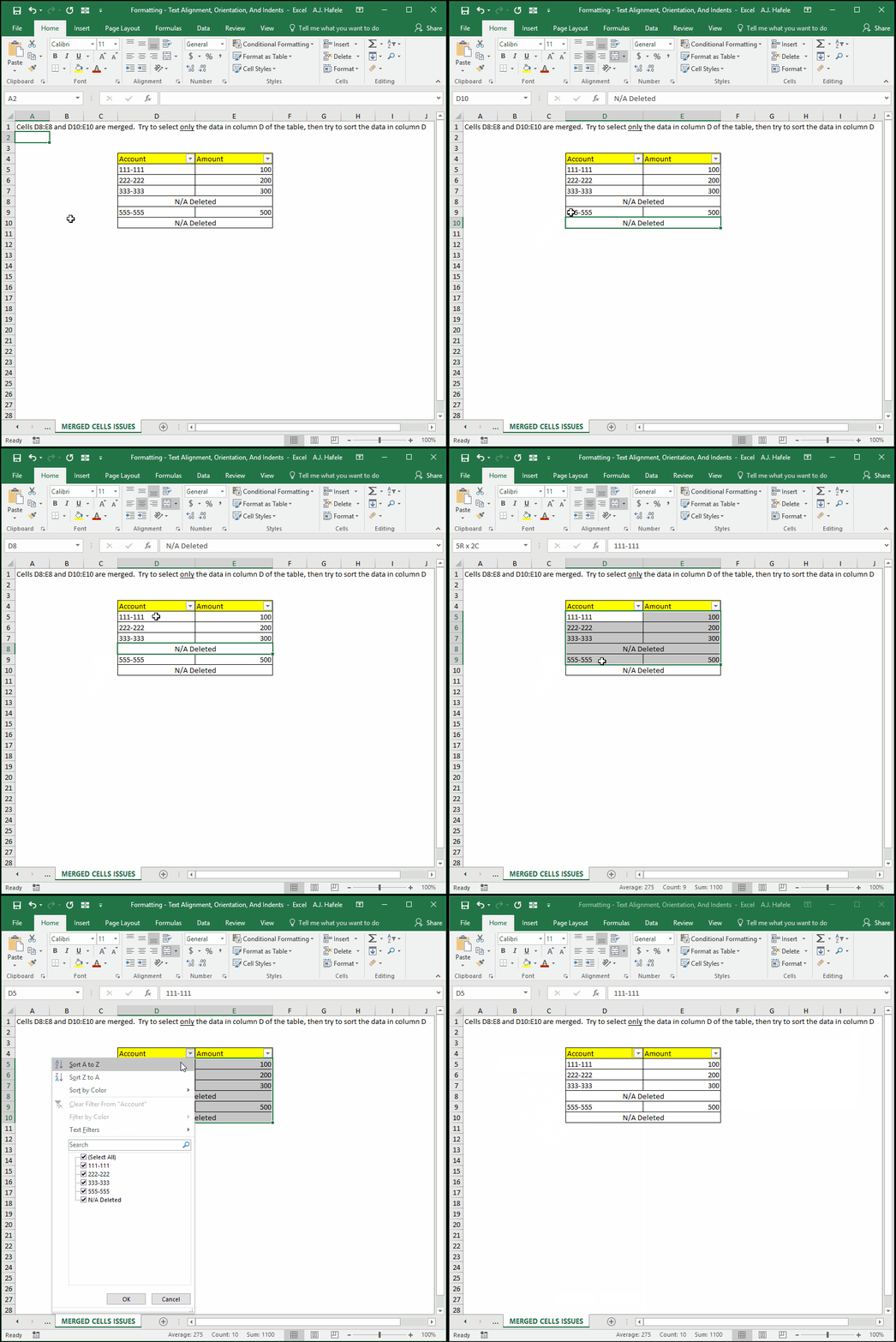
Note that certain text formats will prevent you from aligning text